Holiday Hack 2025: Quantgnome Leap
Introduction
Quantgnome Leap
Difficulty:❅❅❅❅❅Charlie Goldner is in the Hotel lobby by a pi:


Charlie Goldner
Hello! I’m not JJ. I like music.
I accept AI tokens.
I like quantum pancakes.
I enjoy social engineering.
I just spotted a mysterious gnome - he winked and vanished, or maybe he’s still here?
Things are getting strange, and I think we’ve wandered into a quantum conundrum!
If you help me unravel these riddles, we might just outsmart future quantum computers.
Cryptic puzzles, quirky gnomes, and post-quantum secrets—will you leap with me?
Chat with Charlie Goldner
Congratulations! You spoke with Charlie Goldner!
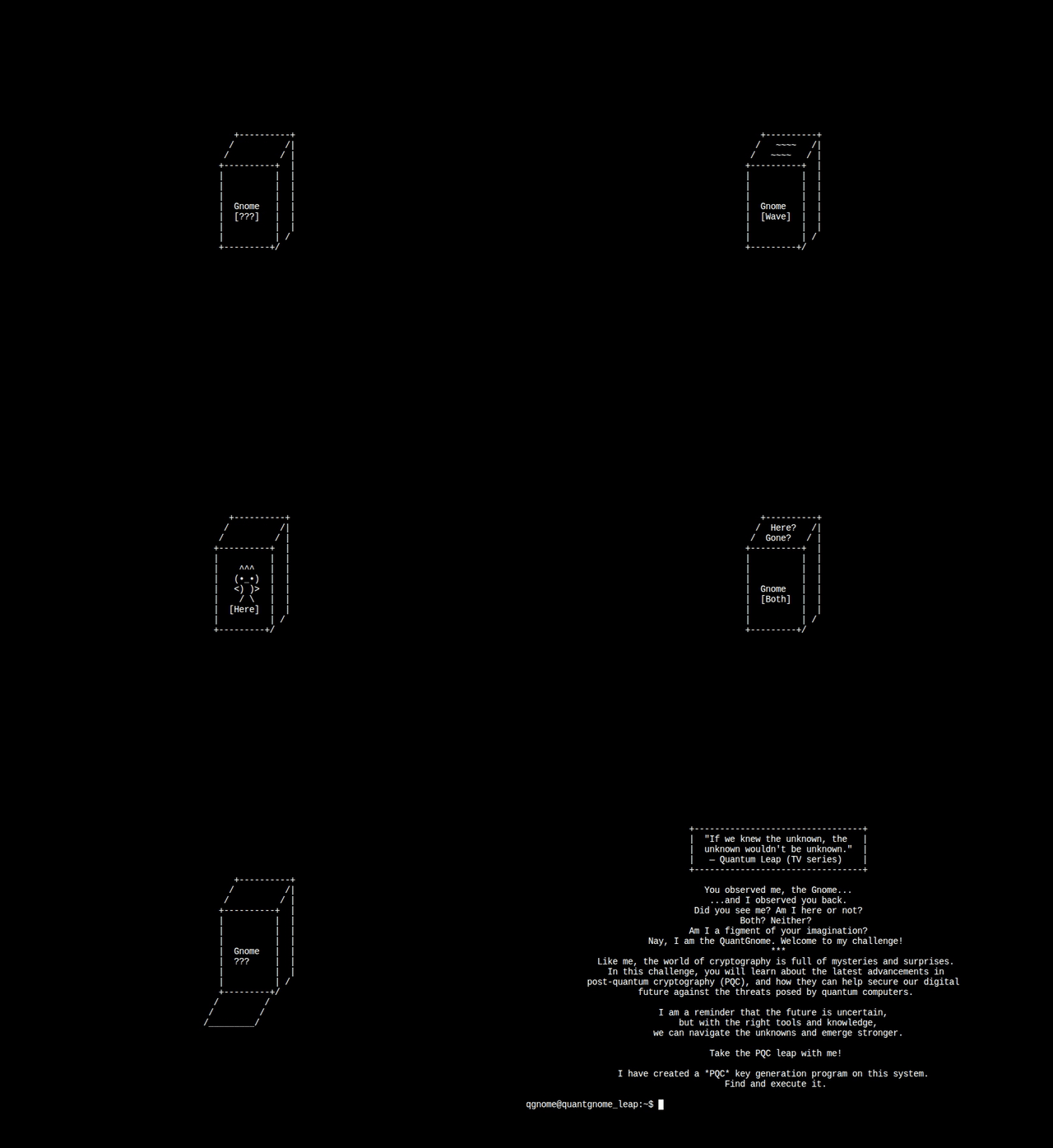
The PI opens a terminal that starts with a short display before showing a terminal prompt:
Solution
Summary
This challenge is a tour through post-quantum cryptography (PQC). Current cryptographic algorithms like RSA and elliptic curve (ECDSA, ED25519) rely on mathematical problems that quantum computers can solve efficiently using Shor’s algorithm. PQC algorithms are designed to resist attacks from both classical and quantum computers. The challenge walks through SSH authentication using progressively more quantum-resistant key types, from vulnerable (RSA, ED25519) to post-quantum (MAYO) to hybrid approaches that combine classical and post-quantum algorithms.
System Enumeration
Users
I’m dropping onto a system as qgnome. I’ll start by looking at the users on the box. There are six users and root with shells set in passwd:
qgnome@quantgnome_leap:/opt/oqs-ssh$ cat /etc/passwd | grep 'sh$'
root:x:0:0:root:/root:/bin/bash
qgnome:x:1050:1050:Linux User,,,:/home/qgnome:/bin/bash
gnome1:x:1051:1051:Linux User,,,:/home/gnome1:/bin/bash
gnome2:x:1052:1052:Linux User,,,:/home/gnome2:/bin/bash
gnome3:x:1053:1053:Linux User,,,:/home/gnome3:/bin/bash
gnome4:x:1054:1054:Linux User,,,:/home/gnome4:/bin/bash
admin:x:1055:1055:Linux User,,,:/home/admin:/bin/bash
Those same six users have home directories in /home:
qgnome@quantgnome_leap:/opt/oqs-ssh$ ls /home/
admin   gnome1  gnome2  gnome3  gnome4  qgnome
In qgnome’s home directory, there is literally nothing other than an RSA SSH key pair in .ssh:
qgnome@quantgnome_leap:~$ find .
.
./.ssh
./.ssh/id_rsa.pub
./.ssh/id_rsa
/opt
The SSH for the machine is hosted from /opt/oqs-ssh (which makes sense as the author likely had to download a cutting edge install to get access to the PQC crypto algorithms):
qgnome@quantgnome_leap:/opt/oqs-ssh$ ls -l
total 684
drwxr-xr-x    1 root     root          4096 Oct 29 00:29 bin
dr-x------    1 admin    admin         4096 Oct 29 00:29 flag
-rw-------    1 nobody   nobody           0 Oct 29 00:29 key-lookup.log
-r-xr-x---    1 root     nobody        1199 Oct 28 19:20 key-lookup.sh
-rw-------    1 root     root        620105 Oct 28 23:36 moduli
drwxr-xr-x    2 root     root          4096 Oct 28 23:36 sbin
dr-x------    1 root     root          4096 Oct 29 00:29 scripts
drwxr-xr-x    3 root     root          4096 Oct 28 23:36 share
-rw-r--r--    1 root     root           966 Oct 28 19:20 ssh_config
-rw-------    1 root     root         14384 Oct 29 00:29 ssh_host_ecdsa_nistp521_mldsa-87_key
-rw-r--r--    1 root     root          3734 Oct 29 00:29 ssh_host_ecdsa_nistp521_mldsa-87_key.pub
-rw-r--r--    1 root     root         14983 Oct 29 00:29 ssh_known_hosts
-rw-r--r--    1 root     root          1569 Oct 28 19:20 sshd_config
-rw-------    1 root     root            40 Nov 11 10:57 sshd_logfile.log
drwxr-xr-x    2 root     root          4096 Oct 29 00:29 user-keys
The flag is there, only accessible to the admin user.
Most of the other files are not readable by qgnome. There is a user-keys directory:
qgnome@quantgnome_leap:/opt/oqs-ssh$ ls -l user-keys/
total 24
-rw-r--r--    1 root     root          3739 Oct 29 00:29 admin.pub
-rw-r--r--    1 root     root           560 Oct 29 00:29 gnome1.pub
-rw-r--r--    1 root     root            88 Oct 29 00:29 gnome2.pub
-rw-r--r--    1 root     root          6590 Oct 29 00:29 gnome3.pub
-rw-r--r--    1 root     root           265 Oct 29 00:29 gnome4.pub
There are public keys for each user other than root and qgnome.
The public key format is a single line with three space separated fields: [type-name] [base64-encoded public key] [comment]. Most key generation programs (including ssh-keygen) set the comment to the username of the user who created it by default, but that can be anything.
Each public key has a different algorithm:
qgnome@quantgnome_leap:/opt/oqs-ssh/user-keys$ cat gnome1.pub
ssh-rsa AAAAB3NzaC1yc2EAAAADAQABAAABgQCya6rjv+pf55l/EvEIZW+yhBdrpBrS0rmyysVhdR5Zn2aatLVDhRnNQrH+si6SOaDAOPhOhy037auUveLhEFaQBDQIDqisQ8JoTT/TKhyO97h1IUkl3zmsuw4Kcu1r24L2UJCIVStiJR8vQU8U0Kg5eWuDRev9j+2VMGqF2hmYqssTNbxHNeNbEr1R6/wciSAa3hNwksqE3dYjbr07veKAIcWcsaPMRHmjHrHXdLLwyweXhgzidd3AgzDskub9XdAiXs2B93mFNbQWel+nE2smxUVUY+SLsGXDTXAJu5AqYXrDEJtSuCOCHKXyPX7WCbmAllQo1FB/9K59pI552+K062SvGDCeLEPpcELozU52/awX2yeldNOj7Bn/xXdKpSPHLUrhsj8y/9gVTnS/0q6VLzO8qIwzxdGh7P0OtQqMrSRkTLEHtdOjojTmT70WUpUaVWXf65X8ymY72G49lJjFVAyM6AFBQK/K52f0UTl4XnvkSHwxYNFyk7wGkE07pWU= gnome1
qgnome@quantgnome_leap:/opt/oqs-ssh/user-keys$ cat gnome2.pub
ssh-ed25519 AAAAC3NzaC1lZDI1NTE5AAAAIKUOOPy0e1+4EzuM5PYc1/lfsXrR9FFDxTxDztvCi0Ce gnome2
qgnome@quantgnome_leap:/opt/oqs-ssh/user-keys$ cat gnome3.pub
ssh-mayo2 AAAACXNzaC1tYXlvMgAAEzCnvbGit3qCT/thcAuQO1oD/cTqLsG9gC2XVHMB76bqVfQhR8uR/TdjjiMnB0W4NWgDDar6TC14CyJvfPg17RiWcCXiR3g6lF10+rUpJiz0szKd008tbphVRpN4DNVLJaVNZcJvFCaZ+NtDUa4DkZGxF9k5SgqM3DmPJlj70bQL7NS6FZG5I6hcH07IRgChldcAqvYk4/QcO6mTj8BciTkNJti+jvxq1WaO4gwIJsBKxdqvPkUq7h8KzhBFvI2IcYqzx5UrbePAvTmRC81pLijIeXvQzIcuulQC+LdNKVOjXNvfNV76rA5M4MvP1wAVH4ZU93aEP7yUhgauqcMeKhM78fJZqukDaSNMylteat+M8vRJIePSYFeMQFKcdodOAhXv5LUP1R/Kl1UDseLKEHsC9vXWrzuiVo5dwU5TKfCzzx/AVD9HKzWvk13scn5qAAAOczLcG1MhmHPw0vtJQqxNfm0X2bJFqna4Gbgrg/lAW8GqqBo0aar2KX+qFLjg0DL64E+XvweqIzS4dkOmI+qUcQGqsxVptmLBy2311t07GH/B/01RvMUEpmluwvMVVIQAeU7Nl0SvCcmTNHjNeGj+bkY4hB22OEEP9cthxJLNi1bxCr/OsZeUXGAIBEjp4KczLSAxwUNifdy4LkKHCflRWqfJMVZz7tZhWc68gblznp2oW/no6Tiu+hAFB9RdlM8fnRZqKtf3HtqzILYZIi9LCxnlQCfzNxK2wevlx8+xqruN+PVLiERkJmgWcMoMCWNNGeP3qyEOXhmRg7yUOsLsAl6eQMcyEogvB2hf3StlpJxv1LMypjtMDsX8bST9DWifvY81KFF6+F90gtVKzCiMul/NcJaUWfowU40YnIOOFBUCYbR93qAhiIHQWjQQCty+6478N5ojOlVGYC5+ehCP5FuPI2A49cemSZrqUHmb2AH2/IdnVmxx4nZg4OPZTfWyH4vR7MKAVhJ4JOu+hliFG7yczASlLOFg90YELYQ7JmbiQSDf4fSZiWQP1XmnUrYhXBcOegQWr5LG3CCtipr3KV1dEBqgdXTbuiI0BYwWu20wJEfESwD9nhg578hO6kfy1BDwocTelDt7Jl9xdB9kuo60heglyc+71fZ5YV/TdaJc7uaODycD7QxLMVoH61qoIy3hVQfwd6TxfFjrc2ErusPBKqdcEjEvMbIf2vGiJtydl0hTAm4VTXiRT17v1vDzWx0OJmoYujyOWjrD57PDg/8ufUMtEp60JBRrwDrVffjkFzz9baq3159ensR2O3lYmEgpEYoS/2ZaYYXeUMWDR9BfGdCdnhf2O/4qjraICbYpCUHCOuqDPQFPgAR3G5VDiESwwxbG5/BiRJ7eiN2mzCx7E+g7McFPxCUJDJ8BR6GXxyIWUZgghGMwHwM2bl6x2sEqaxQvBMoMaOysAa/47wYWncjsT37y4/BoroXNTB9wzZq6BKOjdC0dvVkS324x23kXZb9K75IfWQMMyDOE/b1GRV7B9EkjukObsFdRhjgTwaBKEU48YZUI1MeJPmDsgsDCWwMuZnkl+kSEkZLJv9I9Q1Q1ggwKL/8rMsbGI4kTBqp5/dpxPKfu6XML3Jz0CqSMSC5+tgx594lzUxcW6y+ez/5pjH1LJGzOnEZ9T/5Efi1Fba89jruSn7hVLA3kVy0vRbQ9LiHpwM+7GyRPWspszI25CAII36tL8KWiXfKM5zd1m/iN5+htx98MSegoKUBxd0Vea3ATUKGuK6fezgEftKlB4TxLrwryS8W4xlbF/U5n7ferxM5MK4Q2H/tlUNlnBP+EacOcHQ2G6jZxYQHSS/yZypAvO7Hw4Lju1EYo63yv2wCZgWvXAOdJHGqWalo7x1sbdWiJGczqTjxfUawpZLghoFv/OpLf3hJlAq7o3EDxu27Lkw4yIYEiZB0XmHVzMLxlyXIwQc0HEvoqnvfwISiOIEtQBmiI8F4Q48YN8wakXUizzkU3TE60qVLFj2XHGzyjHN5NvctQd82dznc4rsWdNINt9v1XBgeeh+2KC6FA79SEo66eHsTjQOQnTGgYSzbimjZNiPslKtp9wnD1KyEWX5BBF9s/XBvc+l2WYwUKIrJna3z+/On4hjIf2QeJXX1+cq69+iYnXjgeQB3WYq/mbHAdYp/9m+fAAPD8UgMqzuvOJFJRbt3vcGfEJ6Twgzwrf1KJYsUQWKc2o0Gd61weIrvYpSTT0MG3iQz3/jZ2t/WUm4Bk8ctwWCRXkIcQmjNYQMedku1cETVimEjjBhDDDLuxR/5v+O0duwjgc3MExWlQuJnqrW3FpQv2/l5eeYQX8E0EkUcvDjGCuczpMGSRoGNTwemKdtXnTvwlwewokGAeL2VMXoQuf005fOaZeiT6UWw8OLGJm1xrb4zw4TWUNWhbOZILLBVODxC7PbrLs8eOHMh85QbdaH1anzr0Md9zb3XnBdpuBohaU2A+cEc++NGRHK6eWABpZ3DkrdpYtU7OYEfLoZQYgCIVcoM4fQ9lXijnd7rbqYcFETGkpoaNNOdV6ytsLqLumKKKnuLy36X/gNINa7GouImGVqsafGhYKJTcWCCXoEiAJRaK5fDpCawepcdgW6osU6kaZ8XRylesu9Zx/IOdFp8GuDsFVu4WR4eIcqUn1vZ6vkRlG+U2QkxYBALVyJD4OMcXqxzIln73IEQzxxx6p1z2xjLvMgaOZhVxFRRGywBnpuHCZpNBkm5uiJxO/BV8S20EmxX/nTw9soSRzZ0G0w/TZ9tjBbNA5/BWGHwGyHycAxzuCrpKuSw/CxE169KtC0/UBxzPniIFAR0zJLN4RJ/XDANIxJKCUAwMlbnwe3hZWTf/Ac/iS/9DeWEtNqPfeTJp61mLDp2p/ynWeO7CUp+pYh/0vCfppMTc29W3Ar6olK47X38rIHupYlqUH6+DsVgm6PgkERpmi3+Bglauxhny0UA0aDu0VEPP6Zen2pAu0azQH8O5HnjOzawBIQMkIHbVNjNnORD+uN/zMfIq38wA4LasyWdjNwDaa9RMI/34xNh0REJYpxp7DZ67qexxPpRApl2FylzaOhvLNqVtbmFMZb+hPQWh85ctnbGVZrouJrL93V0TWgYvivK3fWdywzqfwH8H+NuRuSXvkJYTFPKZcctoioxPVzzw+A8Vtq3/iP/PtkFU7xjq1Eg2UVKazzxcjyxigXBS+fF4Tr9qL8OqHX5McXp53IguU+jbWIUNkNLCjxhjgJ0lFv9mkLaHyeXpOBvAzt+HxIz+AMfuM95Eo9pbwKKUGqQepWL1FRyBsYetHIC2BzJj/5N7aM0sgQsuWCUWZsa/NQkBV//9zm1/YRZykormg6C0g0Eur1ojpk/HcHE+1rxNP7P7vTQgA6PecUHB473Y0+5zDmwaJ9+JjjKwsr5TkMTpJzxOS43cWrddLfEKHEg87pHzIQ9PzQErz4eW7UQUEZfu4AjEAHBrjOxgKXAz0FMLZtFUVYxUKOjbEIkOYjHNSi2tYiLU1KECWlwNVGKT0A+a4kk+oorM4lnOgiPV9dTpvdYGHRn2OXYzAvmSRAThTNdMN0+1MwI53dfW8p8n0S5xtY6VT5FuGRJqN+pZx0kBIVrQz9aHITx+YLQfyOW7PnC8q4SO7ScXhn6B7sKDBHf1OPDzKk2Y0qQwxpPNBQx4PonCLvK83y1CVRPtzlIbwOTTkOJzuIo9J2LD7j43PSv0l2l+6UltVcs1g8z21LVYhq/q8tHh6lVe3q/ooBROibICQFO0J0sozsJKbkpVJ+pGZlAoeZ09fwfdaydHrFdK54vt4KnO4TD5WEvInbBSr1ZeOTrhffCvBZaD45AH8zFBm8qBxKBRSmKcLzbDiWpHPDOg+Z528nY95utyJwfSk7k26K1jDd8UB/yFfr71wTZBmINnWsFFCnaPVn2rWNdREQvDvnh+3VTr69BcQB3lMlvqB6MSQ/UoVlDkk5QrIhLzGC7wJ/aribTA6d14wQlLfisHhnueVGJTzL6J46cRzZdTBdAHmvjXJ0y6TRWGBjCm7WPXhxXmLdfqDuOYPsc0EOO7HioopF1l2rMcrQz+qqDGj5gSG3u2RP4QKB3tlWGiGTLHpu9tzOeYpnNwufaZq+eFDUccDPt9aQBb4PYkl6eaLUVg1DUCWoiGD98RrPpAXuHxsW3uRiNPabLYPKevXhfK3JMx3vTiwjK+zLHxQaeqPXLgQCoJI7beNtwiMdx2FBSD9fzmd77jEoBSoSeNr3gPZalvU8uZkmxqg/zSVEGe2jZmcjK8/H1TO1eKxHOka/rXVP+zL94hmT4iDmRUCEzgUENGDKpfVk15MGuh3EJ2jCSaYgxkxxSdUugQpj4es+CgrKDHY7df5tuf0apIoaVZUbn5dYj4ZOVUKRN4SC31gWYoJF9yRDghJGHY8nNa6b1atOMAYNn+W4uCG2IHpB/o/AwBmFSIXmtsfnDNW8lXaZXLO0MmsxlVgrjO8F3i6RQDyLL+J6cC0OT/2+bp6WwyGEsZaRn5JuxmT/rWSpTKkPhKfBLC0Ta3FhEp42rbIMXjiebuOvEkVH5noWmnB6DKxytYvNwCfCypjEHJAqUsppRCEo+tKVywzOqrjuBXTk6vlo0m7chKF9hYpsrsnrHFQB/EpHugk6fmpBFl79YW4kJHGge2HX1bJ/l2+m7m3Fr+yAg90pCn0ek66/RYKj/5lDh1pyJ7H+Dgowj/ggqK5lbVDPGMLhZpK65sBIaZFHcb5CTuOybnUbgMxf+gfdxl6Ui0iuREi4vjCkg74usKGB5T31UaMaU9paQKyb7XvWF2zggtP4/MP/jlWn5fzvyp+v4+yDm012ZVFs3fSm5ZP3BFcbDWRcdsKYAvNzt9YgwEr/gLvbVEFAKwtQ1dDebIiBXgAC6tMEhDwIfDhusE8fqgQcsVhrcb/Qja7+eudUlbLtZBxPR746D9FvufqV8LXPMTB4pmO21IjgkmYeIXj2oBrYR8iiNDrk/44P709gug+C4JkqzYQUSM5uftKAviZK8Hr2dLmcguPOROlEP+u7P0Swjly++Yksy6PTvznBvMF8IBpOxCADIu1+ekJlJnoeeRT42It9JmPdIq48ppHfMAt/Al/O4aMWbCFLIP96d9DaimGQ6XnACgn/LAdmfwqzZiV34j1a823e+Ko2PuMw3sYXCjDP6UQcGyiN9AQzEc9Cbv4HCpkHusy4KSg0iJJbHqBDrwbfPyGCxJ8CmuGY8yqdGnoPs9xIpDlIUB1aIWCunWLqbRd3nqfYYWFh2ylyXBeZTLj5+nw7lnC99LvxpxmY+u1gybxl06Dci11kcf420QLB39DCNTtPtr7l7AsWadxx98Jh2Tao32LmwW82T5cAoAQ0r3XcJ4H4AKLm5Y685br90uo3X/ikICcxojUutRker2Q17zlY7ssuZCggF7cFN+r19irSYl4OyKoyJBepaYOLR/SBl0ejYLXKNodV4Y7/qSuy4R4Ps+oQlX4wPvlE0n/MUlhVm5nit8BX76cSoiHhiW+qmKyfn85ynY8LbyoXRydK5fYn0v+i7M4kGhIeB+aq4u5tf0FqgCaXtS5nXizyT8MRZrKyv5Ks9WYV44nl/qXirpPXabD5EDmIyd0S6h+IEEKqdApeD7kalaV8+yUiiN6zdcrfbsMnGRxbxIUbpEllM2HefRb4JQyy/xJ/eXPzAmFEGSi4uov3qtS+6PtaWry7USCiSRorWH0gcmoxqNDVJFqU0e9LLGnUi0h1Z2v7GW6wCipbfCM1wiVuBqVH9CcdctoiOeBCk7cpSrt/83UcKB2xiB39Rj22TJCYuUny8BMP988KL2EH+FFqlofNbe/19ML1BenE24lXOjQIYkFR2GIueu1CTITCdMaTPfScBB3fWLhLAJAtPdAktXMPUOB784P0hBkX619LlMvBITeqvlAcKR1XUB+n7QwkcRUjte419ksfeQvKKA3o9YpstJ+zkHXXUWmBbRuQBVbKxfnJMCgzWTqX62jSefTaztQvoNknryYQe3YLtpa9i/eaq1agrHGaUDIixH3NXnWbPGv9dy803TPInwvq1hbeABzYK+GoVw/DcTlShhMD0vPuMWzhBPPXE2T8ZDTrLjWyW/lR/hA1dqNitseGCcCmf7O3OcCLZb8yZhweJo2jNFxjt/8jIFm/Ma4BDGyVkKfquzVOG7F5clBv9dvKTQmueIUK8OrEs7CHye6+m/ALS02e+GtIvrV+EgshV5ub+NGyeU6zVzgrB94dqlPpV00Z4FBcRR+QBQeXEZlMvqrQN5EI3XpgnjhYbmNkXmeeBVu6+gcpRFkdHwDTUh0Bn7IJ6nd5nFi2A3g9dX1Vn9TKqHPDybnklJsPsQrdhV6cgLHrTdL14odrmbc3OX2w20+lGcTZvlFXTGVLz06W1xrf5Z1H/ApSMd2Wi6t3HW2VRQ/WSB5vzOUwIBq/TUV8rTxO3Kup6YEupBfXu5hGz8ZiVWwawNTSdlpHIm/ZqkcnuQkEkACuj68PdlUzutPV3Bj6qIJ82b1t2DTv3yrlThyATDVWTnaolZIq6m90UjEl9z gnome3
qgnome@quantgnome_leap:/opt/oqs-ssh/user-keys$ cat gnome4.pub
ssh-ecdsa-nistp256-sphincssha2128fsimple AAAAKHNzaC1lY2RzYS1uaXN0cDI1Ni1zcGhpbmNzc2hhMjEyOGZzaW1wbGUAAAAIbmlzdHAyNTYAAABBBL6fN38B6kQNiS0vAvGeGjAJ7Da2YbpBaAXkeeDJ3CJIUZc8PzNWCfzW5qN8z0RnS1/Hia1jRt6dydqeiVHBa9cAAAAgRAPMBt8y/4/YdBEw9OutMv37HJy50gIQfmzUY5d82Bg= gnome4
qgnome@quantgnome_leap:/opt/oqs-ssh/user-keys$ cat admin.pub
ssh-ecdsa-nistp521-mldsa-87 AAAAG3NzaC1lY2RzYS1uaXN0cDUyMS1tbGRzYS04NwAAAAhuaXN0cDUyMQAAAIUEAKqZp85lwZsw4xT+CLYfMEkI3k+86rrskh+FGhAoeDzt9xbaDqYVVtDmBKUC/XEr1VwGjtYNKFTPNJveaLxDwnSMABINEgXzj3tGnB0McU0TE3jdkdN4UHvSbqqV4W3hS9F8voP7hsIQEws+DtXnuoezqB16NAfqs5qGV7zbrCcg1LKkAAAKIF8IGjU2eHZAuyvVDusPthHwmbLeHIYledG671S38+NjelMi9BvcfPkagdRMP/OJ8QlH1pYcXtQBTGzlI9RIxFfNo48OZVw/MWvO6WqBADui3tYCTTi6RGCm2aqdw6Js18Syrj7txp6cq6rcyIQDrVl1k2GzoEVmn58FO8NdEAqjJuUFK4Jzk9obXgCGXEBp9RYI6Hf+1spQ9+mufuykisYoBqZCHTwDW+QBauCiyXqhuwJd7n4it99TTzE/5aWohrHjNAI2Q/x6JYYl0KH+nSTH8lmxBXDjD2hrAOxsIDUc2nv05H5E51uzIp/ZN/ldUB6nGh/8Brlhm1dlv4RHCiRgxkLApm4wQdhe3juYVmavC1IHHMj4W7jz9aTJ5+hdKQGbOBfogiAQKAfgS3Jv229yJ4PNpIxiU7HtkrGwlDSaIFjXbJg+dCPkwLH3Weh2ZOf6DEgY0+9lQnWsrKnbmVJowLY2MRtZgcochXZj0B/6Ee+/iCdvlmcC4Y5wXqBXa7k5OVhfbyWs1iago49KbEXGUAZ2T+eaaxyLA7YYNgz6sfbIipnGjGsz8kO0mGxvQpUEtrRuxMNyyFQ+l/+JSCQ14MYsfCme1Q7M5PDWY5UOmeDdSYAO+SOmWvKlO5Zry0poujWV3cXN5eg4emIZ9EZ4Shcr+SgRtDxtXcds9+aA+qvtaruqJ6YC2xtloVevjutyAMiUOFu/gjjy876MVagXwVbOxULaTc0U16SK53yk7qQz7x1FFDfCmYMAtF7+XjIkIr3gc+BW6VMKdcH9vM6r3xlnd0Qy73DSn2plowdvxZEBeQVE/J396aaYoh8XCc4BgrXcjCoHEiYfK/v//dg6mbp7PvbCQ7tHSpQUqjgnrCVwYt9WUgh8JT/f+gkro2i5Sln60E9q+qydFssT4J7WQjlkkapR+DPzjXWzQJdOLLgtnWvy6M3jVvGnZWbutcQdXGPVFDCnHlmuHdHiP14gMdEXENXgfxZHvzkQW6eVa+nD0lnFgm95ADApCaRHCb5+VdCjoUzfqJyxDFL6EGJKzwzjMVlL7GEgUgALulbWGjqqZQ5YoJml6w1jXHPvlwMOM0K9f8UBaqDxjBYsH6Nies2cMV066SjCQxRSmLLMoxBj1oZnHbN/hps048Di4K08BdtIm6FXJElB7rNsHNcoQa6Qj5L772oXovp4MAANxMI0HrElO/SGd9/P9Zg+29/UvQvgvNI/TDT9zVocx44dYkKaqeKqP5KpBxD6fqYwf47dGZuLoe8VCjr75ymS54rIal58vXSGnAbeIqeB+/hJEuW/yoBajrP476+BCABBMdoh2DPnJ+jUydKTcpF4g3ddcGXS6WyiajOcsXctoRU/Wj1dqZ3dOH/8No92Bb2a7PEXuBC/WTgt4X0lsr8SmAVv/D6Q8fRnAFhVtQEZKSUxGlrts5kMcZA0zazj3GajGGjdF1bLX+djMHv9y7ZDhIbpEGPHItw44JnhgLl+J7gw8HJkq2oOd1R4WfHCmvodFi6TI+vhApKsDppXf4U40DZTYPjjauA0YTmtPQQUa/rLnZfwj9t037VBRh9z/Q4qcTtoVii56j3zOTI5pd1csu9PRmnz5Suh8P0neGPED7xPjg9mYSwTqFnwe+h+kM/RlhDzpuGhVWYIjUzk/uOYDJ/zlH4TeT5KMpO3wGuW12TbDWVTiuTMo/nOasPB1Q6JPEEtk0W7VrW8Rk8gX10hnHfiwLR/KXDaBvdZ7vmHDhqUP7O4OtVJ40nLpg7Od60xzkYCMeWEz4P2yhn2wkyYlWxdPjp3/oKnK1PZxo0tyZr03s7XQOLtqy8CoXy736xs4oLUgN0k3lDR3wz9tCHwxpY5NXsgQ19Mx+EFeKGH3aRwiOCudEb1zkG3vJGYBaPcvxqkU4SivIqgXdmxEPfW4Mvrjp2CAdxpmo+HaYEkcwal/6F1WNql+Veyui0t7FX2z6uZNBTETrqhj4Ghh4b/Mq+My03sGnqQi6jqa3ZgMStoDHUBPEFIlbsv6H0ZwwIrWVsp3uAXGH0pnlCKR36I6iSshZC/uiAu24QB2ThAMcqOiU+AnJ+AaQPceTfaP5vc/e7CRhjsXJGG3dMlFYjChQ2q5Pd1wlfN+olZWEMxpWqbtikTJ0o3MR3zTpKU3PG/U3kCdtSZGBAAYJhCg2z7lC4/j0Odapb0MecGSO07/18PQdf1d9CVzCmB5uuA50VlfB78xxsJ6jHku6v5YnZRqpuai1qvGHsHL379Ho39sGm0jprROidPAV81gSTomXtv8xuHyCSYSBs5zsH7fsEa5YoJTcs5M2hSZO0B24kwAtql6OMRGKKZSlZEY2M0lJS3DFRBOERRNiveK+LeF7uorhCDTod46GUKJ8ui1A2rV25DQ2tTmMDmEd5wlvzkIIlXYxDv9HKhFJ5WxmRlCuma6zWsPSCBmM1s66zn6n/8bpUvbczkc7giZ/GTvevMNry0Q9TSnqa+75xOtteL9cHs7hLof4NLvmiRFYCDKAIm6OX3WyNgsnLETkkChFWbE3nL0m6eBdrjFbGhSmkIqoxsZ/jpt2+FAnMYrcuGThb1rNQn4PZy+d4Sd5sXrDRJeITCAvHV8+A2FvZgJHsrx8LVKM/140BEw6mBnhLHRIJsawjGFFyl78+5tchFEfra3IN0oBTrweQnuZFsYiZl67KMvgZYaXLq2VfqGdQAwOc4p1AkPv8RTisjwFNX3KenZoSlZnwIE/hF2suDMt9cylGT/eO0VXcTbAYAVuMnANgYjhJfrY3imICLue4AOHsXHr2g621NaZR2Ak6YnlfMfPkJxjz/bnd6ZBi2wViPQzVqhbn+UOhFPlzXJMEf5p7kC0anuWB5dlE7KhtOJeW69PLZQVVMUuOX/1jUMRJI+6ZT3uwqk4ItK9iy5WtQFP95oR7hFqWI0vdVECN+4JneOcPv2vu+mJpfgQmlHGaVGok80apOJ5fbbh2yKKcdvpBNPd3lB+azdYG/ui8GwG+fOIUfzMPZ0FAWuKzO+KL3FdnzXaYn67dqpa6NMtdqX4NmGQHW28aoGqfe/sum0Q4FTQxXAJ5RAvJ34fttg5kswsFi+XZFRwpOmjl60hLS8Foy60asQG8ZQOFNSlikoD8YuKJvzd5xafUqnoaBLd6SwgoLQFLxETShyAM6ijCVM16ofodA8xbc0kXVSZtbJ49h55/KBgIrHyGgN6eqGufJ0mcF+PnbemKhvK0GRpi4tPuRSgxU3b8YgyCspu00K4YjrcDZcoYY3z1F4VWe0izFEeiMwtN25DQtVk2XzKZvtJJCS5A3v9qEssWj3pvsC9PEq4epLe48ztIDjgujzFHtjTRZVFiHfXWuvhQOPPDMEK8AqpkB4B4oO01UKe31aAxA9trs6xYRty22671Cpk3PoKkowGAjy+vehn5af0fr2MGA52MSytWBQpgXmoxxG7dxqr9zVg== admin
SSH Configuration
There aren’t many processes running on the host:
qgnome@quantgnome_leap:/opt/oqs-ssh/user-keys$ ps auxww
PID   USER     TIME  COMMAND
    1 qgnome    0:00 -bash
    8 root      0:00 sshd: /opt/oqs-ssh/sbin/sshd -D -f /opt/oqs-ssh/sshd_config -E /opt/oqs-ssh/sshd_logfile.log [listener] 0 of 10-100 startups
  110 qgnome    0:00 ps auxww
The version of sshd (the SSH server) from /opt is running, with the config file also in /opt.
AddressFamily inet
Protocol 2
Port 2222
LogLevel INFO

KexAlgorithms mlkem512-sha256,mlkem768-sha256,mlkem1024-sha384,mlkem1024nistp384-sha384,mlkem768nistp256-sha256,mlkem768x25519-sha256,ecdh-nistp256-ml-kem-512-sha256@openquantumsafe.org,x25519-ml-kem-512-sha256@openquantumsafe.org
HostKeyAlgorithms ssh-rsa3072-falcon512,ssh-rsa3072-sphincssha2128fsimple,ssh-rsa3072-mldsa-44,ssh-rsa3072-mayo2,ssh-ecdsa-nistp256-sphincssha2128fsimple,ssh-ecdsa-nistp256-falcon512,ssh-ecdsa-nistp521-falcon1024,ssh-ecdsa-nistp521-sphincssha2256fsimple,ssh-ecdsa-nistp256-mldsa-44,ssh-ecdsa-nistp384-mldsa-65,ssh-ecdsa-nistp521-mldsa-87,ssh-ecdsa-nistp256-mayo2,ssh-ecdsa-nistp384-mayo3,ssh-ecdsa-nistp521-mayo5,ssh-falcon512,ssh-falcon1024,ssh-sphincssha2128fsimple,ssh-sphincssha2256fsimple,ssh-mldsa-44,ssh-mldsa-65,ssh-mldsa-87,ssh-mayo2,mayo2,ssh-mayo3,ssh-mayo5,ssh-rsa,ssh-ed25519
Ciphers aes256-gcm@openssh.com
PubkeyAcceptedAlgorithms +ssh-rsa,ssh-ed25519,ssh-mayo2,mayo2,ssh-ecdsa-nistp256-sphincssha2128fsimple,ssh-ecdsa-nistp521-mldsa-87
HostKey /opt/oqs-ssh/ssh_host_ecdsa_nistp521_mldsa-87_key

AllowAgentForwarding no
AllowTcpForwarding no
GatewayPorts no
MaxAuthTries 3
MaxSessions 3
PermitEmptyPasswords no
PrintMotd no
PrintLastLog no
PermitUserEnvironment no
PermitTunnel no
X11Forwarding no
PasswordAuthentication no
ChallengeResponseAuthentication no
KbdInteractiveAuthentication no
PubkeyAuthentication yes
PermitRootLogin no
AuthenticationMethods publickey
UseDNS no
AuthorizedKeysCommand     /opt/oqs-ssh/key-lookup.sh %u %t
AuthorizedKeysCommandUser nobody
It’s listening on port 2222. It doesn’t allow forwarding. Logging in with password is disabled, and only keys are supported. There is an AuthorizedKeysCommand that uses key-lookup.sh to validate keys as the nobody user.
There is a service listening on 2222:
qgnome@quantgnome_leap:/opt/oqs-ssh/user-keys$ netstat -tnlp
netstat: can't scan /proc - are you root?
Active Internet connections (only servers)
Proto Recv-Q Send-Q Local Address           Foreign Address         State       PID/Program name
tcp        0      0 0.0.0.0:2222            0.0.0.0:*               LISTEN      -
Shell as gnome1
If I try to SSH into port 2222 it will fail:
qgnome@quantgnome_leap:~$ ssh -p 2222 localhost
qgnome@localhost: Permission denied (publickey).
By default, SSH is using any private keys it has access to in .ssh and using the current user (qgnome).
The comment on the public key in /home/qgnome says gnome1:
qgnome@quantgnome_leap:~$ cat .ssh/id_rsa.pub | cut -d' ' -f3
gnome1
The key is also an exact match with the gnome1 key from user-keys:
qgnome@quantgnome_leap:~$ md5sum .ssh/id_rsa.pub /opt/oqs-ssh/user-keys/gnome1.pub
b9c019f57980f4b2150fac9b38d4569e  .ssh/id_rsa.pub
b9c019f57980f4b2150fac9b38d4569e  /opt/oqs-ssh/user-keys/gnome1.pub
I can specify a user by putting <username>@ before the host. I can also specify a specific key to use with -i <path> (though it’s not necessary here). The key works to SSH as gnome1:
qgnome@quantgnome_leap:~$ ssh -p 2222 gnome1@localhost
##############################################################################################################################################################################################################################################

Welcome, gnome1 user! You made the first leap!

You authenticated with an RSA key, but that isn't very secure in a post-quantum world. RSA depends on large prime numbers, which a quantum computer can easily solve with something like Shor's algorithm.

Take a look around and see if you can find a way to login to the gnome2 account.

##############################################################################################################################################################################################################################################
gnome1@pqc-server:~$
Shell as gnome2
gnome1’s home directory is only slightly less bare than qgnome’s:
gnome1@pqc-server:~$ find .
.
./.ssh
./.ssh/id_ed25519
./.ssh/id_ed25519.pub
./.bashrc
The .bashrc file is mostly responsible for printing the message on logging in. The key pair is ed25519, which is typically what I use because I like how short it is vs RSA:
gnome1@pqc-server:~$ cat .ssh/id_ed25519.pub
ssh-ed25519 AAAAC3NzaC1lZDI1NTE5AAAAIKUOOPy0e1+4EzuM5PYc1/lfsXrR9FFDxTxDztvCi0Ce gnome2
The comment says gnome2, and it matches the key in user-keys:
gnome1@pqc-server:~$ md5sum .ssh/id_ed25519.pub /opt/oqs-ssh/user-keys/gnome2.pub
95fd2bd2742f1a6fe5807440627ffbac  .ssh/id_ed25519.pub
95fd2bd2742f1a6fe5807440627ffbac  /opt/oqs-ssh/user-keys/gnome2.pub
Just like before, I can SSH into localhost as gnome2 (using this key by default):
gnome1@pqc-server:~$ ssh -p 2222 gnome2@localhost
##############################################################################################################################################################################################################################################

Welcome, gnome2 user! You made the second leap!

You authenticated with an ED25519 key, smaller than an RSA key, but still not secure in a post-quantum world due to Shor's algorithm.

Take a look around and see if you can find a way to login to the gnome3 account.

##############################################################################################################################################################################################################################################
gnome2@pqc-server:~$
Shell as gnome3
gnome2’s home directory is bare other than another key pair:
gnome2@pqc-server:~$ find .
.
./.ssh
./.ssh/id_mayo2.pub
./.ssh/id_mayo2
./.bashrc
The key does belong to gnome3:
gnome2@pqc-server:~$ cat .ssh/id_mayo2.pub | cut -d' ' -f3
gnome3
gnome2@pqc-server:~$ md5sum .ssh/id_mayo2.pub /opt/oqs-ssh/user-keys/gnome3.pub
b2d4bf9b88b9b81d07341abb54cd7b1c  .ssh/id_mayo2.pub
b2d4bf9b88b9b81d07341abb54cd7b1c  /opt/oqs-ssh/user-keys/gnome3.pub
The algorithm is MAYO, which is a post-quantum algorithm. Just like before, I can use this key to log in as gnome3:
gnome2@pqc-server:~$ ssh -p 2222 gnome3@localhost
##############################################################################################################################################################################################################################################

Welcome, gnome3 user! You made the third leap!

You authenticated with a MAYO post-quantum key.
A post-quantum cryptographic algorithm with promising results for embedded systems. HOWEVER, use MAYO with caution! Wait for a standardized implementation (if/when that happens).

Take a look around and see if you can find a way to login to the gnome4 account.

##############################################################################################################################################################################################################################################
gnome3@pqc-server:~$
Shell as gnome4
gnome3’s home directory also has a key pair:
gnome3@pqc-server:~$ find .
.
./.ssh
./.ssh/id_ecdsa_nistp256_sphincssha2128fsimple
./.ssh/id_ecdsa_nistp256_sphincssha2128fsimple.pub
./.bashrc
It belongs to gnome4:
gnome3@pqc-server:~$ cat .ssh/id_ecdsa_nistp256_sphincssha2128fsimple.pub | cut -d' ' -f3
gnome4
gnome3@pqc-server:~$ md5sum .ssh/id_ecdsa_nistp256_sphincssha2128fsimple.pub /opt/oqs-ssh/user-keys/gnome4.pub
7e6ae4220b74651ed3bb4f95bfa0020b  .ssh/id_ecdsa_nistp256_sphincssha2128fsimple.pub
7e6ae4220b74651ed3bb4f95bfa0020b  /opt/oqs-ssh/user-keys/gnome4.pub
This one uses a hybrid of algorithms:
gnome3@pqc-server:~$ cat .ssh/id_ecdsa_nistp256_sphincssha2128fsimple.pub | cut -d' ' -f1
ssh-ecdsa-nistp256-sphincssha2128fsimple
ecdsa-nistp256 is ECDSA using the NIST P-256 curve, and sphincssha2128fsimple is the SPHINCS+ variant with SHA2 hashing, 128-bit quantum security, and the fast simple variant.
Just like the others, I can SSH using this key as gnome4:
gnome3@pqc-server:~$ ssh -p 2222 gnome4@localhost
##############################################################################################################################################################################################################################################

Welcome, gnome4 user! You made the fourth leap!

You authenticated with a post-quantum hybrid key! What does that mean? A blended approach with proven classical cryptography and post-quantum cryptography.

In this case, you authenticated with a NIST P-256 ECDSA key (a classical elliptic curve) that also uses post-quantum SPHINCS+ (standardized by NIST in FIPS 205 as SLH-DSA). That makes this key extremely robust. According to NIST, this is
a security level 1 key, which means this key is at least as strong as AES128.

Instead of a single exchange/signature (as with RSA or ED25519), this key produces two (one classical and one post-quantum) that are both checked together. If one fails, authentication fails. A hybrid approach is a great first step when
testing and implementing post-quantum cryptography, giving organizations 'Quantum Agility'.

Take a look around and see if you can find a way to login to the admin account.

##############################################################################################################################################################################################################################################
gnome4@pqc-server:~$
Shell as admin
gnome4’s home directory has another key pair:
gnome4@pqc-server:~$ find .
.
./.ssh
./.ssh/id_ecdsa_nistp521_mldsa87
./.ssh/id_ecdsa_nistp521_mldsa87.pub
./.bashrc
This one belongs to admin:
gnome4@pqc-server:~$ cat .ssh/id_ecdsa_nistp521_mldsa87.pub | cut -d' ' -f3
admin
gnome4@pqc-server:~$ md5sum .ssh/id_ecdsa_nistp521_mldsa87.pub /opt/oqs-ssh/user-keys/admin.pub
802e8813f1cd7dd8182a7fbbfed14b04  .ssh/id_ecdsa_nistp521_mldsa87.pub
802e8813f1cd7dd8182a7fbbfed14b04  /opt/oqs-ssh/user-keys/admin.pub
The algorithm is another hybrid:
gnome4@pqc-server:~$ cat .ssh/id_ecdsa_nistp521_mldsa87.pub | cut -d' ' -f1
ssh-ecdsa-nistp521-mldsa-87
This time it’s using ECDSA with the NIST P-521 curve (which is significantly stronger than the P256). It’s also using ML-DSA, which is one of the strongest post quantum algorithms available at this time.
This key works to get a shell as admin:
gnome4@pqc-server:~$ ssh -p 2222 admin@localhost
##############################################################################################################################################################################################################################################

You made the QuantGnome Leap! Your final stop.

You authenticated with another hybrid post-quantum key. What is different about this key? It uses the NIST P-521 elliptic curve (roughly equivalent to a 15360-bit RSA key) paired with ML-DSA-87. According to NIST, ML-DSA-87 is a security
level 5 algorithm, which provides the highest security level and is meant for the most secure environments. NIST standardized CRYSTALS-Dilithium as ML-DSA in FIPS 204 with three defined security levels:

- ML-DSA-44: Security Level 2 - At least as strong as SHA256/SHA3-256
- ML-DSA-65: Security Level 3 - At least as strong as AES192
- ML-DSA-87: Security Level 5 - At least as strong as AES256

This is one of the strongest hybrid keys available in post-quantum cryptography. The other extremely strong security level 5 algorithms all use a combination of the NIST P-521 elliptic curve and one of the following PQC
algorithms:

- falcon1024: Falcon (FN-DSA) with a 1024 lattice dimensional size
- sphincssha2256fsimple: SLH-DSA (SPHINCS+) using SHA2 256 and fast signature generation (hence the 'f' in the algorithm name)
- mayo5: MAYO-5 is the highest of the four MAYO security levels

This entire build/system is based off of the Linux Foundation's Open Quantum Safe (OQS) initiative. It uses the OQS liboqs library which provides PQC algorithm support.
You can find out more about the OQS initiative at https://openquantumsafe.org/.

Next Step: You now have access to a directory in the same location as the SSH daemon. Time to look around for your final flag.
##############################################################################################################################################################################################################################################
admin@quantgnome_leap:~$
I’ll find the flag in /opt/oqs-ssh:
admin@quantgnome_leap:/opt/oqs-ssh$ cat flag/flag
HHC{L3aping_0v3r_Quantum_Crypt0}
Extra - AuthorizedKeysCommand
There are not authorized_keys files in any of the user home directories. So how does the SSH server find the right key? That’s the AuthorizedKeysCommand set in the config file:
AuthorizedKeysCommand /opt/oqs-ssh/key-lookup.sh %u %t
That means when someone tries to authenticate, it will call key-lookup.sh <username> <key type>, and expect to get a public key for that user (if it exists) printed to STDOUT. If that public key works for the private key the user is offering, it allows login.
Without root or nobody access I can’t see key-lookup.sh, but I can guess it looks something like this:
#!/bin/bash

USERNAME="$1"
KEY_TYPE="$2"
KEY_DIR="/opt/oqs-ssh/user-keys"
LOG_FILE="/opt/oqs-ssh/key-lookup.log"

# Log the lookup attempt
echo "$(date): Key lookup for user: $USERNAME, key type: $KEY_TYPE" >> "$LOG_FILE"

# Check if user's public key file exists
if [ -f "$KEY_DIR/${USERNAME}.pub" ]; then
    # Output the public key(s) for this user
    cat "$KEY_DIR/${USERNAME}.pub"
    echo "$(date): Found key for $USERNAME" >> "$LOG_FILE"
else
    echo "$(date): No key found for $USERNAME" >> "$LOG_FILE"
fi
If the public key matching the username is present, it prints the public key. Otherwise, it logs the error and prints nothing.
Outro
Quantgnome Leap
Congratulations! You have completed the Quantgnome Leap challenge!
Charlie reflects on the journey:
Charlie Goldner
That was wild—who knew quantum gnomes could hide so many secrets?
Thanks for helping me leap into the future of cryptography!